help....

Flight Simulation Screenshots displaying your Flight Simulation Experience. MSFS, FSX, Prepar3D, XPlane and other Flight Simulators. Focus is your Flight Simulator Experience. Please upload to Simviation (Button at top right)

help....

Postby FSXbluestars3 » Wed Dec 24, 2008 9:26 am

i cant figure out how to post pictures on simv. can anyone help, thank you
FSXbluestars3
Ground hog
Ground hog
 
Posts: 6
Joined: Wed Dec 24, 2008 10:15 am

Re: help....

Postby Anxyous » Wed Dec 24, 2008 9:41 am

There's a tutorial somewhere...

But okay, because of my good nature, and Christmas spirit, I'll tell you.

Step 1: Find the pic(s) you want to upload. It can be no larger than 150kb, and 1024 pixels in width.

Step 2: Click 'Upload Images' near the top of the forum.

Step 3: Enter the pic(s) in the box(es), and click 'Upload'

Step 4: Copy & paste the resulting link(s) into a post, and you're good to go.

Merry Christmas :)
Image
User avatar
Anxyous
Major
Major
 
Posts: 2593
Joined: Mon Dec 25, 2006 4:04 pm

Re: help....

Postby ShaneG_old » Wed Dec 24, 2008 9:41 am

http://www.simviation.com/cgi-bin/yabb2 ... 1225306666

Welcome to SimV! If you still need help after this, just ask. ;)
ShaneG_old
Lieutenant Colonel
Lieutenant Colonel
 
Posts: 9700
Joined: Tue Mar 11, 2008 11:52 am

Re: help....

Postby scalper_old » Wed Dec 24, 2008 11:03 am

good luck , hope to see your pics soon
scalper_old
Major
Major
 
Posts: 1431
Joined: Mon Dec 31, 1990 8:00 pm

Re: help....

Postby FSXbluestars3 » Wed Dec 24, 2008 1:41 pm

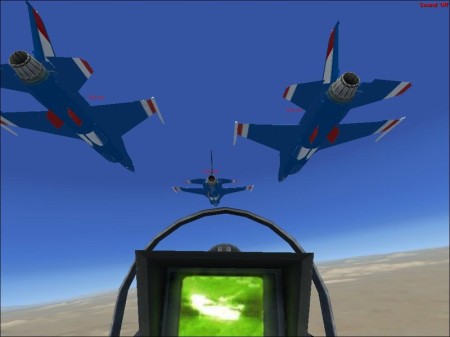
hear goes nothing....

Image
FSXbluestars3
Ground hog
Ground hog
 
Posts: 6
Joined: Wed Dec 24, 2008 10:15 am


Return to Simulation Screenshots Showcase

Who is online

Users browsing this forum: No registered users and 582 guests