a1's crop tutorial

Flight Simulation Screenshots displaying your Flight Simulation Experience. MSFS, FSX, Prepar3D, XPlane and other Flight Simulators. Focus is your Flight Simulator Experience. Please upload to Simviation (Button at top right)

a1's crop tutorial

Postby TRflyman01 » Sat Dec 20, 2008 4:57 pm

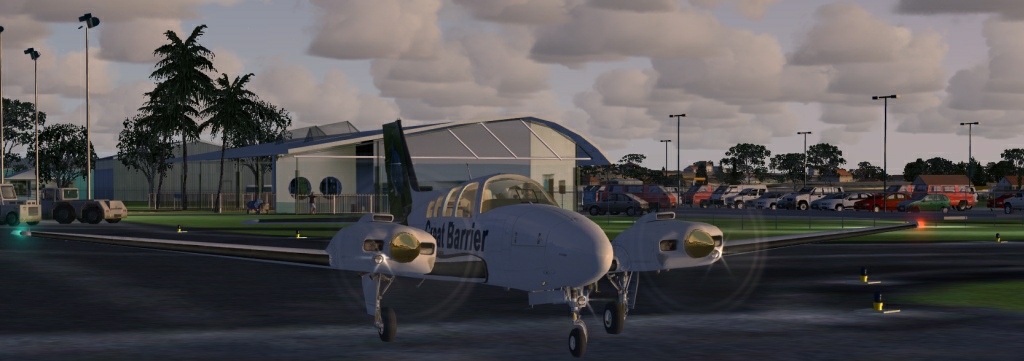
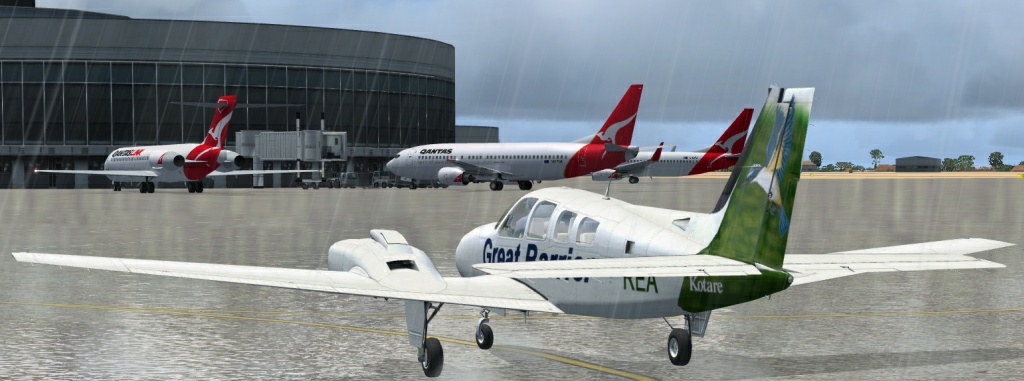
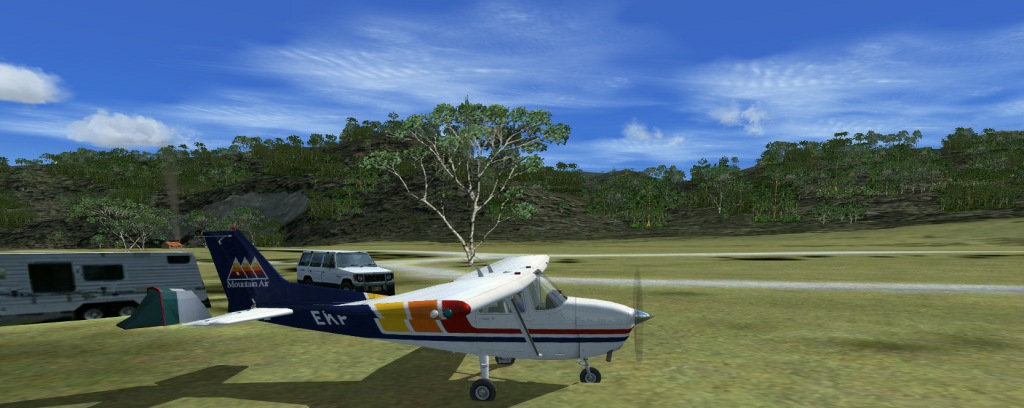
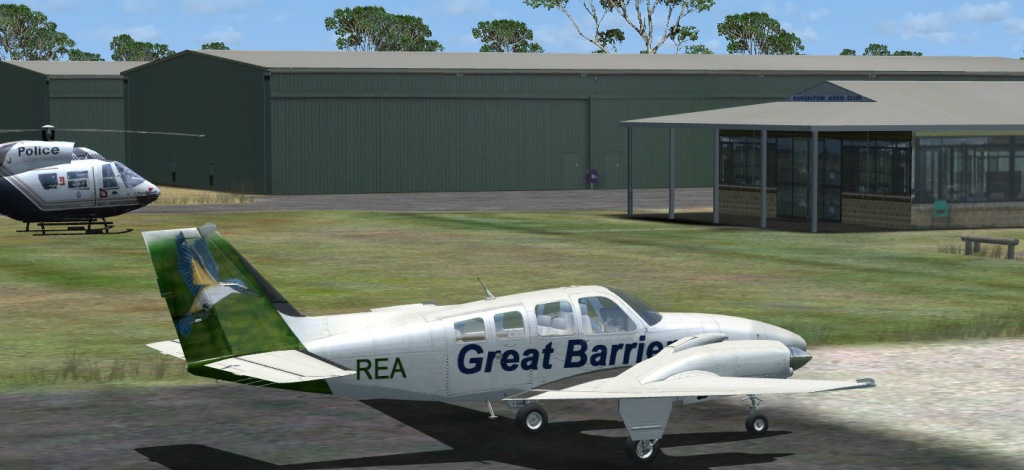
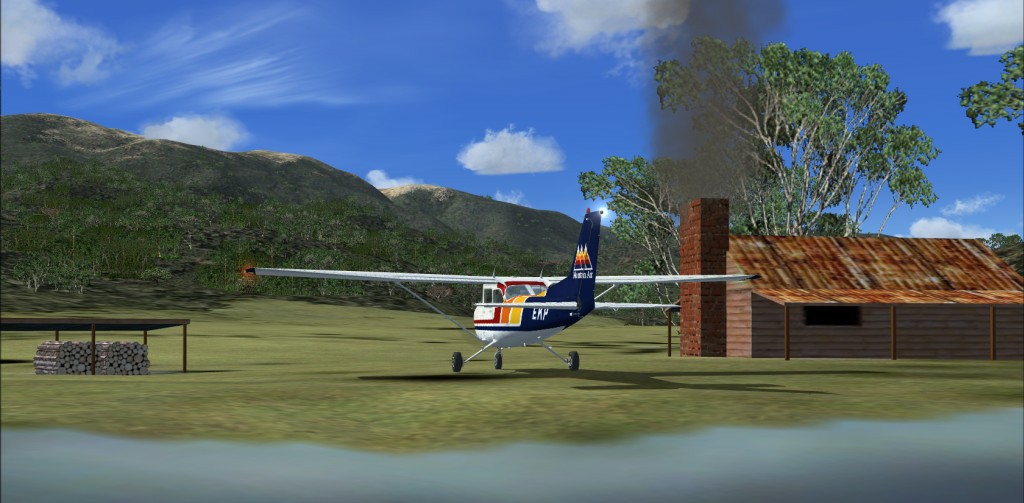
After reading a1's crop tutorial I started looking through my pic folders and messed around with some. Here is some random pics that I didn't really like so I never posted. I cropped them in different ways and suddenly started liking them. Anyways, here they are, hope you like them too.

Image

http://www.simviation.com/yabbuploads/5745906b.jpg
Image

Image

Image

Image

Thanks for posting the tutorial a1. In the future I'm sure I will look at screens in a whole different light.

Image
TRflyman01
Major
Major
 
Posts: 1192
Joined: Tue May 06, 2008 12:42 pm
Location: united states

Re: a1's crop tutorial

Postby lunitic_8 » Sat Dec 20, 2008 5:02 pm

nice, looks like you have a flat tire in #1
Image

I7-7700HQ | GTX 1060 | 16GB DDR4-2400MHz | 1TB HDD + 256GB SSD
User avatar
lunitic_8
Major
Major
 
Posts: 3163
Joined: Sun Sep 28, 2008 8:05 pm
Location: Houston, Texas (KHOU)

Re: a1's crop tutorial

Postby TRflyman01 » Sat Dec 20, 2008 5:14 pm

nice, looks like you have a flat tire in #1


lol, yeah the grass needs cutting ;)
Image
TRflyman01
Major
Major
 
Posts: 1192
Joined: Tue May 06, 2008 12:42 pm
Location: united states

Re: a1's crop tutorial

Postby lunitic_8 » Sat Dec 20, 2008 8:29 pm

nice, looks like you have a flat tire in #1


lol, yeah the grass needs cutting ;)

lol but good shots ;)
Image

I7-7700HQ | GTX 1060 | 16GB DDR4-2400MHz | 1TB HDD + 256GB SSD
User avatar
lunitic_8
Major
Major
 
Posts: 3163
Joined: Sun Sep 28, 2008 8:05 pm
Location: Houston, Texas (KHOU)

Re: a1's crop tutorial

Postby gtirob01 » Sat Dec 20, 2008 8:57 pm

Nice ones. I like #3 and 4 the best. Cropping can make a huge difference in how a screen shot looks. You did a nice job here.
My specs... A hard drive, motherboard, graphics card, some memory, a keyboard, mouse, and monitor - in other words, nothing special.

Image

My Posky
User avatar
gtirob01
Major
Major
 
Posts: 3605
Joined: Fri Jul 20, 2007 11:10 pm
Location: Ft. Walton Beach, FL

Re: a1's crop tutorial

Postby a1 » Sat Dec 20, 2008 9:08 pm

#1,4, and the last ones are perfect. ;)
Image
790i : QX9650 : 4Gb DDR3 : GeForce 8800 GTX : 1 WD Raptor : 1 WD VelociRaptor 150
User avatar
a1
Lieutenant Colonel
Lieutenant Colonel
 
Posts: 7608
Joined: Thu Jan 04, 2007 9:16 pm

Re: a1's crop tutorial

Postby Dr.bob7 » Sat Dec 20, 2008 9:27 pm

love the Cessna paint
Dr.bob7
Major
Major
 
Posts: 1364
Joined: Sat Sep 15, 2007 11:03 pm
Location: Castle Rock Colorado

Re: a1's crop tutorial

Postby jime59 » Sun Dec 21, 2008 2:16 am

As I replied in his initial post, some shots actually look better cropped.
Thanks for proving that. ;)  
Very nice shots.
The mind is like a parachute...it only works when it's open.
User avatar
jime59
Major
Major
 
Posts: 1607
Joined: Thu Oct 11, 2007 4:13 pm
Location: Streamwood,Il

Re: a1's crop tutorial

Postby BigTruck » Sun Dec 21, 2008 6:03 am

These look fantastic, keep at it!!
Alienware X51_R2 (thank you wife) Windows 8.1, 6GB Ram, Intel Core i3-4150 CPU @3.50GHz
FSX Acceleration settings on max, no twitches or glitches.
Saitek X52 Stick and Throttle
User avatar
BigTruck
Global Moderator
Global Moderator
 
Posts: 7048
Joined: Wed Jun 20, 2007 2:35 pm
Location: Tuscaloosa, AL

Re: a1's crop tutorial

Postby SubZer0 » Mon Dec 22, 2008 3:30 am

isn't it amazing what a simple crop can do?  ;)
[center][img]http://www.simviation.com/phpupload/uploads/1369006030.jpg[/img][/center]
User avatar
SubZer0
Major
Major
 
Posts: 3722
Joined: Fri May 04, 2007 9:29 pm
Location: KLNA

Re: a1's crop tutorial

Postby JSpahn » Mon Dec 22, 2008 5:05 am

4 is just awesome...good work
Image
User avatar
JSpahn
Major
Major
 
Posts: 1768
Joined: Wed Apr 04, 2007 9:12 pm
Location: Philadelphia,PA

Re: a1's crop tutorial

Postby Daube » Mon Dec 22, 2008 7:10 am

For me, cropping a screenshot is a little bit like cheating. (no offense)
I mean, finding a good angle of view is part of the most difficult steps in the screenshot creation, and cropping makes this much easier. That's why I've always been quite reluctant to use this technique
Last edited by Daube on Mon Dec 22, 2008 7:12 am, edited 1 time in total.
User avatar
Daube
Lieutenant Colonel
Lieutenant Colonel
 
Posts: 6611
Joined: Wed Oct 05, 2005 8:34 am
Location: Nice (FR)


Return to Simulation Screenshots Showcase

Who is online

Users browsing this forum: No registered users and 579 guests