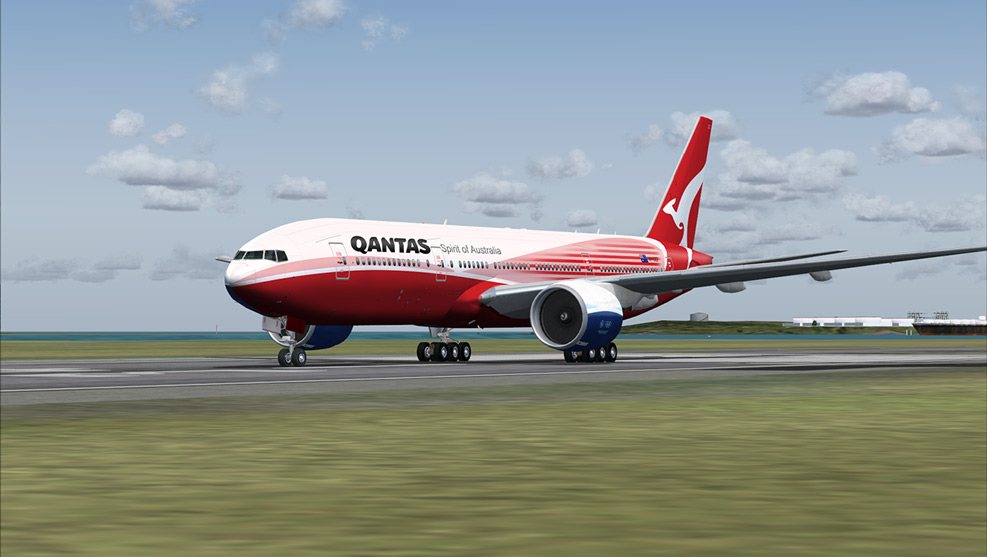
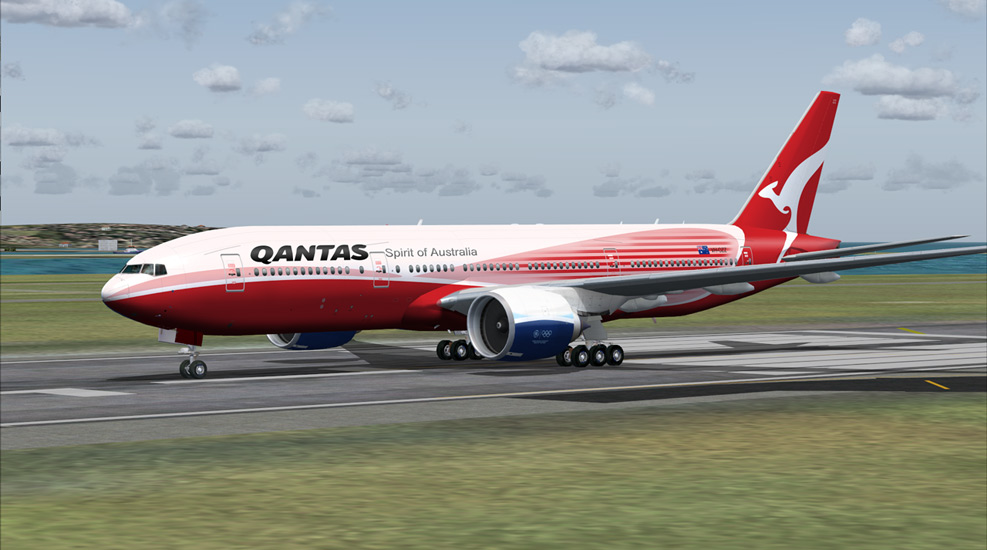
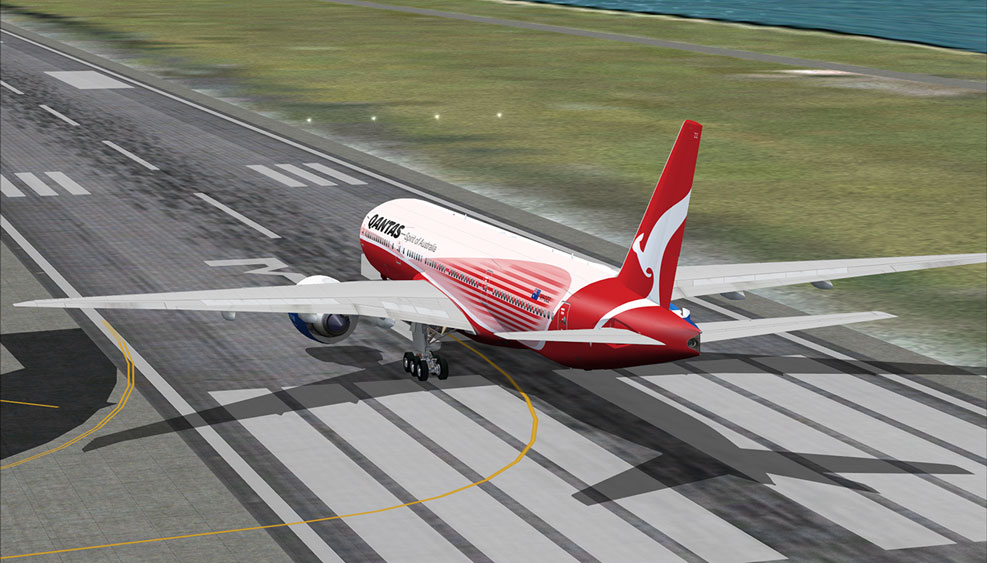
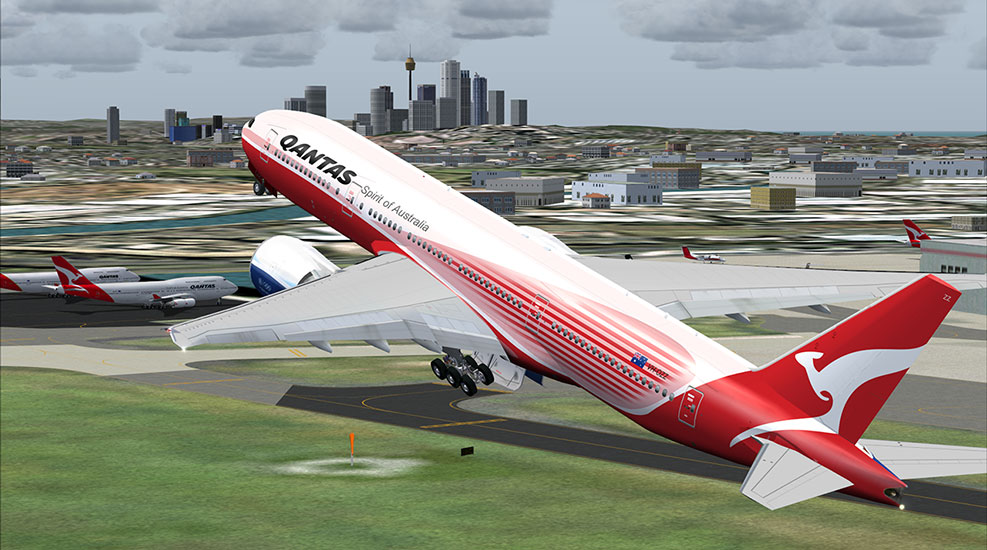
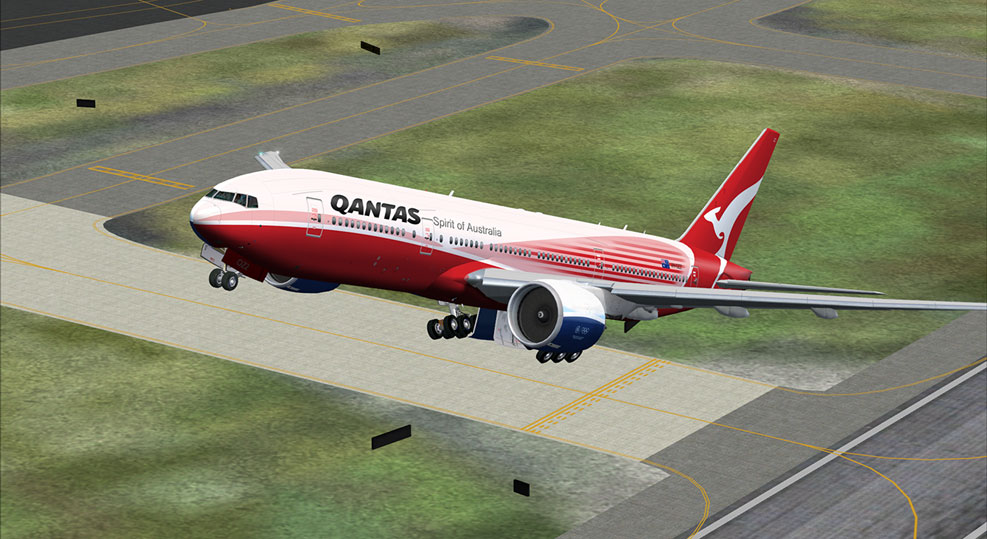
Qantas Dreamliner

Flight Simulation Screenshots displaying your Flight Simulation Experience. MSFS, FSX, Prepar3D, XPlane and other Flight Simulators. Focus is your Flight Simulator Experience. Please upload to Simviation (Button at top right)

Qantas Dreamliner

Postby N. Chapman » Sun Nov 16, 2008 12:19 am

Just a little fictional livery that I'm working on :)

Image

Image

Image

Image

Image

the engines will be red as well and will include the roo too  :D

Image
Click for Computer info overload!
User avatar
N. Chapman
Captain
Captain
 
Posts: 971
Joined: Sat Oct 13, 2007 7:19 pm
Location: Fremont, CA

Re: Qantas Dreamliner

Postby Anxyous » Sun Nov 16, 2008 6:10 am

Me like :D
Image
User avatar
Anxyous
Major
Major
 
Posts: 2593
Joined: Mon Dec 25, 2006 4:04 pm

Re: Qantas Dreamliner

Postby FlyingPerson » Sun Nov 16, 2008 7:01 am

Wow, I like it too ;)
Specs
Intel M C2D P8400 2.26 GhZ
nVidia GeForce 9600M GT
4 GB DDR3
320 GB HD
Windows Vista Home Premium SP1 32

Image


Flown: B
User avatar
FlyingPerson
Captain
Captain
 
Posts: 573
Joined: Sun Nov 09, 2008 3:54 pm
Location: Near Oslo, Norway

Re: Qantas Dreamliner

Postby Brando14100 » Sun Nov 16, 2008 8:59 am

Me three.

8-)
Brando14100
 

Re: Qantas Dreamliner

Postby N. Chapman » Sun Nov 16, 2008 2:08 pm

thanks guys! starting work on the engines soon  8-)
Image
Click for Computer info overload!
User avatar
N. Chapman
Captain
Captain
 
Posts: 971
Joined: Sat Oct 13, 2007 7:19 pm
Location: Fremont, CA

Re: Qantas Dreamliner

Postby todayshorse » Sun Nov 16, 2008 2:17 pm

certainly different! Nice work!
Image
User avatar
todayshorse
Major
Major
 
Posts: 2808
Joined: Fri Mar 28, 2008 5:10 pm
Location: England

Re: Qantas Dreamliner

Postby AMDDDA » Sun Nov 16, 2008 2:32 pm

On the tail, most of them have some whiteness at the end of it, at least on their 737's and 747's I know they do.
User avatar
AMDDDA
Captain
Captain
 
Posts: 975
Joined: Wed Oct 31, 2007 6:56 pm

Re: Qantas Dreamliner

Postby N. Chapman » Sun Nov 16, 2008 3:08 pm

On the tail, most of them have some whiteness at the end of it, at least on their 737's and 747's I know they do.

ah, but that is all part of the special livery my friend ;)

on the standard livery that i am doing as well it will have the white space on the tail ;)
Last edited by N. Chapman on Sun Nov 16, 2008 5:29 pm, edited 1 time in total.
Image
Click for Computer info overload!
User avatar
N. Chapman
Captain
Captain
 
Posts: 971
Joined: Sat Oct 13, 2007 7:19 pm
Location: Fremont, CA

Re: Qantas Dreamliner

Postby N. Chapman » Sun Nov 16, 2008 5:46 pm

Image
Click for Computer info overload!
User avatar
N. Chapman
Captain
Captain
 
Posts: 971
Joined: Sat Oct 13, 2007 7:19 pm
Location: Fremont, CA

Re: Qantas Dreamliner

Postby Anxyous » Mon Nov 17, 2008 2:52 pm

Noice, how do you get those smooth, curved lines?
Image
User avatar
Anxyous
Major
Major
 
Posts: 2593
Joined: Mon Dec 25, 2006 4:04 pm

Re: Qantas Dreamliner

Postby N. Chapman » Mon Nov 17, 2008 3:03 pm

i think its a combination of working on a 20,000x6000 palette and the pen tool. the PSD file size is about 100MB and when i save it as a bitmap to transfer it to the actual textures the BMP is about 457MB.

here is what it looks like at the full resolution. However i would exercise extreme caution when clicking this link it has caused a couple of computers to freeze. The picture is about 6MB in the png format.

full resolution

here is the link to what it looks like fully done ;)
http://www.simviation.com/cgi-bin/yabb2/YaBB.pl?num=1226938706
Last edited by N. Chapman on Mon Nov 17, 2008 3:05 pm, edited 1 time in total.
Image
Click for Computer info overload!
User avatar
N. Chapman
Captain
Captain
 
Posts: 971
Joined: Sat Oct 13, 2007 7:19 pm
Location: Fremont, CA

Re: Qantas Dreamliner

Postby Anxyous » Mon Nov 17, 2008 3:07 pm

i think its a combination of working on a 20,000x6000 palette and the pen tool. the PSD file size is about 100MB and when i save it as a bitmap to transfer it to the actual textures the BMP is about 457MB.


;D

Yeah man, funny, no seriously, how? :-?


;D
Image
User avatar
Anxyous
Major
Major
 
Posts: 2593
Joined: Mon Dec 25, 2006 4:04 pm

Re: Qantas Dreamliner

Postby N. Chapman » Mon Nov 17, 2008 3:15 pm

seriously that's how! just the pen tool in photoshop CS3
Image
Click for Computer info overload!
User avatar
N. Chapman
Captain
Captain
 
Posts: 971
Joined: Sat Oct 13, 2007 7:19 pm
Location: Fremont, CA

Re: Qantas Dreamliner

Postby gtirob01 » Mon Nov 17, 2008 4:14 pm

Thats sweet! I want it!
My specs... A hard drive, motherboard, graphics card, some memory, a keyboard, mouse, and monitor - in other words, nothing special.

Image

My Posky
User avatar
gtirob01
Major
Major
 
Posts: 3605
Joined: Fri Jul 20, 2007 11:10 pm
Location: Ft. Walton Beach, FL

Re: Qantas Dreamliner

Postby lunitic_8 » Mon Nov 17, 2008 8:34 pm

i think its a combination of working on a 20,000x6000 palette and the pen tool. the PSD file size is about 100MB and when i save it as a bitmap to transfer it to the actual textures the BMP is about 457MB.

here is what it looks like at the full resolution. However i would exercise extreme caution when clicking this link it has caused a couple of computers to freeze. The picture is about 6MB in the png format.

full resolution


wow when i opened this my computer went kaputt
Image

I7-7700HQ | GTX 1060 | 16GB DDR4-2400MHz | 1TB HDD + 256GB SSD
User avatar
lunitic_8
Major
Major
 
Posts: 3163
Joined: Sun Sep 28, 2008 8:05 pm
Location: Houston, Texas (KHOU)

Next

Return to Simulation Screenshots Showcase

Who is online

Users browsing this forum: No registered users and 579 guests