FS9 Cloud layer overload

Flight Simulation Screenshots displaying your Flight Simulation Experience. MSFS, FSX, Prepar3D, XPlane and other Flight Simulators. Focus is your Flight Simulator Experience. Please upload to Simviation (Button at top right)

FS9 Cloud layer overload

Postby ShaneG_old » Sun Nov 02, 2008 10:07 pm

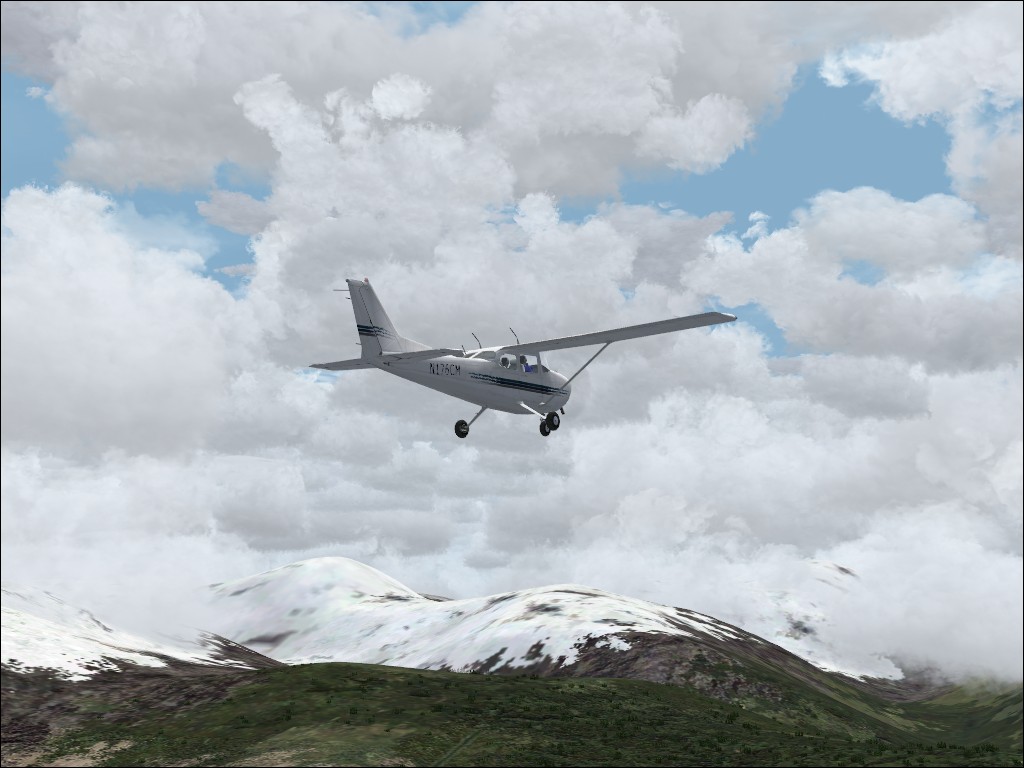
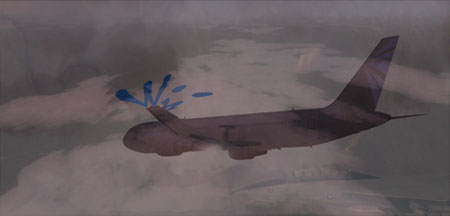
Trying to see how many cloud layers I could shove into FS9 before it would start to stutter, the answer is 8. ;D (at least on my system ;))

Image

Image

Thanks for looking. :)
ShaneG_old
Lieutenant Colonel
Lieutenant Colonel
 
Posts: 9700
Joined: Tue Mar 11, 2008 11:52 am

Re: FS9 Cloud layer overload

Postby gtirob01 » Sun Nov 02, 2008 10:42 pm

I think your have found your niche with those orangy screenies! They look very cool! I can only get that thru edits. Clouds in the 1st shot look great.
My specs... A hard drive, motherboard, graphics card, some memory, a keyboard, mouse, and monitor - in other words, nothing special.

Image

My Posky
User avatar
gtirob01
Major
Major
 
Posts: 3605
Joined: Fri Jul 20, 2007 11:10 pm
Location: Ft. Walton Beach, FL

Re: FS9 Cloud layer overload

Postby todayshorse » Sun Nov 02, 2008 11:16 pm

Fascinating, ive only ever used 1 or 2 layers max :o
Image
User avatar
todayshorse
Major
Major
 
Posts: 2808
Joined: Fri Mar 28, 2008 5:10 pm
Location: England

Re: FS9 Cloud layer overload

Postby baglady » Mon Nov 03, 2008 6:35 am

I usually use at least 3 but not more that one Cumulus layer.
Computer; Dell Studio 17 Laptop

Image
User avatar
baglady
Ground hog
Ground hog
 
Posts: 11
Joined: Tue Oct 28, 2008 7:57 am
Location: northern California

Re: FS9 Cloud layer overload

Postby Fozzer » Mon Nov 03, 2008 9:03 am

Me, and my little Cessna 150 have this inbuilt fear of Clouds!... :o....!

F....FS 2004... ;D...!
Win 8.1 64-bit. DX11. Advent Tower. Intel i7-3770 3.9 GHz 8-core. 8 GB System RAM. AMD Radeon HD 7700 1GB RAM. DVD ROM. 2 Terra Byte SATA Hard Drive. Philips 17" LCD Monitor. Saitek Cyborg X Fly-5 Joystick. ...and a Briggs and Stratton Petrol Lawn Mower.
User avatar
Fozzer
Colonel
Colonel
 
Posts: 27370
Joined: Thu Jan 31, 2002 3:11 pm
Location: Hereford. England. EGBS.

Re: FS9 Cloud layer overload

Postby Anxyous » Mon Nov 03, 2008 11:03 am

Landing light on the second is... is... someone finish my sentence! :D
Image
User avatar
Anxyous
Major
Major
 
Posts: 2593
Joined: Mon Dec 25, 2006 4:04 pm

Re: FS9 Cloud layer overload

Postby aussiewannabe » Mon Nov 03, 2008 11:51 am

Landing light on the second is... is... someone finish my sentence! :D


SPECTACULAR!

So is the shot. Needs to be nominated ;)
HP Media Center Photosmart m7260n | 3.0GHz Intel Pentium D 830 | 2 GB RAM | 320 GB HD | Sapphire X1950 GT 512MB | Silencer 610 Watt PSU

[center][img]
http://www.simviation.com/yabbuploads/aussie_sig1.jpg
User avatar
aussiewannabe
Major
Major
 
Posts: 2530
Joined: Thu May 17, 2007 11:33 am

Re: FS9 Cloud layer overload

Postby haroldkip » Mon Nov 03, 2008 2:49 pm

someone finish my sentence!

Shockwave 3D lights? ;D
User avatar
haroldkip
Lieutenant Colonel
Lieutenant Colonel
 
Posts: 5906
Joined: Wed Apr 12, 2006 5:13 am
Location: Amsterdam, The Netherlands

Re: FS9 Cloud layer overload

Postby Wii » Mon Nov 03, 2008 2:58 pm

someone finish my sentence!

Shockwave 3D lights? ;D

Are they? If they aren't, how the he** did you get them to look so good!? ;D
User avatar
Wii
Major
Major
 
Posts: 2727
Joined: Wed Jun 13, 2007 2:33 pm
Location: Space

Re: FS9 Cloud layer overload

Postby ShaneG_old » Mon Nov 03, 2008 5:32 pm

someone finish my sentence!

Shockwave 3D lights? ;D


We have a winner! ;D  I wasn't sure where to post this one as everything else in the shot is freeware. I figured since it went with the first shot it wouldn't be to out of bounds to put it here. I would like to have that on all my planes, but I think that might make all my freeware planes payware. :-/  
 ;D I've almost finished reinstalling all of my FS9 goodies, just a couple more. I wish I had thought about that more when I removed it for FSX thinking I wasn't going back to it. :-[
ShaneG_old
Lieutenant Colonel
Lieutenant Colonel
 
Posts: 9700
Joined: Tue Mar 11, 2008 11:52 am

Re: FS9 Cloud layer overload

Postby Bob70 » Mon Nov 03, 2008 8:25 pm

Shockwave 3D lights? ;D
[/quote]

We have a winner! ;D
Image
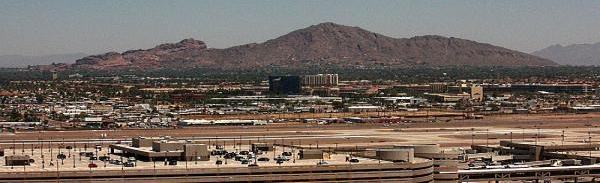
Camelback Mountain....Looking north from Sky Harbor Int.
User avatar
Bob70
Global Moderator
Global Moderator
 
Posts: 3069
Joined: Thu Nov 30, 2006 12:23 pm
Location: Phoenix Arizona , USA

Re: FS9 Cloud layer overload

Postby ShaneG_old » Mon Nov 03, 2008 8:40 pm

That's kinda how I felt about it. ;) I've got quite a few addons that fall into this conundrum and was starting to get confused about where I need to start posting my shots ;D. I've pretty much given up on FSX for now until I get a better system, and these addons help take away the pain of that decision. ;)
ShaneG_old
Lieutenant Colonel
Lieutenant Colonel
 
Posts: 9700
Joined: Tue Mar 11, 2008 11:52 am

Re: FS9 Cloud layer overload

Postby a1 » Mon Nov 03, 2008 8:59 pm

Lovely shots. ;)
Image
790i : QX9650 : 4Gb DDR3 : GeForce 8800 GTX : 1 WD Raptor : 1 WD VelociRaptor 150
User avatar
a1
Lieutenant Colonel
Lieutenant Colonel
 
Posts: 7608
Joined: Thu Jan 04, 2007 9:16 pm

Re: FS9 Cloud layer overload

Postby Fozzer » Tue Nov 04, 2008 12:03 pm

someone finish my sentence!

Shockwave 3D lights? ;D


We have a winner! ;D  I wasn't sure where to post this one as everything else in the shot is freeware. I figured since it went with the first shot it wouldn't be to out of bounds to put it here. I would like to have that on all my planes, but I think that might make all my freeware planes payware. :-/  
 ;D I've almost finished reinstalling all of my FS9 goodies, just a couple more. I wish I had thought about that more when I removed it for FSX thinking I wasn't going back to it :-[


...welcome back from the "Twilight Zone", and into the "Fun Zone"... ;).... [smiley=thumbsup.gif]...!

F....G-BPLF...FS 2004...FS Navigator... ;D... ;D... ;D...!

P.S.   ...over the years, many of my Screen Shots include my Payware, LAGO FSE, and Abacus EZ-Scenery, own designed Scenery layout objects... :-*...!

..no one had objected so far...('cos they look so nice?)... ;D...!
Last edited by Fozzer on Tue Nov 04, 2008 12:10 pm, edited 1 time in total.
Win 8.1 64-bit. DX11. Advent Tower. Intel i7-3770 3.9 GHz 8-core. 8 GB System RAM. AMD Radeon HD 7700 1GB RAM. DVD ROM. 2 Terra Byte SATA Hard Drive. Philips 17" LCD Monitor. Saitek Cyborg X Fly-5 Joystick. ...and a Briggs and Stratton Petrol Lawn Mower.
User avatar
Fozzer
Colonel
Colonel
 
Posts: 27370
Joined: Thu Jan 31, 2002 3:11 pm
Location: Hereford. England. EGBS.


Return to Simulation Screenshots Showcase

Who is online

Users browsing this forum: No registered users and 562 guests