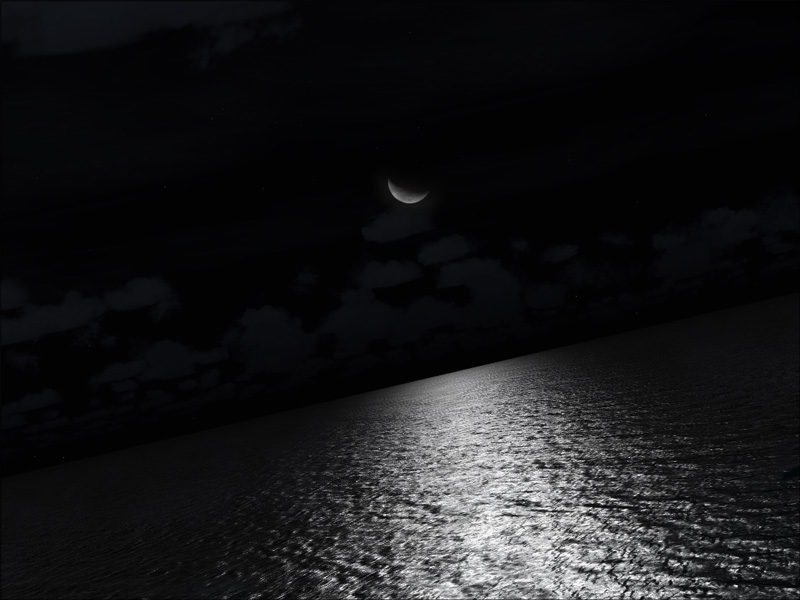
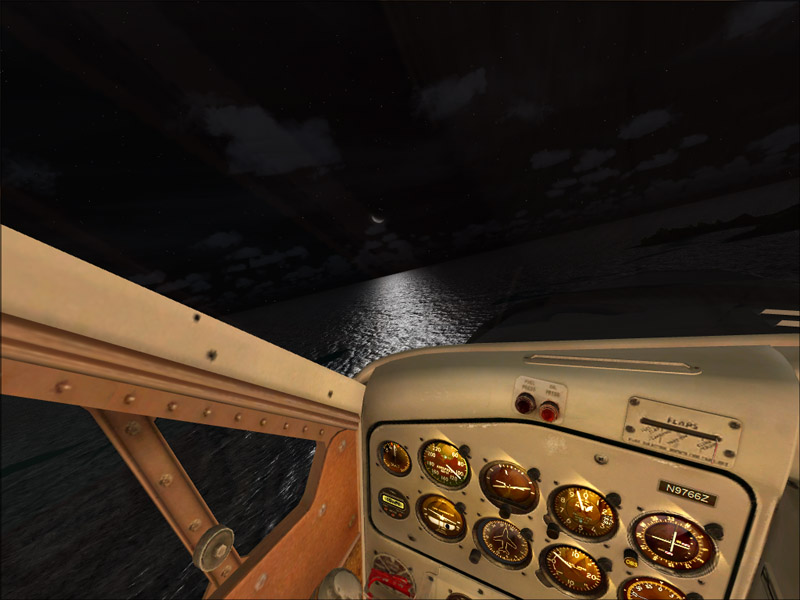
Flight Simulation Screenshots displaying your Flight Simulation Experience. MSFS, FSX, Prepar3D, XPlane and other Flight Simulators. Focus is your Flight Simulator Experience. Please upload to Simviation (Button at top right)
 by Layne. » Tue Jul 08, 2008 9:18 pm
Please move part 1 and part 2 to Freeware Section
Windows 7 Ultimate x64 | 22" LED Monitor (1920x1080) | AMD Phenom II x4 970 Black Edition~3.5Ghz | 4gb RAM | ATI Radeon 6850 1gb | 1Tb HDD
[img]http://www.simviation.com/phpupload/uploads/1302666610.
-

Layne.
- Major

-
- Posts: 2646
- Joined: Sun Jun 10, 2007 9:17 pm
- Location: Australia, Victoria, Melbourne
by NitroPower » Tue Jul 08, 2008 9:51 pm
Please move part 1 and part 2 to Freeware Section
Did you just tell yourself to move this thread? :-?
-

NitroPower
- Captain

-
- Posts: 712
- Joined: Wed Jun 25, 2008 12:45 pm
- Location: North Carolina, USA
-
by jankees » Wed Jul 09, 2008 10:45 am
Love that first one!
-
jankees
- Major
-
- Posts: 2799
- Joined: Fri Aug 11, 2006 3:19 am
- Location: Brussels, Belgium
by BFMF » Wed Jul 09, 2008 1:02 pm
Please move part 1 and part 2 to Freeware Section
Did you just tell yourself to move this thread? :-?
Only the all powerfull admin are able to move threads...

-
BFMF
- Colonel

-
- Posts: 16266
- Joined: Mon Feb 25, 2002 6:06 pm
- Location: Pacific Northwest
by Bob70 » Wed Jul 09, 2008 3:24 pm
Please move part 1 and part 2 to Freeware Section
Did you just tell yourself to move this thread? :-?
Only the all powerfull admin are able to move threads...
There is a way that you can do it yourself.
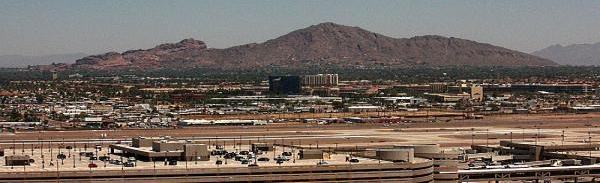
Camelback Mountain....Looking north from Sky Harbor Int.
-

Bob70
- Global Moderator

-
- Posts: 3069
- Joined: Thu Nov 30, 2006 12:23 pm
- Location: Phoenix Arizona , USA
by BFMF » Wed Jul 09, 2008 6:29 pm
Please move part 1 and part 2 to Freeware Section
Did you just tell yourself to move this thread? :-?
Only the all powerfull admin are able to move threads...
There is a way that you can do it yourself.
-
BFMF
- Colonel
-
- Posts: 16266
- Joined: Mon Feb 25, 2002 6:06 pm
- Location: Pacific Northwest
by Bob70 » Wed Jul 09, 2008 8:36 pm
Please move part 1 and part 2 to Freeware Section
Did you just tell yourself to move this thread? :-?
Only the all powerfull admin are able to move threads...
There is a way that you can do it yourself.
Last edited by
Bob70 on Wed Jul 09, 2008 8:41 pm, edited 1 time in total.
Camelback Mountain....Looking north from Sky Harbor Int.
-
Bob70
- Global Moderator
-
- Posts: 3069
- Joined: Thu Nov 30, 2006 12:23 pm
- Location: Phoenix Arizona , USA
by Layne. » Thu Jul 10, 2008 2:36 am
I was actually asking the mods to move them...
Windows 7 Ultimate x64 | 22" LED Monitor (1920x1080) | AMD Phenom II x4 970 Black Edition~3.5Ghz | 4gb RAM | ATI Radeon 6850 1gb | 1Tb HDD
[img]http://www.simviation.com/phpupload/uploads/1302666610.
-
Layne.
- Major
-
- Posts: 2646
- Joined: Sun Jun 10, 2007 9:17 pm
- Location: Australia, Victoria, Melbourne
by krigl » Mon Jul 14, 2008 9:44 am
Your wish is my command...
If you're bored of an evening - and you'll have to be - you can check out my screenshot gallery: Kriglsflightsimscreens
...HERE[center][img]http://www.simviation.com/phpup
-
krigl
- Lieutenant Colonel

-
- Posts: 8234
- Joined: Fri Jun 10, 2005 3:47 am
Return to Simulation Screenshots Showcase
Who is online
Users browsing this forum: No registered users and 285 guests