Up close and personal.

Flight Simulation Screenshots displaying your Flight Simulation Experience. MSFS, FSX, Prepar3D, XPlane and other Flight Simulators. Focus is your Flight Simulator Experience. Please upload to Simviation (Button at top right)

Up close and personal.

Postby Flying Mouse » Tue Jul 01, 2008 2:15 am

Thanx to Daube I now know how to change the spot plane distance without zooming. I never knew i could do it.

Thanx alot Daube.

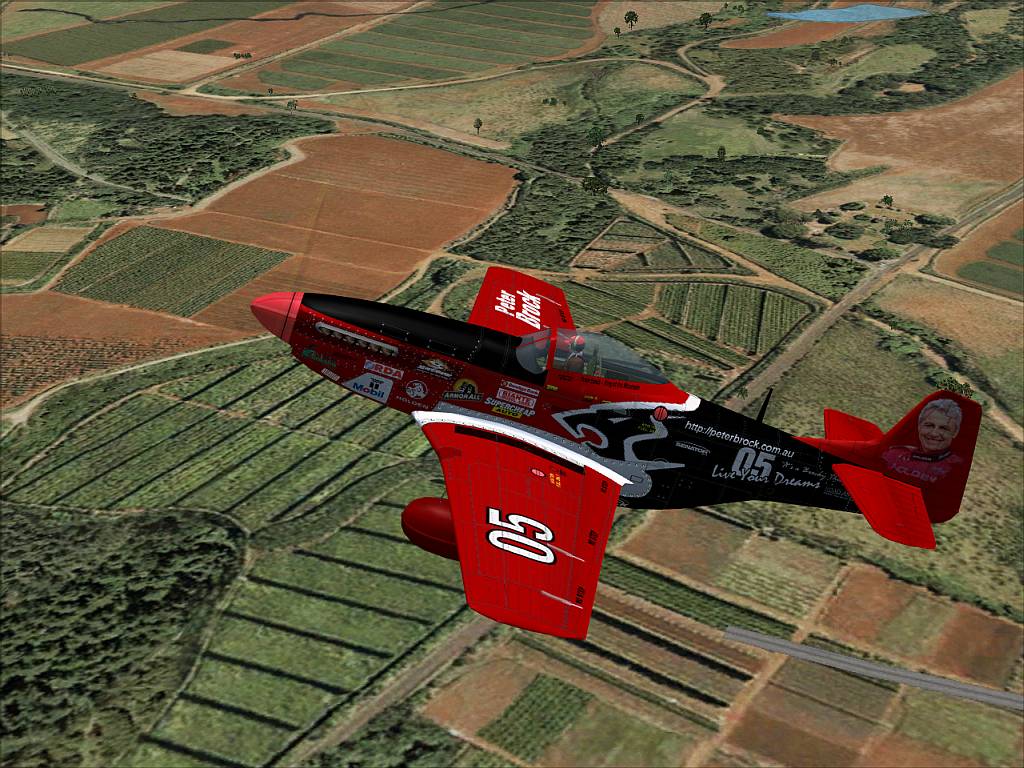
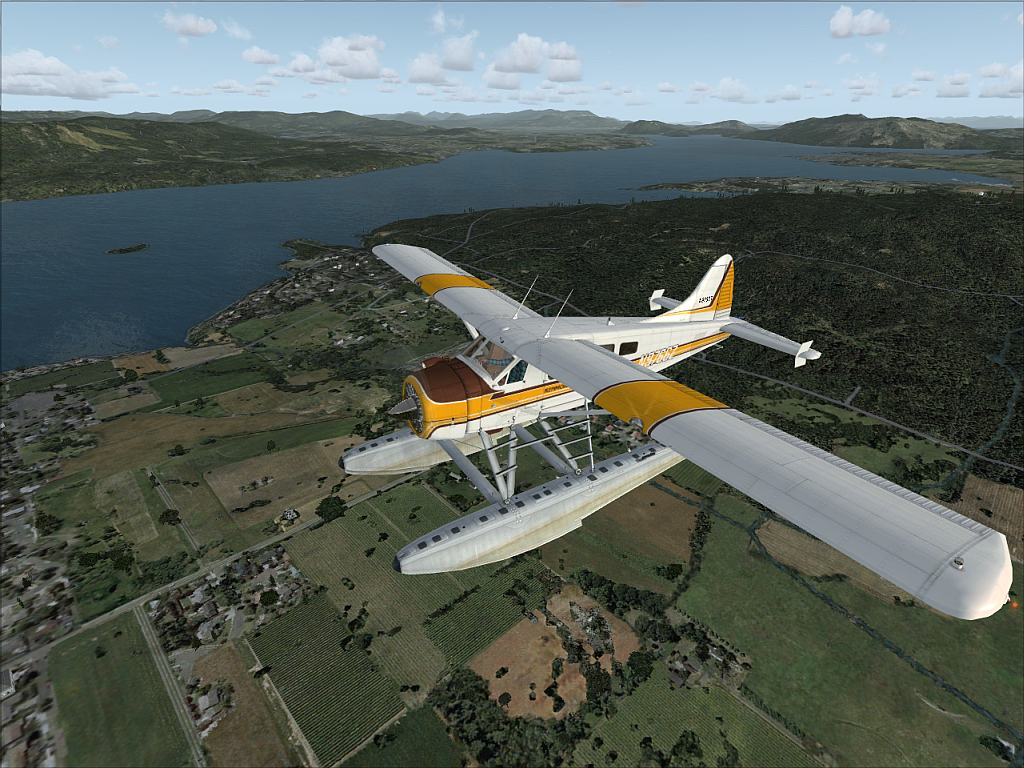
Flying around Victoria.
Image

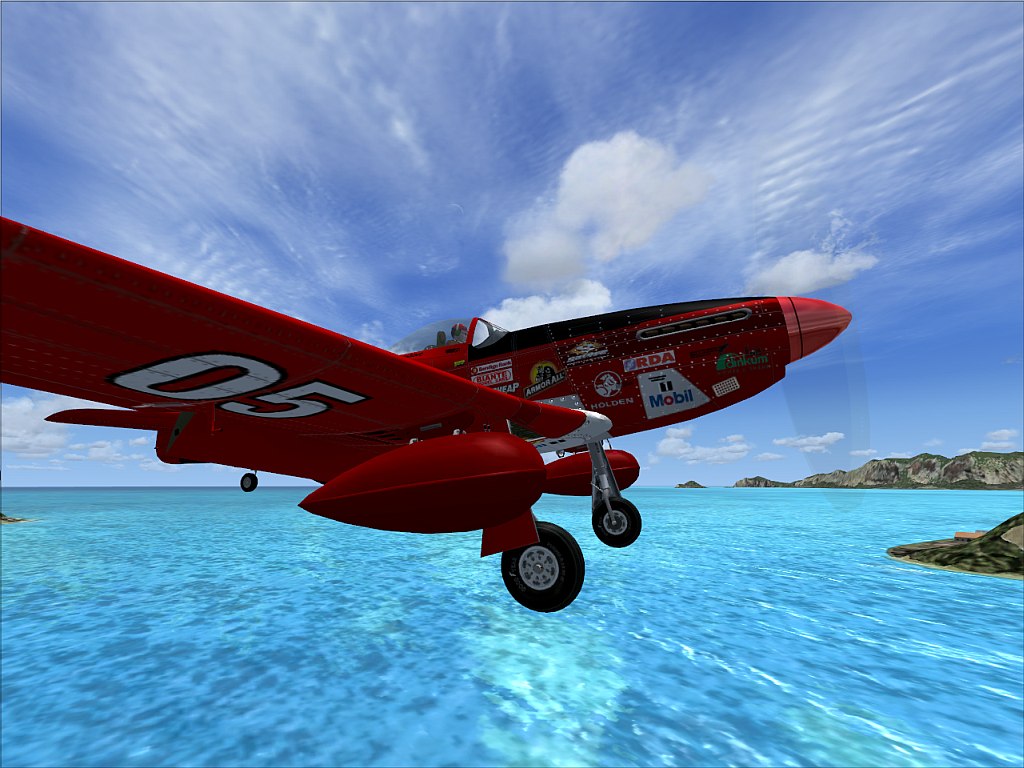
Mussy around Hawaii
Image

Landing at an airport just east of Honolulu.
Image

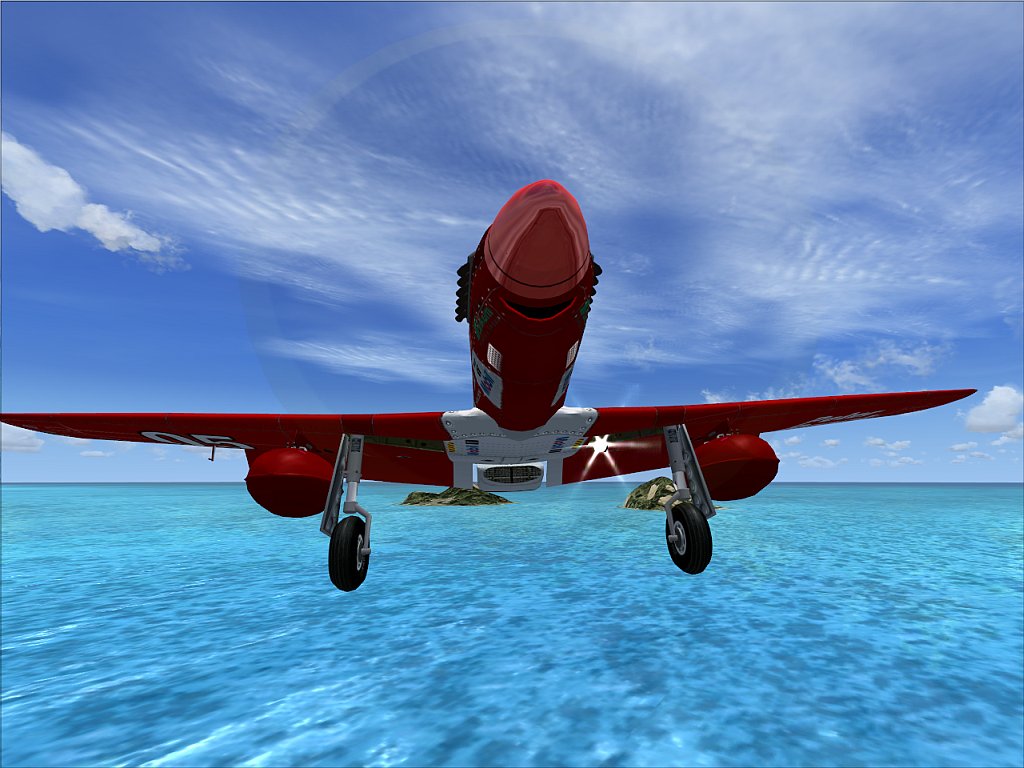
On final, coming right at you.
Image

Thanx for having a look.

Q&C always appreciated.

Once again ty Daube!!!

Coolermaster Storm Enforcer Chassis/ Corsair TX750W PSU/ Gigabyte Ga-990fxa Mobo/ AMD Phenom X4 965 BE 3.4Ghz C3/Coolermaster V6GT CPU air cooler/ 8GB RAM Corsair DDR3 2000Mhz/ Gigabyte GTX570 Overclocked Edition GPU/ Windows 7 Prem 64bit/ 750Gb & 150
User avatar
Flying Mouse
Major
Major
 
Posts: 1574
Joined: Wed May 23, 2007 3:58 am
Location: Somewhere in a bushplane

Re: Up close and personal.

Postby Daube » Tue Jul 01, 2008 3:59 am

The first one is really cool !!
Last edited by Daube on Tue Jul 01, 2008 4:00 am, edited 1 time in total.
User avatar
Daube
Lieutenant Colonel
Lieutenant Colonel
 
Posts: 6611
Joined: Wed Oct 05, 2005 8:34 am
Location: Nice (FR)

Re: Up close and personal.

Postby gtirob01 » Tue Jul 01, 2008 8:02 am

Great shots! I love the paint on the Mustang! I too recently learned about the "ctrl +/-" thing. Been using it in nearly all my shots now!

Is that the Alpha Mustang? If so.... where can I find that repaint?
Last edited by gtirob01 on Tue Jul 01, 2008 8:03 am, edited 1 time in total.
My specs... A hard drive, motherboard, graphics card, some memory, a keyboard, mouse, and monitor - in other words, nothing special.

Image

My Posky
User avatar
gtirob01
Major
Major
 
Posts: 3605
Joined: Fri Jul 20, 2007 11:10 pm
Location: Ft. Walton Beach, FL

Re: Up close and personal.

Postby Flying Mouse » Tue Jul 01, 2008 8:42 am

Nope.

It is the Civilian Package in the vintage section if I am not mistaken  ;)
Coolermaster Storm Enforcer Chassis/ Corsair TX750W PSU/ Gigabyte Ga-990fxa Mobo/ AMD Phenom X4 965 BE 3.4Ghz C3/Coolermaster V6GT CPU air cooler/ 8GB RAM Corsair DDR3 2000Mhz/ Gigabyte GTX570 Overclocked Edition GPU/ Windows 7 Prem 64bit/ 750Gb & 150
User avatar
Flying Mouse
Major
Major
 
Posts: 1574
Joined: Wed May 23, 2007 3:58 am
Location: Somewhere in a bushplane

Re: Up close and personal.

Postby todayshorse » Tue Jul 01, 2008 11:08 am
[quote]The first one is really cool !!
Image
User avatar
todayshorse
Major
Major
 
Posts: 2808
Joined: Fri Mar 28, 2008 5:10 pm
Location: England

Re: Up close and personal.

Postby stuart1044 » Tue Jul 01, 2008 1:22 pm

Number one is great ;)

Well done :)
[center][url=http://www.simviation.com/cgi-bin/yabb2/YaBB.pl?board=studiov]
Image[/url]
Intel Core 2 Duo E6750 @ 2.66ghz, 2gb DDR2 800mhz, Nvidia GeForce 6600GT 256mb, Western Digital
User avatar
stuart1044
Major
Major
 
Posts: 1497
Joined: Tue Mar 14, 2006 5:50 am
Location: Manchester, UK

Re: Up close and personal.

Postby Flying Mouse » Wed Jul 02, 2008 2:05 am

Thanx for the comments and tips all  ;)
Coolermaster Storm Enforcer Chassis/ Corsair TX750W PSU/ Gigabyte Ga-990fxa Mobo/ AMD Phenom X4 965 BE 3.4Ghz C3/Coolermaster V6GT CPU air cooler/ 8GB RAM Corsair DDR3 2000Mhz/ Gigabyte GTX570 Overclocked Edition GPU/ Windows 7 Prem 64bit/ 750Gb & 150
User avatar
Flying Mouse
Major
Major
 
Posts: 1574
Joined: Wed May 23, 2007 3:58 am
Location: Somewhere in a bushplane

Re: Up close and personal.

Postby Bob70 » Wed Jul 02, 2008 5:31 pm

[quote]Thanx to Daube I now know how to change the spot plane distance without zooming. I never knew i could do it.

Thanx alot Daube.

quote]

Well would you please tell me how to do it also. I've been trying to find out how to do it since day one. I've tried all the view commands that I can find. Thanks.

:) Bob
Image
Camelback Mountain....Looking north from Sky Harbor Int.
User avatar
Bob70
Global Moderator
Global Moderator
 
Posts: 3069
Joined: Thu Nov 30, 2006 12:23 pm
Location: Phoenix Arizona , USA

Re: Up close and personal.

Postby Daube » Thu Jul 03, 2008 4:09 am

You have to use the commands CTRL+ '+' and CTRL + '-'.
This will increase/decrease the distance between the camera and the plane. You have to maintain those key, because the movement is really slow.
User avatar
Daube
Lieutenant Colonel
Lieutenant Colonel
 
Posts: 6611
Joined: Wed Oct 05, 2005 8:34 am
Location: Nice (FR)


Return to Simulation Screenshots Showcase

Who is online

Users browsing this forum: No registered users and 410 guests