
Improved graphics

Flight Simulation Screenshots displaying your Flight Simulation Experience. MSFS, FSX, Prepar3D, XPlane and other Flight Simulators. Focus is your Flight Simulator Experience. Please upload to Simviation (Button at top right)

Improved graphics

Postby pear40 » Sat May 03, 2008 8:32 pm

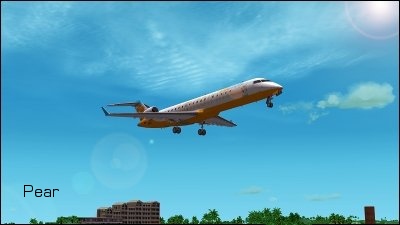
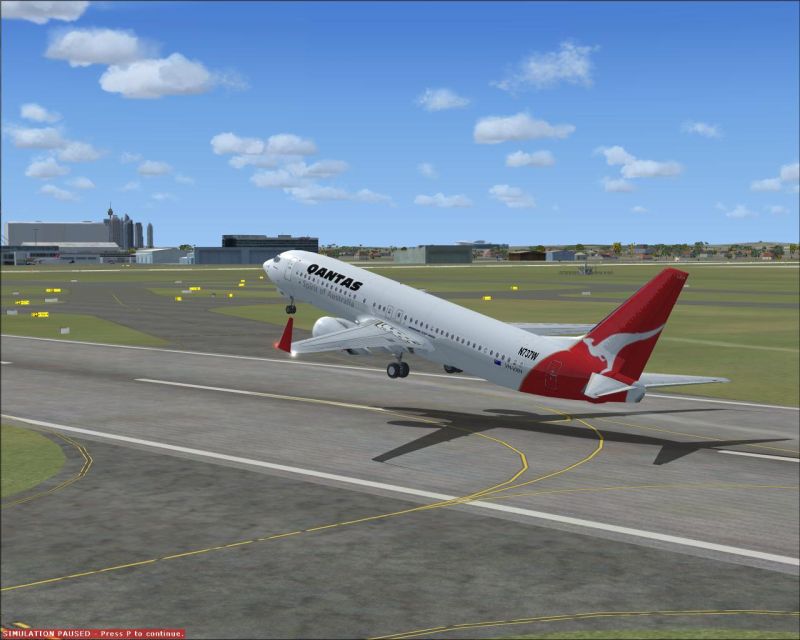
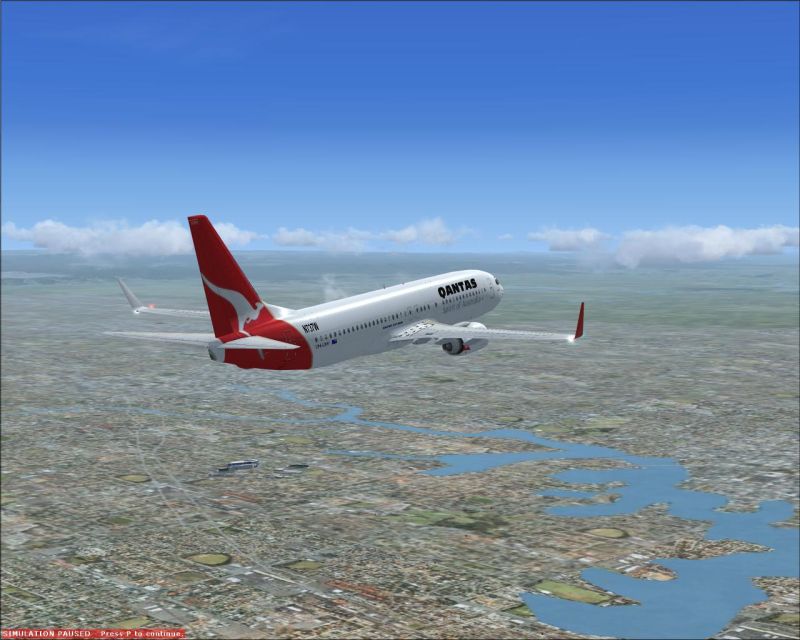
Thanks for all the tips about resizing and anti aliasing. As is evident from the picture, I was able to keep the fps reasonable with good graphics. :)

Image


Image
Image
User avatar
pear40
2nd Lieutenant
2nd Lieutenant
 
Posts: 165
Joined: Wed Apr 16, 2008 7:52 pm

Re: Improved graphics

Postby gtirob01 » Sat May 03, 2008 9:32 pm

Definitely improved alot! I like the shots. Now just gotta get that paused message outta there!

Ill see if I can find it, but I found a way to completely get rid of those on screen messages.
My specs... A hard drive, motherboard, graphics card, some memory, a keyboard, mouse, and monitor - in other words, nothing special.

Image

My Posky
User avatar
gtirob01
Major
Major
 
Posts: 3605
Joined: Fri Jul 20, 2007 11:10 pm
Location: Ft. Walton Beach, FL

Re: Improved graphics

Postby Meck » Sun May 04, 2008 2:18 am

Wow, I wish I could turn my first screenshot-graphic-settings up to what you have  :'(

You must have been able to fly at +40fps on your first shots?!
Image

excuse bad grammar; "I' bin Bayer..."
User avatar
Meck
Major
Major
 
Posts: 1656
Joined: Sat Apr 21, 2007 12:07 pm
Location: Bavaria

Re: Improved graphics

Postby todayshorse » Sun May 04, 2008 4:51 am

Remember though, for screenshot purposes, once you have paused you can up everything to the max, take the shot, then revert back to your original settings!

Massive improvement on your last submission though! Top stuff! :)
Image
User avatar
todayshorse
Major
Major
 
Posts: 2808
Joined: Fri Mar 28, 2008 5:10 pm
Location: England

Re: Improved graphics

Postby pear40 » Sun May 04, 2008 9:24 am

[quote]Wow, I wish I could turn my first screenshot-graphic-settings up to what you have
Image
User avatar
pear40
2nd Lieutenant
2nd Lieutenant
 
Posts: 165
Joined: Wed Apr 16, 2008 7:52 pm

Re: Improved graphics

Postby haroldkip » Sun May 04, 2008 5:17 pm

Aye ... definitely an improvement. I find them to be really nice quality!

Now you should learn about compression because the images still look a little fuzzy to me.
Which program do you use to edit your images?
Last edited by haroldkip on Sun May 04, 2008 6:33 pm, edited 1 time in total.
User avatar
haroldkip
Lieutenant Colonel
Lieutenant Colonel
 
Posts: 5906
Joined: Wed Apr 12, 2006 5:13 am
Location: Amsterdam, The Netherlands

Re: Improved graphics

Postby pear40 » Sun May 04, 2008 5:58 pm

I used Irfanview.
Image
User avatar
pear40
2nd Lieutenant
2nd Lieutenant
 
Posts: 165
Joined: Wed Apr 16, 2008 7:52 pm

Re: Improved graphics

Postby haroldkip » Sun May 04, 2008 6:31 pm

Irfanview is not too bad, but I don't use it. I know there is a slider with which you can set image quality when saving but I can't give you a pointer to where it is exactly ...

Guys, can someone who's using Irfanview help me out here?

Thnx!
User avatar
haroldkip
Lieutenant Colonel
Lieutenant Colonel
 
Posts: 5906
Joined: Wed Apr 12, 2006 5:13 am
Location: Amsterdam, The Netherlands

Re: Improved graphics

Postby Flying Mouse » Mon May 05, 2008 1:14 am

Irfanview is not too bad, but I don't use it. I know there is a slider with which you can set image quality when saving but I can't give you a pointer to where it is exactly ...

Guys, can someone who's using Irfanview help me out here?

Thnx!


Upon saving an additional lil screen pop's up that allows you to select the quality at which the file should be saved. My version of Irfanview assuming there is no different versions.

;)
Coolermaster Storm Enforcer Chassis/ Corsair TX750W PSU/ Gigabyte Ga-990fxa Mobo/ AMD Phenom X4 965 BE 3.4Ghz C3/Coolermaster V6GT CPU air cooler/ 8GB RAM Corsair DDR3 2000Mhz/ Gigabyte GTX570 Overclocked Edition GPU/ Windows 7 Prem 64bit/ 750Gb & 150
User avatar
Flying Mouse
Major
Major
 
Posts: 1574
Joined: Wed May 23, 2007 3:58 am
Location: Somewhere in a bushplane

Re: Improved graphics

Postby todayshorse » Mon May 05, 2008 4:29 am

Thats correct. But you have to save, check the size of the save, resave, check the size and so on till you get it at or near 150k

Paint.net will let you do similar but tell you what the size will be before you save. Occasionaly its 20-30k out though no matter what.
Image
User avatar
todayshorse
Major
Major
 
Posts: 2808
Joined: Fri Mar 28, 2008 5:10 pm
Location: England

Re: Improved graphics

Postby haroldkip » Mon May 05, 2008 8:41 am

But you have to save, check the size of the save, resave, check the size and so on till you get it at or near 150k

Sh*t that is a lot of work :o ;D ::)
User avatar
haroldkip
Lieutenant Colonel
Lieutenant Colonel
 
Posts: 5906
Joined: Wed Apr 12, 2006 5:13 am
Location: Amsterdam, The Netherlands

Re: Improved graphics

Postby todayshorse » Mon May 05, 2008 9:37 am

Well it seems so, unless im doing it wrong? Seems the only way to me. Irfanview i only use to finalise shot size from PS, and ill use it if paint.net cant get me as near to 150k as possible.

Although as im leaning towards 800x400 the 150 limit doesnt seem as critical as for much larger sizes.

Well i dont think it does anyway testing out paint.nets results on various sizes and the effect getting down to 150 or below has on them :D
Image
User avatar
todayshorse
Major
Major
 
Posts: 2808
Joined: Fri Mar 28, 2008 5:10 pm
Location: England


Return to Simulation Screenshots Showcase

Who is online

Users browsing this forum: No registered users and 536 guests