Quick Question

Flight Simulation Screenshots displaying your Flight Simulation Experience. MSFS, FSX, Prepar3D, XPlane and other Flight Simulators. Focus is your Flight Simulator Experience. Please upload to Simviation (Button at top right)

Quick Question

Postby Brando14100 » Fri Jan 18, 2008 9:57 pm

I'm trying to upload my screenshot files, but is says the file size is to big. How can I fix it?
Brando14100
 

Re: Quick Question

Postby Sean_TK » Fri Jan 18, 2008 10:01 pm

You can use a photo editor of any kind to "compress" the image to reduce the file size to 150K or under.
The rules for the screenshot forums are 1024 pixels wide, 150 kilobytes in size.
Last edited by Sean_TK on Fri Jan 18, 2008 10:03 pm, edited 1 time in total.
Image
User avatar
Sean_TK
Major
Major
 
Posts: 1590
Joined: Mon Jan 14, 2008 3:30 pm
Location: USA

Re: Quick Question

Postby Brando14100 » Fri Jan 18, 2008 10:09 pm

Right uhhh how do you compress now?
Brando14100
 

Re: Quick Question

Postby Mazza » Fri Jan 18, 2008 10:34 pm

In the uploads page there should be a link to irfanview, download that and install, then paste or open your pic into irfanview, then resize it in image/resize resample, make it 800*600 or 1024*768, then hit save, it should come up with a quality bar on the right move that around to compress, make sure it's under 150kb by: hit save again after you have saved it then find the folder you saved the first one in hover over the picture it will come up with a bar and in that bar it should say the res, size and what type of file it is(should be jpeg)

I hope this helps ;)
Last edited by Mazza on Fri Jan 18, 2008 10:35 pm, edited 1 time in total.
Sunset Chasing...RULES
Image
AMD 9550 2.43 X4 - 2Gb RAM 800Mhz DDRII - Asus 4670
Corsair TX-750W
User avatar
Mazza
Major
Major
 
Posts: 2797
Joined: Sun Aug 05, 2007 12:10 am
Location: Melbourne, Australia.

Re: Quick Question

Postby Brando14100 » Sat Jan 19, 2008 9:17 am

OK thanks.
Brando14100
 

Re: Quick Question

Postby Brando14100 » Sat Jan 19, 2008 9:27 am

Everything works except the compress bar doesn't come up.
Brando14100
 

Re: Quick Question

Postby Hagar » Sat Jan 19, 2008 9:35 am

Are you saving in the correct format? Open the image in IrfanView, resize as required then click File/Save As. Select JPG-JPEG format from the "Save as type" option box.
Last edited by Hagar on Sat Jan 19, 2008 9:35 am, edited 1 time in total.
Image

Founder & Sole Member - Grumpy's Over the Hill Club for Veteran Virtual Aviators
Member of the Fox Four Group
My Google Photos albums
My Flickr albums
User avatar
Hagar
Colonel
Colonel
 
Posts: 30869
Joined: Wed Jun 19, 2002 7:15 am
Location: Costa Geriatrica

Re: Quick Question

Postby Brando14100 » Sat Jan 19, 2008 9:36 am

Think I got it now.
Brando14100
 

Re: Quick Question

Postby Brando14100 » Sat Jan 19, 2008 9:38 am

Just trying it out now.

Image
Brando14100
 

Re: Quick Question

Postby Brando14100 » Sat Jan 19, 2008 9:38 am

It worked! ;D
Brando14100
 

Re: Quick Question

Postby Mazza » Sat Jan 19, 2008 1:16 pm

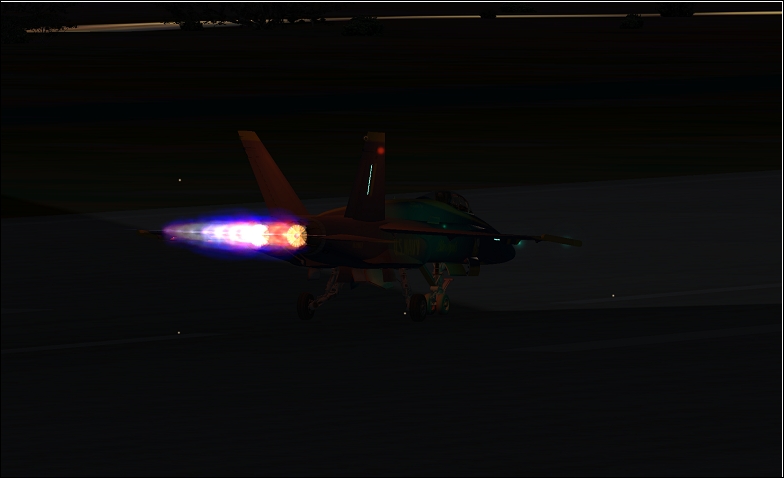
nice afterburner effect ;)
Sunset Chasing...RULES
Image
AMD 9550 2.43 X4 - 2Gb RAM 800Mhz DDRII - Asus 4670
Corsair TX-750W
User avatar
Mazza
Major
Major
 
Posts: 2797
Joined: Sun Aug 05, 2007 12:10 am
Location: Melbourne, Australia.


Return to Simulation Screenshots Showcase

Who is online

Users browsing this forum: No registered users and 806 guests