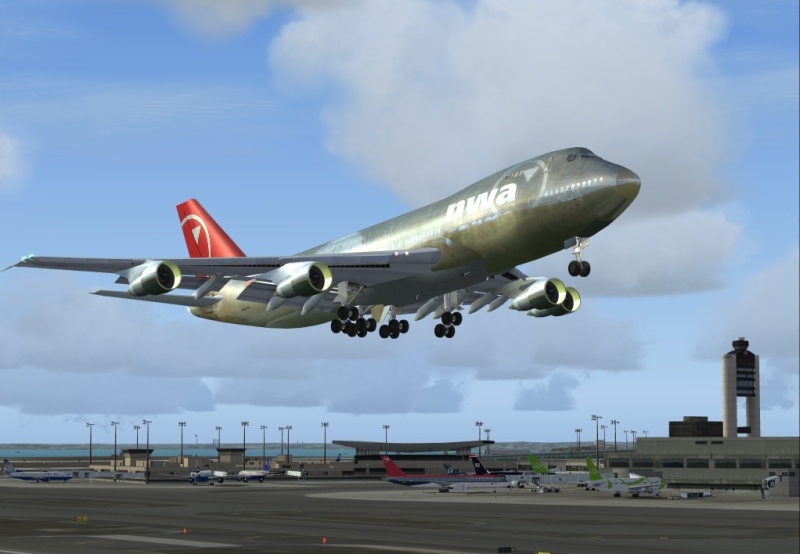
Trying to tweek my graphics card

Flight Simulation Screenshots displaying your Flight Simulation Experience. MSFS, FSX, Prepar3D, XPlane and other Flight Simulators. Focus is your Flight Simulator Experience. Please upload to Simviation (Button at top right)

Trying to tweek my graphics card

Postby Paul_101 » Sat Sep 29, 2007 8:29 pm

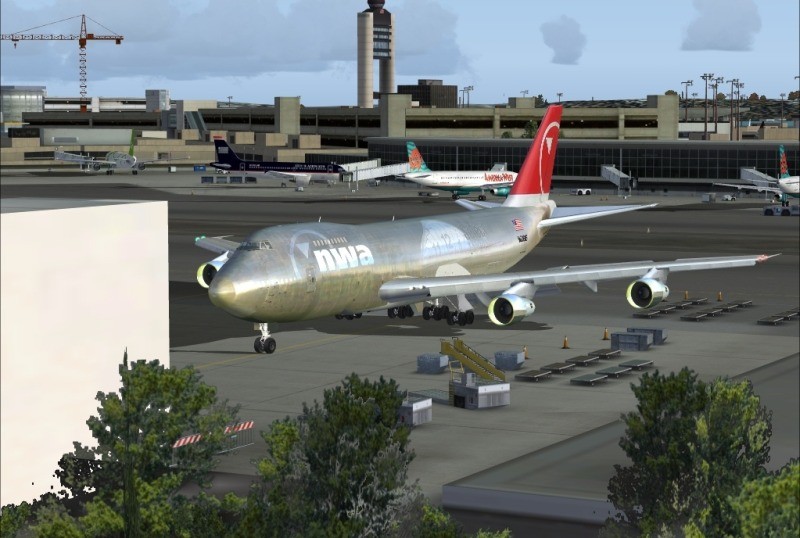
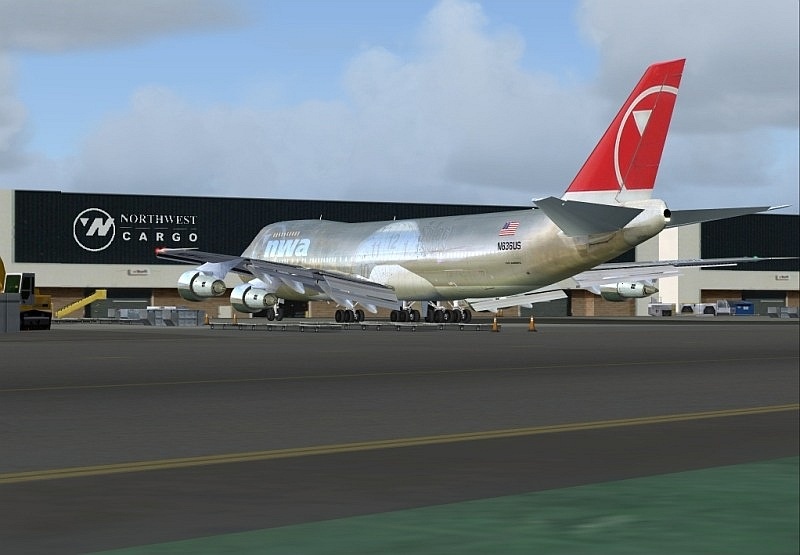
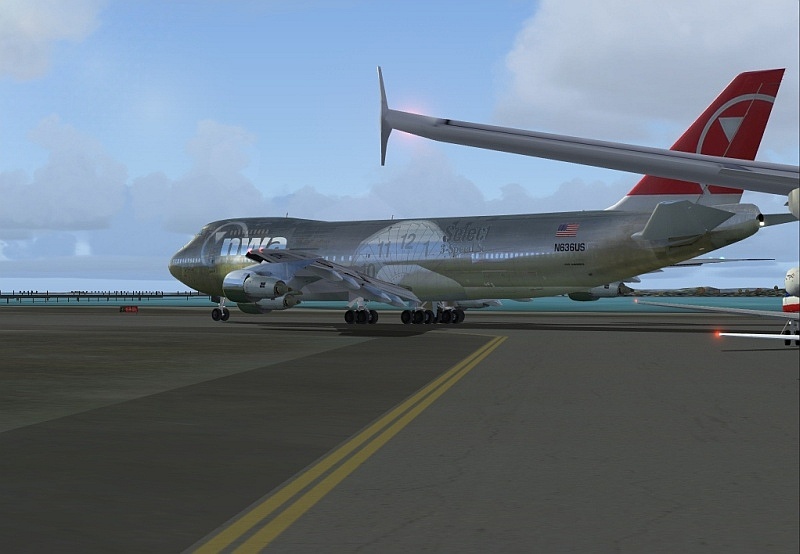
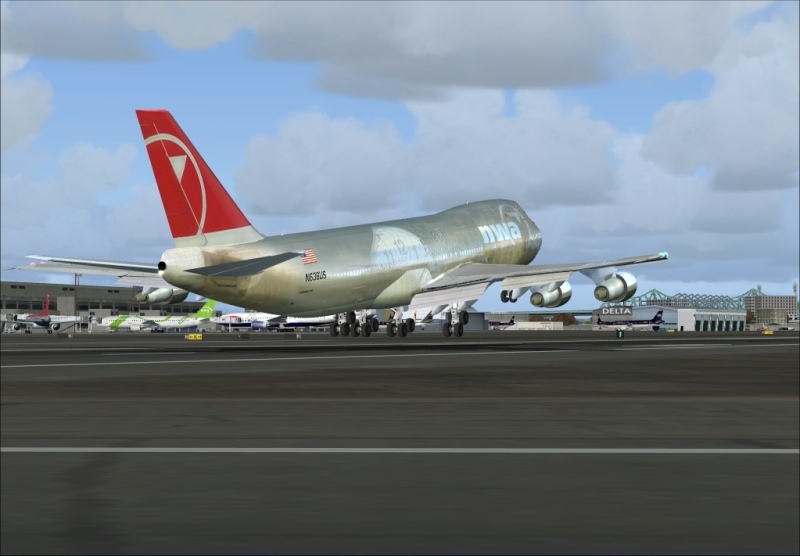
Trying to tweek my graphics card for making better screenshots.

Image

Image

Image

Image

Image

Don't know why some come out clear :) and others don't. :'(
Paul_101
2nd Lieutenant
2nd Lieutenant
 
Posts: 54
Joined: Wed Sep 05, 2007 4:37 pm

Re: Trying to tweek my graphics card

Postby Ashar » Sat Sep 29, 2007 8:31 pm

Looking good already ;) ;)
Blabbing Away at SimV Since June 8, 2004
Ashar
Major
Major
 
Posts: 4041
Joined: Wed Mar 14, 2007 4:13 am
Location: Ottawa, Ontario

Re: Trying to tweek my graphics card

Postby Purplehaze515 » Sat Sep 29, 2007 8:34 pm

I think its just fine where it is  ;)
Purplehaze515
2nd Lieutenant
2nd Lieutenant
 
Posts: 218
Joined: Sun Jul 08, 2007 8:33 pm

Re: Trying to tweek my graphics card

Postby firemonte007 » Sun Sep 30, 2007 7:57 am

nice shots.... thats where i would keep it 8-)
Image
User avatar
firemonte007
Major
Major
 
Posts: 2288
Joined: Mon Aug 20, 2007 8:24 pm
Location: northern IL, USA

Re: Trying to tweek my graphics card

Postby Paul_101 » Sun Sep 30, 2007 11:38 am

I'm just curious why the middle 3 screenshots are pretty clean looking and the other 2 are blurred after uploading them here. All the pictures look great on my computer. I'm running a nVIDIA GeFORCE 6600 graphics card w/ 256 MD DDR. All the setting are pretty much set to the max. Is there a way to tell if an image is going to be blurry before you upload it or do you upload it and see how it turns out.

Thanks
Paul_101
2nd Lieutenant
2nd Lieutenant
 
Posts: 54
Joined: Wed Sep 05, 2007 4:37 pm

Re: Trying to tweek my graphics card

Postby spitfire boy » Sun Sep 30, 2007 11:39 am

I'm just curious why the middle 3 screenshots are pretty clean looking and the other 2 are blurred after uploading them here. All the pictures look great on my computer. I'm running a nVIDIA GeFORCE 6600 graphics card w/ 256 MD DDR. All the setting are pretty much set to the max. Is there a way to tell if an image is going to be blurry before you upload it or do you upload it and see how it turns out.

Thanks

It may be compression that's doing it; though to be frank I can't see blurriness problems in any of these shots. :D
Image


[center]
User avatar
spitfire boy
Major
Major
 
Posts: 2587
Joined: Mon May 21, 2007 4:46 pm
Location: Wherever you think I'm not

Re: Trying to tweek my graphics card

Postby Paul_101 » Sun Sep 30, 2007 11:55 am

Hmm. Maybe I'm expecting to much from it.
Paul_101
2nd Lieutenant
2nd Lieutenant
 
Posts: 54
Joined: Wed Sep 05, 2007 4:37 pm

Re: Trying to tweek my graphics card

Postby spitfire boy » Sun Sep 30, 2007 11:59 am

Hmm. Maybe I'm expecting to much from it.


I'm no expert on graphics cards, I wouldn't know; but compression has nowt to do with your graphics card; high compression rates make even the best shots taken on the best systems look like a pile of sh*t cr*p poo... ;D
Image


[center]
User avatar
spitfire boy
Major
Major
 
Posts: 2587
Joined: Mon May 21, 2007 4:46 pm
Location: Wherever you think I'm not

Re: Trying to tweek my graphics card

Postby Paul_101 » Sun Sep 30, 2007 12:11 pm


I'm no expert on graphics cards, I wouldn't know; but compression has nowt to do with your graphics card; high compression rates make even the best shots taken on the best systems look like a pile of sh*t cr*p poo... ;D


I uploaded them all at the same time, so wouldn't the compression rate be the same for all of them. Sorry if these questions are stupid but I'm thick headed and still kind of new to this.
Paul_101
2nd Lieutenant
2nd Lieutenant
 
Posts: 54
Joined: Wed Sep 05, 2007 4:37 pm

Re: Trying to tweek my graphics card

Postby spitfire boy » Sun Sep 30, 2007 12:18 pm


I'm no expert on graphics cards, I wouldn't know; but compression has nowt to do with your graphics card; high compression rates make even the best shots taken on the best systems look like a pile of sh*t cr*p poo... ;D


I uploaded them all at the same time, so wouldn't the compression rate be the same for all of them. Sorry if these questions are stupid but I'm thick headed and still kind of new to this.


Compression isn't performed at upload. You do it on your computer; or maybe you have a program that does it automatically, I don't know; either way, compression is a way of reducing filesize. In SimV, for example, the limit is 100kb - but if the uploader detects a filesize larger than that, it doesn't alter the file to get it to regulation filesize; it simply rejects the upload.

It is possible that you view the shots on your comp and they look just fine, but after you view them and before you upload them the software you're using (I think some programs are available that'll do it automatically) compresses them and saves them, but you do not see the compressed version until it is in the thread at SimV. This leads you to believe it's a problem with the servers or the upload system. It is unlikely to be so.

Hope this helps. ;)
Last edited by spitfire boy on Sun Sep 30, 2007 12:19 pm, edited 1 time in total.
Image


[center]
User avatar
spitfire boy
Major
Major
 
Posts: 2587
Joined: Mon May 21, 2007 4:46 pm
Location: Wherever you think I'm not

Re: Trying to tweek my graphics card

Postby Paul_101 » Sun Sep 30, 2007 12:22 pm

Thanks for the info.
Paul_101
2nd Lieutenant
2nd Lieutenant
 
Posts: 54
Joined: Wed Sep 05, 2007 4:37 pm

Re: Trying to tweek my graphics card

Postby Purplehaze515 » Sun Sep 30, 2007 10:57 pm

I think i missed it but were did you get that plane and texture? The Nortwestern Cargo terminal is a nice detail also.
Purplehaze515
2nd Lieutenant
2nd Lieutenant
 
Posts: 218
Joined: Sun Jul 08, 2007 8:33 pm

Re: Trying to tweek my graphics card

Postby Paul_101 » Mon Oct 01, 2007 1:48 am

The great  senery is freeware Boston Logan found at avsim file name   bostonv2.zip
You can find his textures here. http://www.simviation.com/fs2004jets157.htm
Paul_101
2nd Lieutenant
2nd Lieutenant
 
Posts: 54
Joined: Wed Sep 05, 2007 4:37 pm


Return to Simulation Screenshots Showcase

Who is online

Users browsing this forum: darrenvox and 844 guests