Gippsland GA-8 Airvan & My First Screenshots

Flight Simulation Screenshots displaying your Flight Simulation Experience. MSFS, FSX, Prepar3D, XPlane and other Flight Simulators. Focus is your Flight Simulator Experience. Please upload to Simviation (Button at top right)

Gippsland GA-8 Airvan & My First Screenshots

Postby Xyn_Air » Sun Aug 19, 2007 7:11 pm

These are my first Flight Simulator screenshots.  Pictures come first, and a rambling explanation follows.

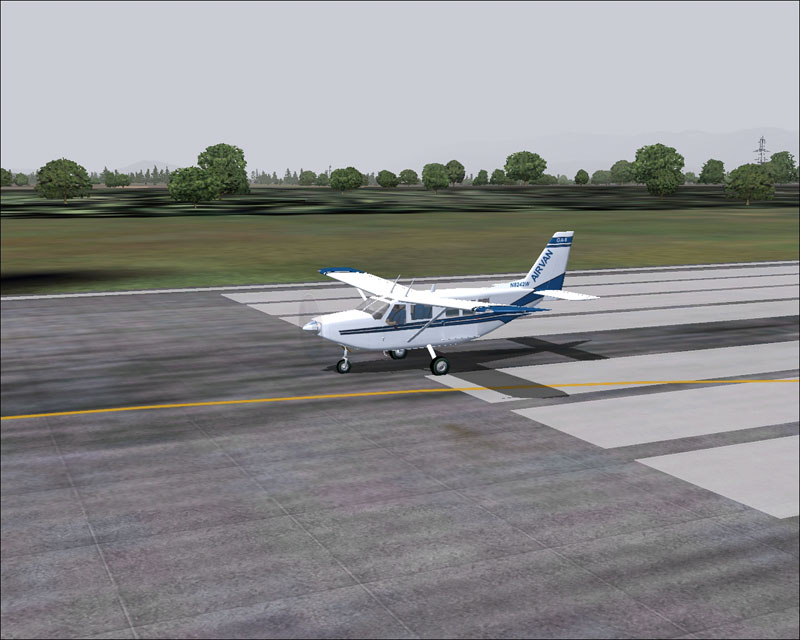
Just the GA-8 sitting on the runway getting ready for take-off.  This shot is just to give a specifc visual of the aircraft.
Image

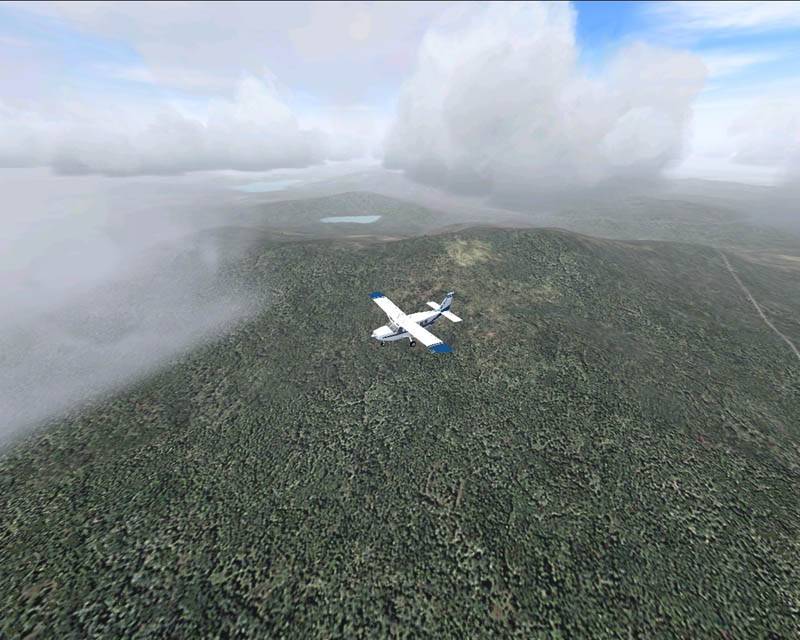
Sometime after takeoff and climbing up through the clouds.
Image

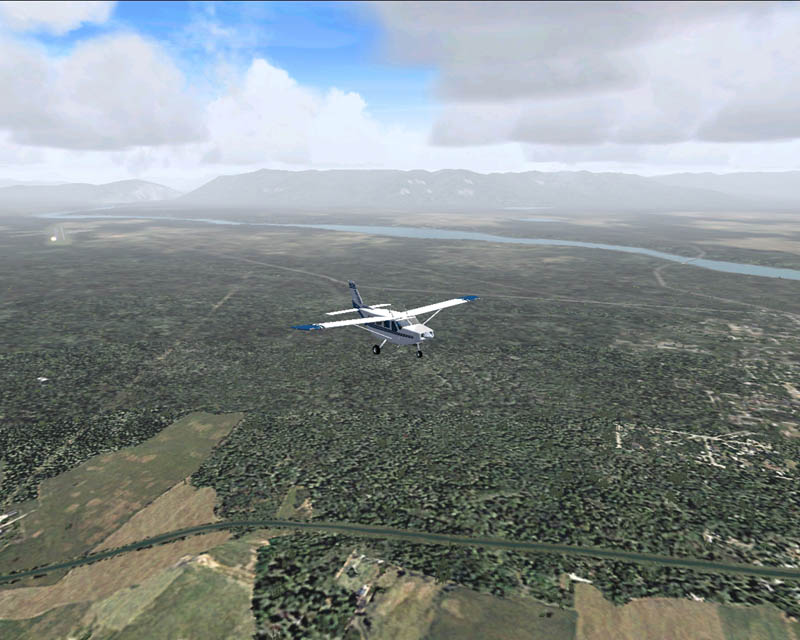
Still climbing, you can see the airport off to the left side of the picture (can just barely make out the VASI lights).
Image

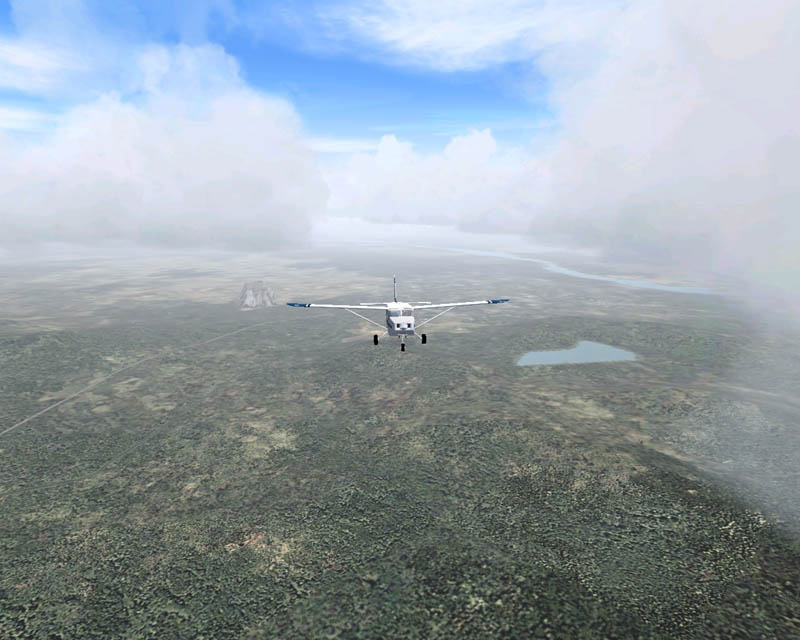
Here I am passing through the middle of the cloud layer.
Image

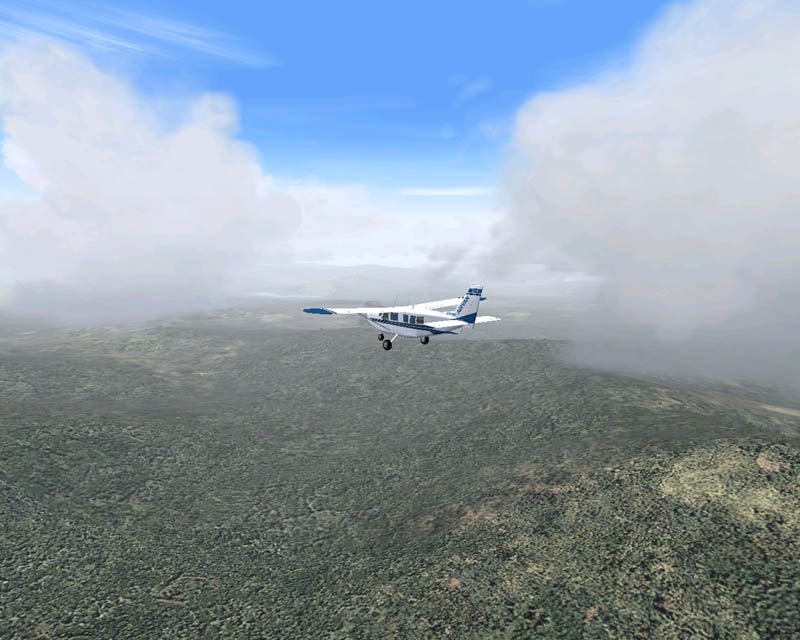
Last shot, passing through an open patch between the clouds.
Image


Now for the boring blah, blah, blah part:

I used FS2004 for the simulator software.  Even though I have FSX, I have to turn many of the settings down so low that I cannot get the same performance as in FS2004.  The potential for more is there in FSX, but it will have to wait for a better system.

I flew the Gippsland GA-8 Airvan (you can find it on this page: http://www.simviation.com/fs2004props152.htm).  After downloading and installing the GA-8, I went to the Gippsland home page (http://www.gippsaero.com) to do a quick comparison between the real thing and the add-on model.  I would humbly suggest the add-on model compares quite favorably to the real aircraft.

The flight was out of Glacier Park Int'l in Kalispell, Montana (KGPI).  I set the weather to building storm fronts in a hope that the various clouds would make the setting a bit more visually interesting.

Overall, there is nothing spectacular about the shots.  My main intention was to get practice in taking screenshots from FS2004 and posting them here on SimV.  I think my favorite is the third shot (FS9_GA8_0007_e-simv.jpg).  This is the shot that to me bears closest resemblance to what I might expect to see in real life, though there are still some deficiencies.

Comments, criticism, and advice are welcome.

~Darrin
Image
User avatar
Xyn_Air
Captain
Captain
 
Posts: 516
Joined: Mon Jul 16, 2007 5:29 am
Location: Minot, North Dakota

Re: Gippsland GA-8 Airvan & My First Screenshots

Postby ThomasKaira » Sun Aug 19, 2007 7:18 pm

Compression could be better...

Compression could be a lot better...

Angles could be better...

Plane could be a little closer... maybe a lot closer...

The scenery and clouds are quite nice, but the compression and zoom distance do not do that scenery justice at all. :'(

Oh well, this isn't the screenshot contest, so you can always try again. :) Try and aim for a zoom distance like you have on the runway, and use the plane to put a little "oomph" into the shot, like having it do something besides fly straight and level all the time. And I'd suggest picking up Irfanview here to help deal with that compression.

Not a bad first attempt, though. Just take what I said into account and you should be pumping out gallery-worthy classics quite soon. ;)
Last edited by ThomasKaira on Sun Aug 19, 2007 7:22 pm, edited 1 time in total.
User avatar
ThomasKaira
Captain
Captain
 
Posts: 838
Joined: Thu Aug 02, 2007 9:29 pm
Location: Where Charlie Don't Surf

Re: Gippsland GA-8 Airvan & My First Screenshots

Postby Xyn_Air » Sun Aug 19, 2007 7:29 pm

JR,

Thanks for your comments.  I was concerned about the compression a great deal.  I was struggling between making the picture large enough to see (trying to keep it at 800 pixels wide) while getting things at or below the 100k file size limit.  Looks like I could use a lot more practice juggling those factors.

Blandness was something else I felt a struggle with.  I think I was perhaps just so focused on taking shots, resizing them, and posting that I did not give due consideration to overall composition.  Another frustration was trying to find the best way to present something that even slightly resembled reality.  Not only handicapped by my inexperience in setting up the compositional elements of the image,  I am further constrained by the limitations of my 'bargain' system.

All that being said, thanks again for your comments and advice.  Certainly some important things to think about and directions to try.

All the best,
~Darrin
Image
User avatar
Xyn_Air
Captain
Captain
 
Posts: 516
Joined: Mon Jul 16, 2007 5:29 am
Location: Minot, North Dakota

Re: Gippsland GA-8 Airvan & My First Screenshots

Postby ThomasKaira » Sun Aug 19, 2007 7:31 pm

A good way to exorcize blandness is to fly, basically at treetop level, or below or at least slightly above the mountain peaks. Impress people with your one-three-three-seven (1337 or leet ::)) flying skills.

If you want, you could take a look at my most recent showcase (Beautiful Glacier bay...) to see what I mean.
Last edited by ThomasKaira on Sun Aug 19, 2007 7:38 pm, edited 1 time in total.
User avatar
ThomasKaira
Captain
Captain
 
Posts: 838
Joined: Thu Aug 02, 2007 9:29 pm
Location: Where Charlie Don't Surf

Re: Gippsland GA-8 Airvan & My First Screenshots

Postby JSpahn » Sun Aug 19, 2007 9:38 pm

Try getting your AA & AF set a bit higher even if only for the purpose of getting a better shot. They look pretty good I do agree you should get closer to whatever aircraft you are trying to fly.

Oh something I just realized, dawn and dusk shots for the most part compress better, well at least for me :)
Last edited by JSpahn on Sun Aug 19, 2007 9:39 pm, edited 1 time in total.
Image
User avatar
JSpahn
Major
Major
 
Posts: 1768
Joined: Wed Apr 04, 2007 9:12 pm
Location: Philadelphia,PA

Re: Gippsland GA-8 Airvan & My First Screenshots

Postby Xyn_Air » Sun Aug 19, 2007 10:59 pm

Try getting your AA & AF set a bit higher even if only for the purpose of getting a better shot. They look pretty good I do agree you should get closer to whatever aircraft you are trying to fly.

Oh something I just realized, dawn and dusk shots for the most part compress better, well at least for me :)


AA, AF?  :-?
Image
User avatar
Xyn_Air
Captain
Captain
 
Posts: 516
Joined: Mon Jul 16, 2007 5:29 am
Location: Minot, North Dakota

Re: Gippsland GA-8 Airvan & My First Screenshots

Postby PsychoDiablo » Sun Aug 19, 2007 11:11 pm

aa stands for anti aliasing, don't exactly know what af stands for :-/
ImageImage

"Whoever said the pen is mightier than the sword obviously never encountered automatic weapons." -
User avatar
PsychoDiablo
Captain
Captain
 
Posts: 511
Joined: Mon Jul 24, 2006 6:54 pm

Re: Gippsland GA-8 Airvan & My First Screenshots

Postby Mitch. » Mon Aug 20, 2007 12:58 am

Good to see an Austrailian built aircraft doing so well.

BTW, good shots! ;)
User avatar
Mitch.
Global Moderator
Global Moderator
 
Posts: 3827
Joined: Sun Jun 03, 2007 1:31 am
Location: Australia

Re: Gippsland GA-8 Airvan & My First Screenshots

Postby krigl » Mon Aug 20, 2007 2:12 am

Interesting model - the main thing which struck me is how far away the plane is, followed by the large areas of the same bland texture. Some airport scenery on takeoff would be nice - if you are flying in VOZ there are some nice airfields there by default.

Anti aliasing and anisotropic filtering (AF) need to be adjusted on you graphics card - best there and not in-sim.
Dear me I almost wrote in-game for a moment. Would have got my wrist slapped  :D

Get freeware F1 view from the Flight 1 website....really helps with angles, composition. Gives freedom and variety, zooming possibilies too  :)

Compression is a tightrope - adjust each pic in irfanview or PS or whatever individually...as you seem to have done, nice one!

Cheers and happy screenshooting

Krigl
If you're bored of an evening - and you'll have to be - you can check out my screenshot gallery: Kriglsflightsimscreens...HERE

[center][img]http://www.simviation.com/phpup
krigl
Lieutenant Colonel
Lieutenant Colonel
 
Posts: 8234
Joined: Fri Jun 10, 2005 3:47 am


Return to Simulation Screenshots Showcase

Who is online

Users browsing this forum: No registered users and 305 guests