Luckyr10's entry

Flight Simulation Screenshots displaying your Flight Simulation Experience. MSFS, FSX, Prepar3D, XPlane and other Flight Simulators. Focus is your Flight Simulator Experience. Please upload to Simviation (Button at top right)

Luckyr10's entry

Postby Luckyr10 » Mon Jul 30, 2007 3:00 pm

Image
FIRST OF ALL SRY!!! THIS SHOT WAS TOO BIG!!!
so i made it smaller and now this is the final picture
if you really wanna see this in full size press right muouse button save graphic or something similiar to this and then upload it again but bigger

Last but not least I
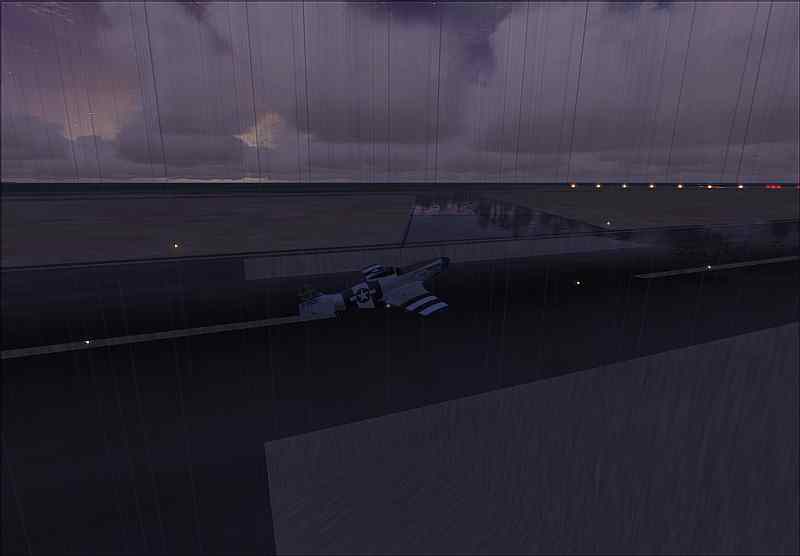
Me and my Mustang flying at palermo(southern italy) yes, this was really bad weather, 45 knots crosswind... :o :-X

have fun and i hope you write many comments and feedbacks ;)

regards
Last edited by Luckyr10 on Mon Jul 30, 2007 3:08 pm, edited 1 time in total.
Luckyr10
Ground hog
Ground hog
 
Posts: 23
Joined: Tue Jul 17, 2007 9:24 am

Re: Luckyr10's entry

Postby haroldkip » Mon Jul 30, 2007 3:45 pm

I suggest you read the rules before entering ...  :-?
User avatar
haroldkip
Lieutenant Colonel
Lieutenant Colonel
 
Posts: 5906
Joined: Wed Apr 12, 2006 5:13 am
Location: Amsterdam, The Netherlands

Re: Luckyr10's entry

Postby fabiane » Mon Jul 30, 2007 4:02 pm

And you can use the whole 800x600 pixel next time, there are a lot of freeware porgrams that are able to compress images without reducing the pixels.

Nice shot though,

Cheers,
Fabian
fabiane
 

Re: Luckyr10's entry

Postby Luckyr10 » Tue Jul 31, 2007 2:25 am

thanks guys,
i dont had the time, sry bout that
Luckyr10
Ground hog
Ground hog
 
Posts: 23
Joined: Tue Jul 17, 2007 9:24 am

Re: Luckyr10's entry

Postby haroldkip » Tue Jul 31, 2007 2:28 am

i dont had the time

Then don't enter ... I personally put a lot of effort in my screenshots and think that is lack of respect to others when people post shots that are either not the best one could do or do not conform with the forums guidelines ...

But your shot is really not bad ...
Last edited by haroldkip on Tue Jul 31, 2007 2:29 am, edited 1 time in total.
User avatar
haroldkip
Lieutenant Colonel
Lieutenant Colonel
 
Posts: 5906
Joined: Wed Apr 12, 2006 5:13 am
Location: Amsterdam, The Netherlands

Re: Luckyr10's entry

Postby Luckyr10 » Tue Jul 31, 2007 2:30 am

it was a fun idea, not more
and yes it was really time intensive to get a lightning on a shot...

i promise next time it will be better

"there are a lot of freeware porgrams that are able to compress images without reducing the pixels.  "

whats the name of some?
Last edited by Luckyr10 on Tue Jul 31, 2007 2:47 am, edited 1 time in total.
Luckyr10
Ground hog
Ground hog
 
Posts: 23
Joined: Tue Jul 17, 2007 9:24 am

Re: Luckyr10's entry

Postby spitfire boy » Tue Jul 31, 2007 4:40 am

[quote]it was a fun idea, not more
and yes it was really time intensive to get a lightning on a shot...

i promise next time it will be better

"there are a lot of freeware porgrams that are able to compress images without reducing the pixels.
Last edited by spitfire boy on Tue Jul 31, 2007 4:42 am, edited 1 time in total.
Image


[center]
User avatar
spitfire boy
Major
Major
 
Posts: 2587
Joined: Mon May 21, 2007 4:46 pm
Location: Wherever you think I'm not

Re: Luckyr10's entry

Postby Luckyr10 » Tue Jul 31, 2007 11:58 am

thanks a lot

but the files are too big
what can i do against this?
Last edited by Luckyr10 on Tue Jul 31, 2007 12:12 pm, edited 1 time in total.
Luckyr10
Ground hog
Ground hog
 
Posts: 23
Joined: Tue Jul 17, 2007 9:24 am

Re: Luckyr10's entry

Postby ozzy72 » Tue Jul 31, 2007 12:25 pm

Hi Luckyr10. Well the first and obvious question is what program are you using to compress your shots to the correct size for the forum? I use Irfanview as a) it is freeware b) it compresses really well with little or no loss of quality ;)
Image
There are two types of aeroplane, Spitfires and everything else that wishes it was a Spitfire!
User avatar
ozzy72
Administrator
Administrator
 
Posts: 33284
Joined: Fri May 24, 2002 4:45 am
Location: Madsville

Re: Luckyr10's entry

Postby Luckyr10 » Tue Jul 31, 2007 12:34 pm

and on which button do i have to click to compress files?
i serched all these drop-down bars and i found nothing that sounds like compressing.
thanks for you pretty fast answer
Luckyr10
Ground hog
Ground hog
 
Posts: 23
Joined: Tue Jul 17, 2007 9:24 am

Re: Luckyr10's entry

Postby spitfire boy » Tue Jul 31, 2007 12:39 pm

and on which button do i have to click to compress files?
i serched all these drop-down bars and i found nothing that sounds like compressing.
thanks for you pretty fast answer


You do it when actually saving the file... save it as a .jpg and a little slider bar pops up. Moving that slider increases/decreases the compression. The lower the value on the slider bar, the more compressed the shot, and the lower the quality.

What you need to do is find a balance between compression and filesize... you want the filesize to be just under 100kb - as close as you can get it. What you need to do is save your shot several times, each time checking the size of the file you just saved, then adjusting the slider accordingly for the next save. This way you can fine-tune the compression so that we won't notice it but the shot is still within regulations.
Last edited by spitfire boy on Tue Jul 31, 2007 12:39 pm, edited 1 time in total.
Image


[center]
User avatar
spitfire boy
Major
Major
 
Posts: 2587
Joined: Mon May 21, 2007 4:46 pm
Location: Wherever you think I'm not

Re: Luckyr10's entry

Postby Luckyr10 » Tue Jul 31, 2007 12:40 pm

thanks again spitfireboy
well at the moment this thing doesnt pop up?
i had it opened one time but never again...  :-[
Last edited by Luckyr10 on Tue Jul 31, 2007 12:48 pm, edited 1 time in total.
Luckyr10
Ground hog
Ground hog
 
Posts: 23
Joined: Tue Jul 17, 2007 9:24 am

Re: Luckyr10's entry

Postby spitfire boy » Tue Jul 31, 2007 12:41 pm

thanks again spitfireboy


no problemo! :D
Image


[center]
User avatar
spitfire boy
Major
Major
 
Posts: 2587
Joined: Mon May 21, 2007 4:46 pm
Location: Wherever you think I'm not

Re: Luckyr10's entry

Postby Luckyr10 » Tue Jul 31, 2007 12:55 pm

and so theres a shot again
Yes my pictures are so big that the quality is very low
Image
Last edited by Luckyr10 on Tue Jul 31, 2007 12:56 pm, edited 1 time in total.
Luckyr10
Ground hog
Ground hog
 
Posts: 23
Joined: Tue Jul 17, 2007 9:24 am

Re: Luckyr10's entry

Postby spitfire boy » Tue Jul 31, 2007 12:57 pm

and so theres a shot again

Image


What resolution are you running FS on?

This looks a little bit low-res - kinda pixellated and 'blocky'

It has potential, but it needs more work. Maybe consider cranking up your FS resolution a bit?
Image


[center]
User avatar
spitfire boy
Major
Major
 
Posts: 2587
Joined: Mon May 21, 2007 4:46 pm
Location: Wherever you think I'm not

Next

Return to Simulation Screenshots Showcase

Who is online

Users browsing this forum: No registered users and 307 guests