few screenies..

Flight Simulation Screenshots displaying your Flight Simulation Experience. MSFS, FSX, Prepar3D, XPlane and other Flight Simulators. Focus is your Flight Simulator Experience. Please upload to Simviation (Button at top right)

few screenies..

Postby Ben R » Mon Jul 02, 2007 2:58 pm

a new set of screenshots for me..

this is my first ever few screenshots so bare with me please..

Speedbird 178 at gate 122 at heathrow airport
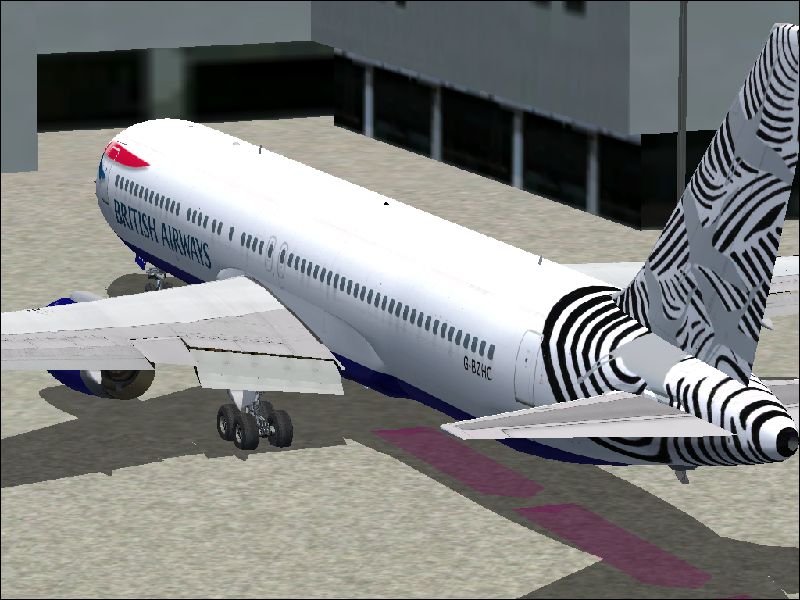
Image


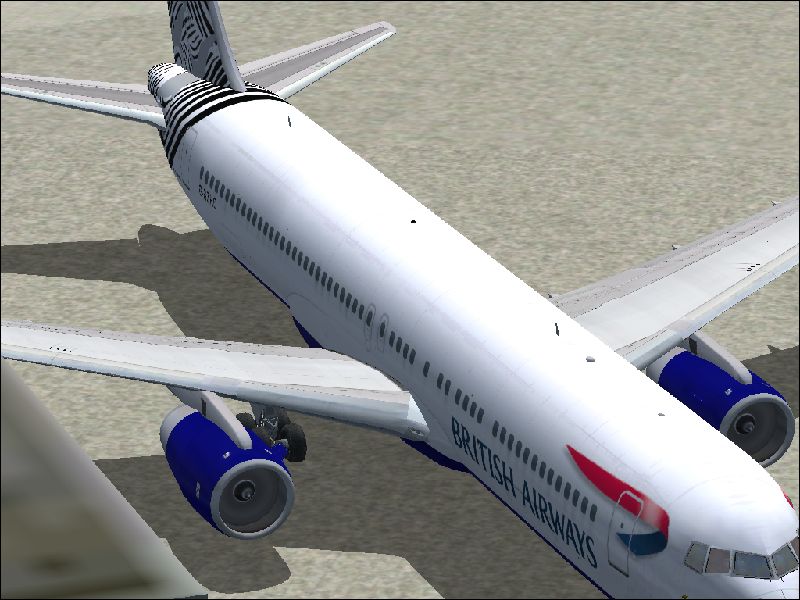
Speedbird 178 at gate 122 at heathrow airport (again)
Image


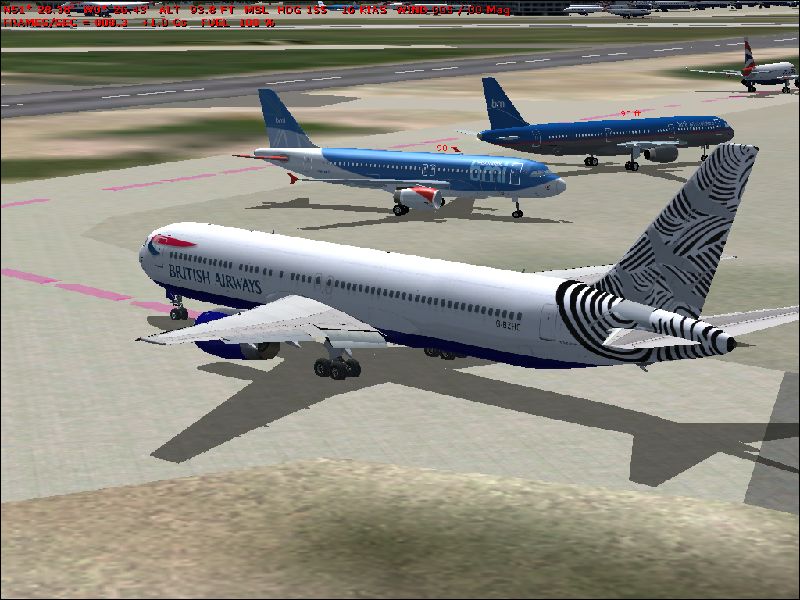
Speedbird 178 taxiing past some BMI airbuses
Image


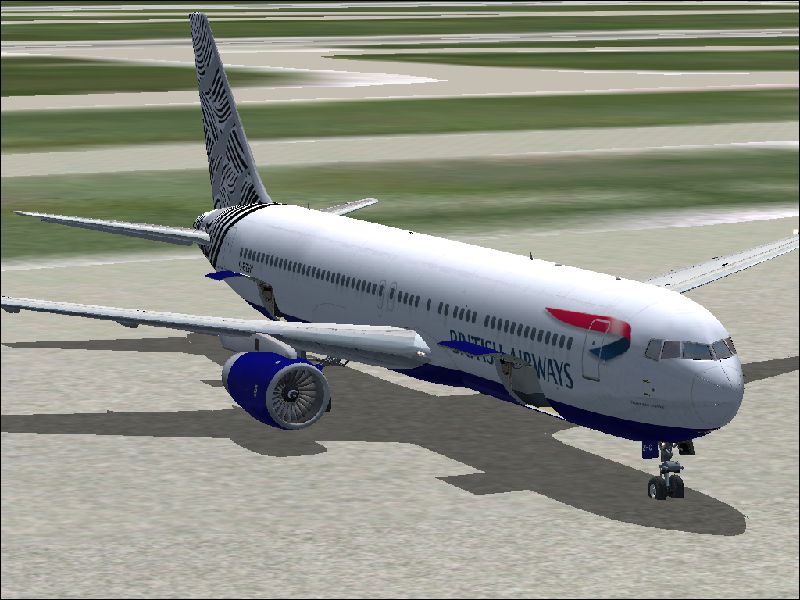
Speedbird 178 at the gate at charles-de-gaulle
Image


:) all comments are welcome, if u have any tips, please tell me (and explain them)

thank you,

ben
Image
User avatar
Ben R
Major
Major
 
Posts: 1135
Joined: Wed Jul 05, 2006 3:51 am
Location: ipswich

Re: few screenies..

Postby Sakura » Mon Jul 02, 2007 3:02 pm

Turn on anti-aliasing either on your graphics card or in FS.
Image
User avatar
Sakura
Captain
Captain
 
Posts: 559
Joined: Sat Jul 15, 2006 5:25 am
Location: UK

Re: few screenies..

Postby Ben R » Mon Jul 02, 2007 3:12 pm

thanks mate! =P
Image
User avatar
Ben R
Major
Major
 
Posts: 1135
Joined: Wed Jul 05, 2006 3:51 am
Location: ipswich

Re: few screenies..

Postby spitfire boy » Mon Jul 02, 2007 3:13 pm

Interesting ideas, but you need to get rid of that text at the top of shot #3 - pause and come out of slew mode before taking the shot.
Last edited by spitfire boy on Mon Jul 02, 2007 3:37 pm, edited 1 time in total.
Image


[center]
User avatar
spitfire boy
Major
Major
 
Posts: 2587
Joined: Mon May 21, 2007 4:46 pm
Location: Wherever you think I'm not

Re: few screenies..

Postby Ben R » Mon Jul 02, 2007 3:15 pm

i noticed that after i landed. thanks mate =]
Image
User avatar
Ben R
Major
Major
 
Posts: 1135
Joined: Wed Jul 05, 2006 3:51 am
Location: ipswich

Re: few screenies..

Postby haroldkip » Mon Jul 02, 2007 3:33 pm

Don't worry Ranger ... you'll get there. But as stated here above you seriously need to turn on you Anti Aliasing. It should be available from your graphics card control panel. With anti aliasing your shots will already look much better as AA takes away those jagged edges (often referred to as 'jaggies').

Keep posting more screenshots in the coming months, be open to constructive feedback and learn.

(You should see my first sceenshots which are available on request ;D)

EDIT: they are here.
Last edited by haroldkip on Mon Jul 02, 2007 5:41 pm, edited 1 time in total.
User avatar
haroldkip
Lieutenant Colonel
Lieutenant Colonel
 
Posts: 5906
Joined: Wed Apr 12, 2006 5:13 am
Location: Amsterdam, The Netherlands

Re: few screenies..

Postby spitfire boy » Mon Jul 02, 2007 3:39 pm

Don't worry Ranger ... you'll get there. But as stated here above you seriously need to turn on you Anti Aliasing. It should be available from your graphics card control panel. With anti aliasing your shots will already look much better as AA takes away those jagged edges (often referred to as 'jaggies').

Keep posting more screenshots in the coming months, be open to constructive feedback and learn.

(You should see my first sceenshots which are available on request ;D)


I'm not sure I've ever seen those... could you please put them up for all to see?

This should be good!
*gleefully rubs hands together* ;D
Image


[center]
User avatar
spitfire boy
Major
Major
 
Posts: 2587
Joined: Mon May 21, 2007 4:46 pm
Location: Wherever you think I'm not

Re: few screenies..

Postby Ben R » Mon Jul 02, 2007 5:06 pm

OK, thansks guys, ill find the anti aliasing tomo and post some then..

thanks!

ben
Image
User avatar
Ben R
Major
Major
 
Posts: 1135
Joined: Wed Jul 05, 2006 3:51 am
Location: ipswich

Re: few screenies..

Postby Celtman » Tue Jul 03, 2007 10:27 am

Like most others have said, with AA on, these shots would look really good!

Also, I'd turn off AI aircraft labels and progressive taxi when taking shots.
User avatar
Celtman
Captain
Captain
 
Posts: 594
Joined: Sat Mar 11, 2006 6:22 am
Location: Warrington

Re: few screenies..

Postby Ben R » Tue Jul 03, 2007 10:38 am

okay pal, thanks, i just gotta find the aa in my graphic card..=[
Image
User avatar
Ben R
Major
Major
 
Posts: 1135
Joined: Wed Jul 05, 2006 3:51 am
Location: ipswich

Re: few screenies..

Postby cpthammond » Tue Jul 03, 2007 11:56 am

okay pal, thanks, i just gotta find the aa in my graphic card..=[


What card do you have? if you dont know how to find out press:

start>run>dxdiag

and click the display tab
cpthammond
Ground hog
Ground hog
 
Posts: 9
Joined: Tue May 13, 2008 6:26 pm
Location: EGYD

Re: few screenies..

Postby Ben R » Tue Jul 03, 2007 12:15 pm

mobility radeon 9000
Image
User avatar
Ben R
Major
Major
 
Posts: 1135
Joined: Wed Jul 05, 2006 3:51 am
Location: ipswich

Re: few screenies..

Postby Tjw2 » Tue Jul 03, 2007 2:01 pm

i usually get in position on my normal graphics settings ,pause it .  and turm my graphics all the way up before i take the shot
Image
User avatar
Tjw2
2nd Lieutenant
2nd Lieutenant
 
Posts: 150
Joined: Wed Jan 17, 2007 12:01 am

Re: few screenies..

Postby Ein » Thu Jul 05, 2007 5:30 pm

:-? whats wrong with the tail of that Speed Bird? Is that Part of the paint?
It looks strange to me..... :-?
We can Dance if we want to! dun-dun-DUH-duh-dun-di-dun-DUH!!
User avatar
Ein
2nd Lieutenant
2nd Lieutenant
 
Posts: 80
Joined: Mon Jul 02, 2007 11:56 am
Location: Flight School Hangar

Re: few screenies..

Postby mpicco » Thu Jul 05, 2007 5:59 pm

Maybe its not AA but that you tried resizing in Paint?
Like the shots and im a fan of crowded airports :P
mpicco
2nd Lieutenant
2nd Lieutenant
 
Posts: 130
Joined: Thu Jul 05, 2007 2:40 pm


Return to Simulation Screenshots Showcase

Who is online

Users browsing this forum: No registered users and 193 guests