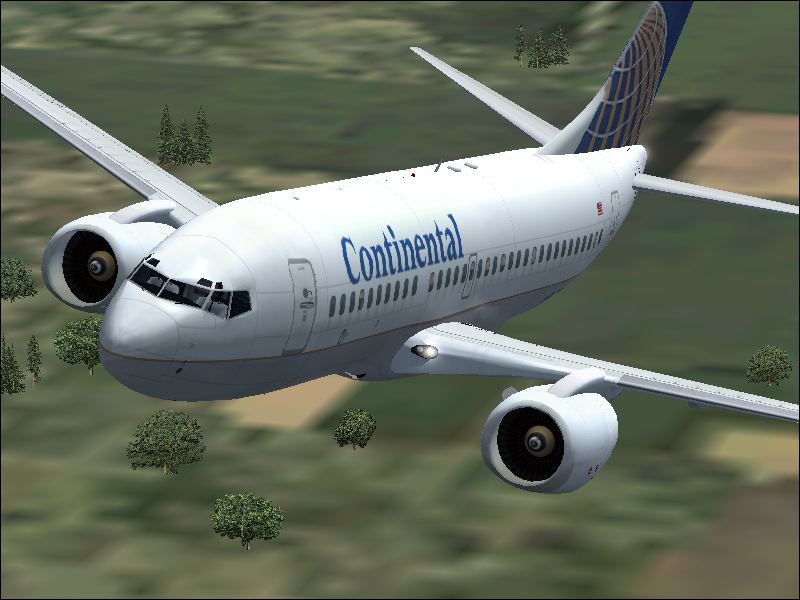
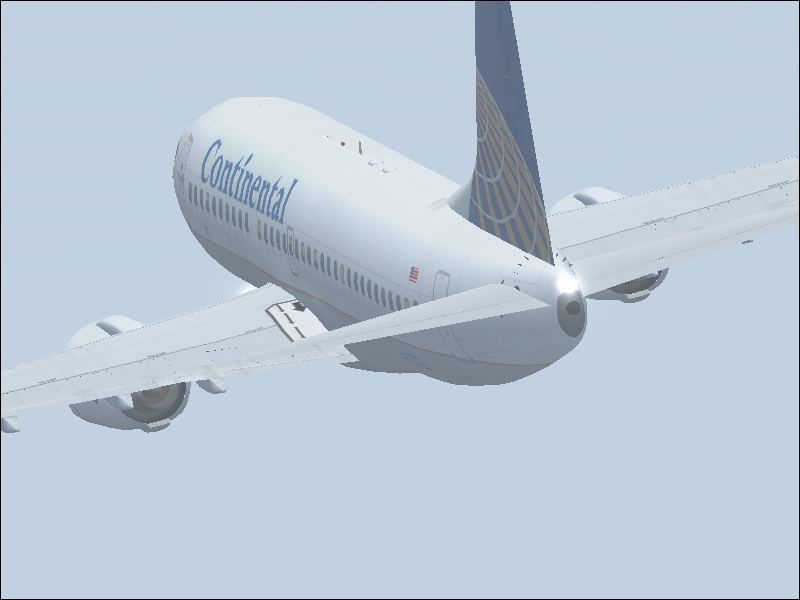
continental 737-700

Flight Simulation Screenshots displaying your Flight Simulation Experience. MSFS, FSX, Prepar3D, XPlane and other Flight Simulators. Focus is your Flight Simulator Experience. Please upload to Simviation (Button at top right)

continental 737-700

Postby Ben R » Tue Jul 03, 2007 4:42 pm

hopefully these shots will be better than my last.. :)

Image
Image


tell me what u think and how i can improve please..

ben

Image
User avatar
Ben R
Major
Major
 
Posts: 1135
Joined: Wed Jul 05, 2006 3:51 am
Location: ipswich

Re: continental 737-700

Postby aussiewannabe » Tue Jul 03, 2007 5:06 pm

Love the close-up and the angle of the 2nd shot :-)
HP Media Center Photosmart m7260n | 3.0GHz Intel Pentium D 830 | 2 GB RAM | 320 GB HD | Sapphire X1950 GT 512MB | Silencer 610 Watt PSU

[center][img]
http://www.simviation.com/yabbuploads/aussie_sig1.jpg
User avatar
aussiewannabe
Major
Major
 
Posts: 2530
Joined: Thu May 17, 2007 11:33 am

Re: continental 737-700

Postby Souichiro » Tue Jul 03, 2007 6:30 pm

Here is one of the best Tips I can give you


It starts with the letter P and ends with the letter P

Actuall it is the letter P

Pause the sim in situations like the first shot. Let the sim load all the textures and then shoot.
Image
User avatar
Souichiro
Ground hog
Ground hog
 
Posts: 0
Joined: Tue Aug 28, 2007 11:34 am

Re: continental 737-700

Postby Ben R » Wed Jul 04, 2007 1:30 am

it is paused just i have my ground textures down so i can have my airport scenery more sophisticated with better FPS..=P


thanks again aussiewannabe! =P
Image
User avatar
Ben R
Major
Major
 
Posts: 1135
Joined: Wed Jul 05, 2006 3:51 am
Location: ipswich

Re: continental 737-700

Postby spitfire boy » Wed Jul 04, 2007 9:45 am

A sound bit of advice I see repeatedly posted around these forums is to pause, position your shot, then turn up all the settings... because fps doesn't matter in screenshots. When you've taken the shot, turn your settings back down to what they were originally, then carry on flying!

Hope this helps! ;)

Image


[center]
User avatar
spitfire boy
Major
Major
 
Posts: 2587
Joined: Mon May 21, 2007 4:46 pm
Location: Wherever you think I'm not

Re: continental 737-700

Postby john_uk » Wed Jul 04, 2007 10:02 am

A sound bit of advice I see repeatedly posted around these forums is to pause, position your shot, then turn up all the settings... because fps doesn't matter in screenshots. When you've taken the shot, turn your settings back down to what they were originally, then carry on flying!

Hope this helps! ;)


thats also quite time consuming.

nice shots, some AA would be good :)
john_uk
 

Re: continental 737-700

Postby haroldkip » Wed Jul 04, 2007 3:37 pm

thats also quite time consuming

;D ;D ;D
User avatar
haroldkip
Lieutenant Colonel
Lieutenant Colonel
 
Posts: 5906
Joined: Wed Apr 12, 2006 5:13 am
Location: Amsterdam, The Netherlands

Re: continental 737-700

Postby spitfire boy » Wed Jul 04, 2007 3:48 pm

A sound bit of advice I see repeatedly posted around these forums is to pause, position your shot, then turn up all the settings... because fps doesn't matter in screenshots. When you've taken the shot, turn your settings back down to what they were originally, then carry on flying!

Hope this helps! ;)


thats also quite time consuming.


True, but if you wanna get a really good shot, you've gotta be prepared to put some time and effort into it... unless you have FSX and a supercomputer, of course... ;D
Image


[center]
User avatar
spitfire boy
Major
Major
 
Posts: 2587
Joined: Mon May 21, 2007 4:46 pm
Location: Wherever you think I'm not


Return to Simulation Screenshots Showcase

Who is online

Users browsing this forum: No registered users and 374 guests