Error finding phase...

Flight Simulation Screenshots displaying your Flight Simulation Experience. MSFS, FSX, Prepar3D, XPlane and other Flight Simulators. Focus is your Flight Simulator Experience. Please upload to Simviation (Button at top right)

Error finding phase...

Postby fabiane » Fri Jun 15, 2007 4:24 pm

Hi everyone,

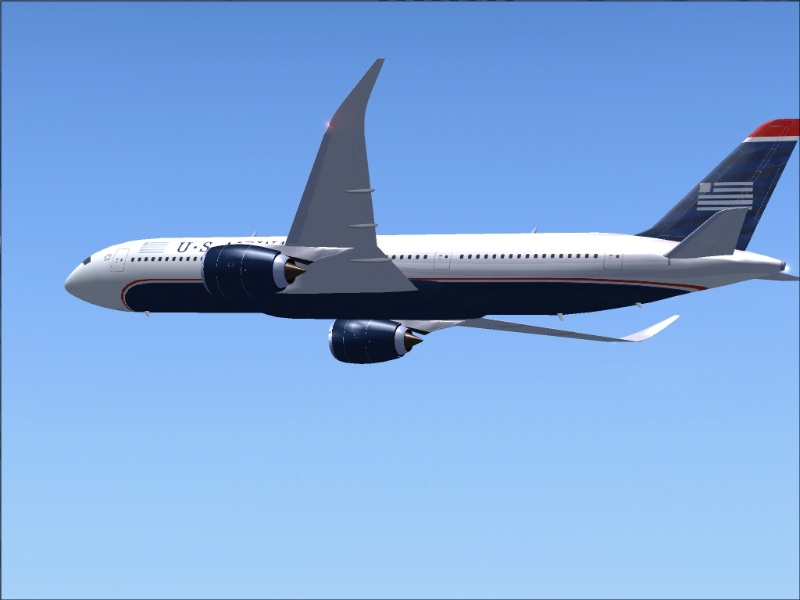
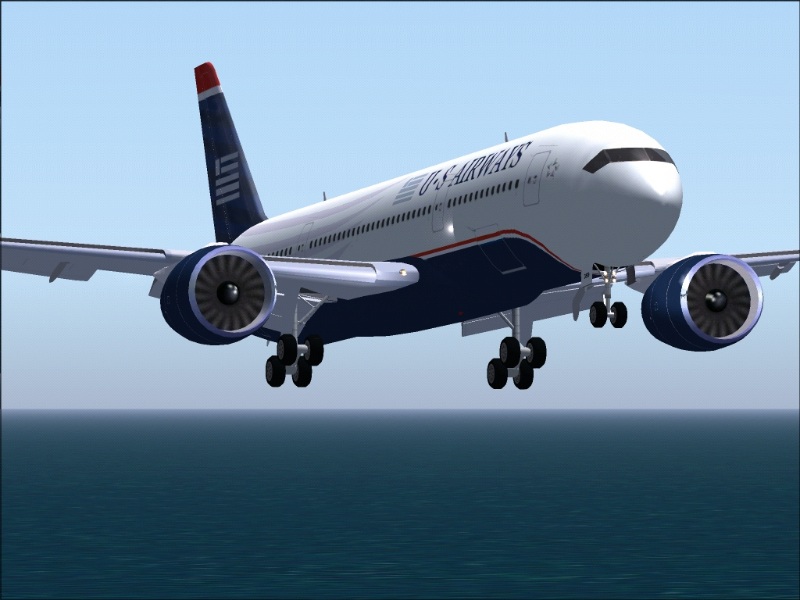
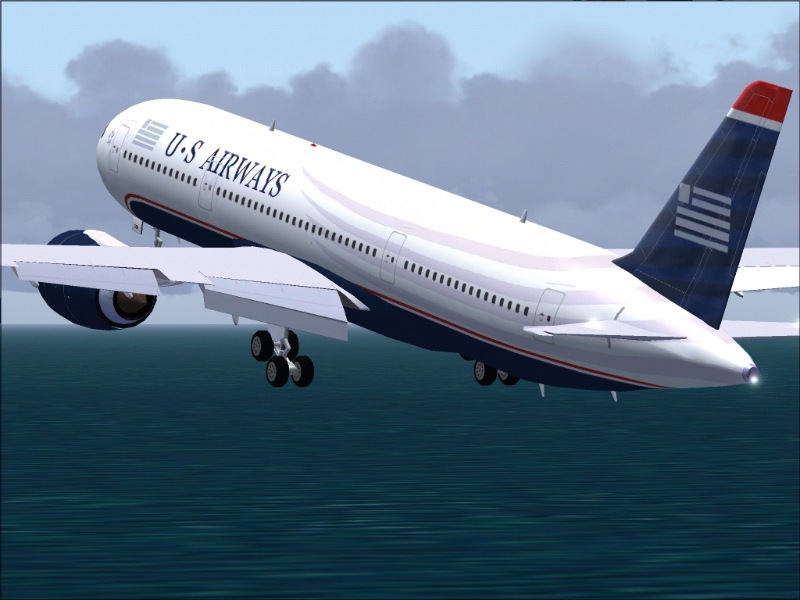
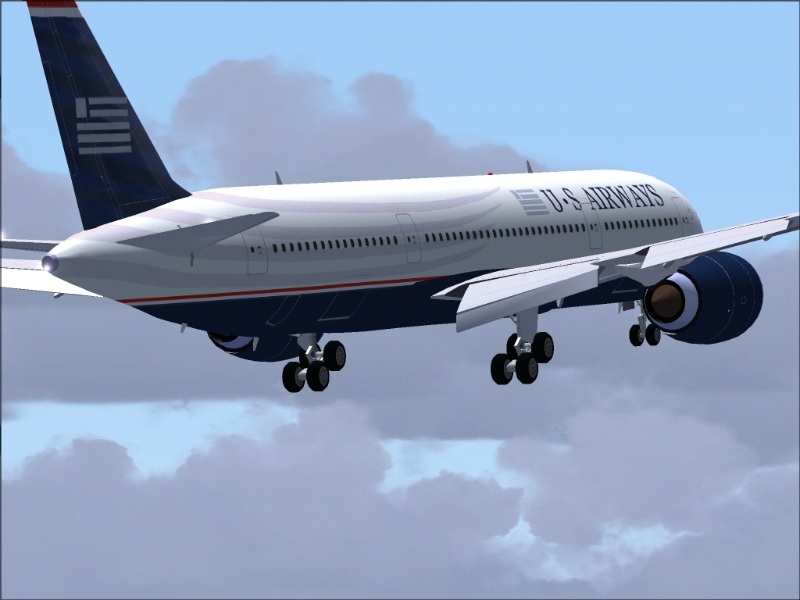
my US paints starts to look like US Airways, had a hard time doing the grey lines on the tailsection. Has to paint it 3 times, till I found it to be ok.

So here are some shots, please look at them carefully. Tell me if you find any errors.

Greetings,

Fabian
---
Image
Image
Image
Image
fabiane
 

Re: Error finding phase...

Postby bok269 » Fri Jun 15, 2007 9:53 pm

Very nice.  Its such a great livery.
Check out my around the world tour!
http://fsxaroundtheworld.blogspot.com/

Reality is wrong; Dreams are for real.  -Tupac

No bird soars too high, if he soars with
User avatar
bok269
Major
Major
 
Posts: 1458
Joined: Sat Dec 02, 2006 9:54 am
Location: HPN

Re: Error finding phase...

Postby an-225 » Sat Jun 16, 2007 12:21 am

Well I like it so far. The only complaints I have are the engine fans - either retexture them or paint them black...
an-225
 

Re: Error finding phase...

Postby DaveT » Sat Jun 16, 2007 3:37 am

Well I like it so far. The only complaints I have are the engine fans - either retexture them or paint them black...

Agreed,also is this complete? if so i think you need to texture the wings,a few screws,lines etc and a bit of dirt in the appropriate places apart from that excellent job mate 8-)

Cheers
Dave..... :)
User avatar
DaveT
Major
Major
 
Posts: 2260
Joined: Thu Jan 31, 2002 7:46 pm
Location: KGSO

Re: Error finding phase...

Postby Papa9571 » Sat Jun 16, 2007 3:41 am

Here is my critique.

The blue wrap around on the nose does not go foward enough and should be more eliptical, not round on the belly of the aircraft.

Second the stripes from the fusealge look ok but you have the tail colors wrong. The stripes should merge into the lighter blue stripes on the tail, not the darker stripes. The starting point for the stripes on the fuselage need to be closer together and then "fan" out to the tail area.

All in all minor issues and a great job so far.
Last edited by Papa9571 on Sat Jun 16, 2007 5:28 am, edited 1 time in total.
User avatar
Papa9571
Captain
Captain
 
Posts: 614
Joined: Mon Feb 07, 2005 11:15 am
Location: Toledo, Ohio

Re: Error finding phase...

Postby fabiane » Sat Jun 16, 2007 9:30 am

Tanks for the replies guys, feedback is very important for me.

The stripes should merge into the lighter blue stripes on the tail, not the darker stripes. The starting point for the stripes on the fuselage need to be closer together and then "fan" out to the tail area.


Are you sure? I thought they should go into the dark ones...,

Agreed on the startingpoint of the blue/red line and the others on the belly.

I'll see what I can do about the fan textures. Thanks again guys,

Greetings,
Fabian
Last edited by fabiane on Sat Jun 16, 2007 9:31 am, edited 1 time in total.

fabiane
 

Re: Error finding phase...

Postby Papa9571 » Sat Jun 16, 2007 11:39 pm

Try going to airliners.net and looking at photos of US Airways aircraft. They have lots of photos of the new livery and even a suprise or two. There is another repaint you can try your hand at for US airways there too.
User avatar
Papa9571
Captain
Captain
 
Posts: 614
Joined: Mon Feb 07, 2005 11:15 am
Location: Toledo, Ohio

Re: Error finding phase...

Postby Ben R » Sun Jun 17, 2007 3:36 am

mate..that looks great =P alot better than the old livery, great job.


ben
Image
User avatar
Ben R
Major
Major
 
Posts: 1135
Joined: Wed Jul 05, 2006 3:51 am
Location: ipswich


Return to Simulation Screenshots Showcase

Who is online

Users browsing this forum: No registered users and 406 guests