

FSX

Flight Simulation Screenshots displaying your Flight Simulation Experience. MSFS, FSX, Prepar3D, XPlane and other Flight Simulators. Focus is your Flight Simulator Experience. Please upload to Simviation (Button at top right)

FSX

Postby Jakemaster » Sun Jun 10, 2007 11:13 am

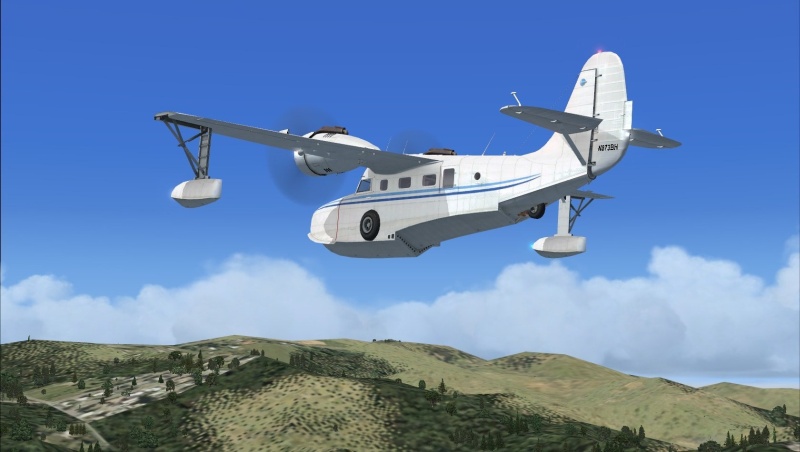
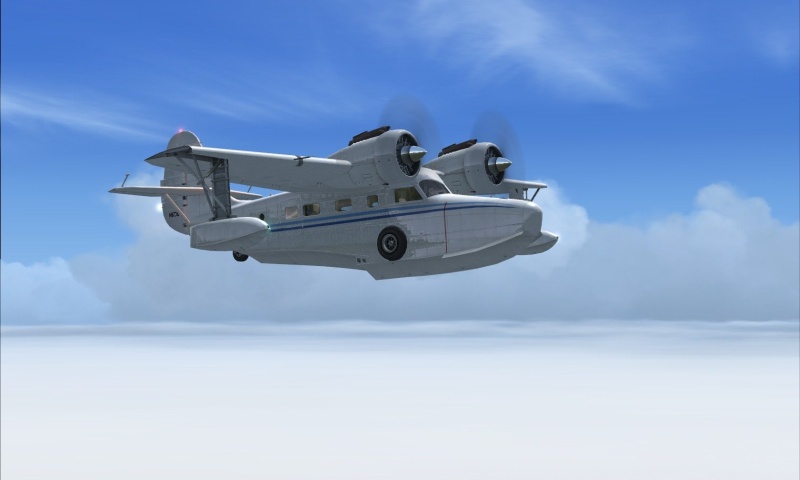
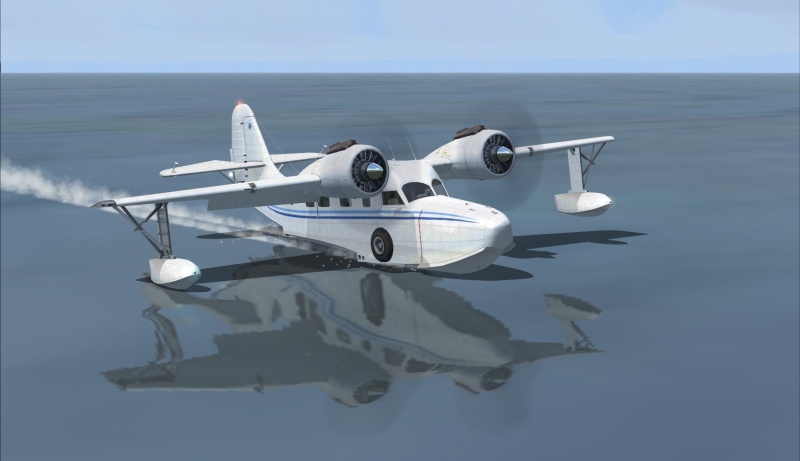
Here they are, my first screenshots on my new laptop!  They are utter crap, but I had 30 FPS the whole time

ImageImageImageImage
Jakemaster
 

Re: FSX

Postby Sean Grenyer » Sun Jun 10, 2007 11:36 am

They're not 'crap' ! Better than most of mine. And 30fps is pretty good for FSX.

Some really calm seas you're landing on on the last pic!

Sean
Sean Grenyer
2nd Lieutenant
2nd Lieutenant
 
Posts: 133
Joined: Wed May 02, 2007 11:23 am
Location: Kent, UK.

Re: FSX

Postby a1 » Sun Jun 10, 2007 11:55 am

I envy your machine. >:( So smooth game play i say.
Image
790i : QX9650 : 4Gb DDR3 : GeForce 8800 GTX : 1 WD Raptor : 1 WD VelociRaptor 150
User avatar
a1
Lieutenant Colonel
Lieutenant Colonel
 
Posts: 7608
Joined: Thu Jan 04, 2007 9:16 pm

Re: FSX

Postby ATI_7500 » Sun Jun 10, 2007 12:29 pm

Turn the framelock down to 20 and treat yourself with a few more details, autogen in particular. ;)
ATI_7500
 

Re: FSX

Postby Pappy44 » Mon Jun 11, 2007 12:04 am

love that last one...

silly question, but does fps affect the quality of a screenie?  I would think it would, but when things make sense to me, that means I am wrong usually...

:)
Pappy44
2nd Lieutenant
2nd Lieutenant
 
Posts: 253
Joined: Tue May 08, 2007 10:44 am
Location: Maryland Heights, MO

Re: FSX

Postby Daube » Mon Jun 11, 2007 3:21 am

[quote]love that last one...

silly question, but does fps affect the quality of a screenie?
User avatar
Daube
Lieutenant Colonel
Lieutenant Colonel
 
Posts: 6611
Joined: Wed Oct 05, 2005 8:34 am
Location: Nice (FR)

Re: FSX

Postby Tweek » Mon Jun 11, 2007 7:56 am

silly question, but does fps affect the quality of a screenie?  I would think it would, but when things make sense to me, that means I am wrong usually...


Well the simple answer - no. You could turn up your settings to max, be getting 1FPS and you'll still get the same quality of screenshot as you would if you had the same settings at 50FPS. After all, a screenshot is just one frame, so you can stick the settings as high as you like. ;)

Of course, the more you alter the settings, the more the FPS will change. So in theory, lower FPS = better screenshot, higher FPS = worse screenshot.
Tweek
 

Re: FSX

Postby Jakemaster » Mon Jun 11, 2007 2:25 pm

silly question, but does fps affect the quality of a screenie?  I would think it would, but when things make sense to me, that means I am wrong usually...


Well the simple answer - no. You could turn up your settings to max, be getting 1FPS and you'll still get the same quality of screenshot as you would if you had the same settings at 50FPS. After all, a screenshot is just one frame, so you can stick the settings as high as you like. ;)

Of course, the more you alter the settings, the more the FPS will change. So in theory, lower FPS = better screenshot, higher FPS = worse screenshot.


But to set up a good screenshot higher FPS is better...

Bjorn, I lowered to 24 (when it runs above 20 I feel like it's smoother) and did some tweaks and pushed up the autogen.  Flew around a bit, will post the screens soon, but I was getting between 10 to 24 frames near downtown Seattle with LOTS of clouds.
Jakemaster
 

Re: FSX

Postby ATI_7500 » Tue Jun 12, 2007 6:27 am

Bjorn, I lowered to 24 (when it runs above 20 I feel like it's smoother) and did some tweaks and pushed up the autogen.  Flew around a bit, will post the screens soon, but I was getting between 10 to 24 frames near downtown Seattle with LOTS of clouds.


It is smoother indeed above 20, but this is a sim and not Quake. ;)

Try 22, it's smooth as well. And 10 FPS in downtown Seattle is not bad.
ATI_7500


Return to Simulation Screenshots Showcase

Who is online

Users browsing this forum: No registered users and 245 guests


