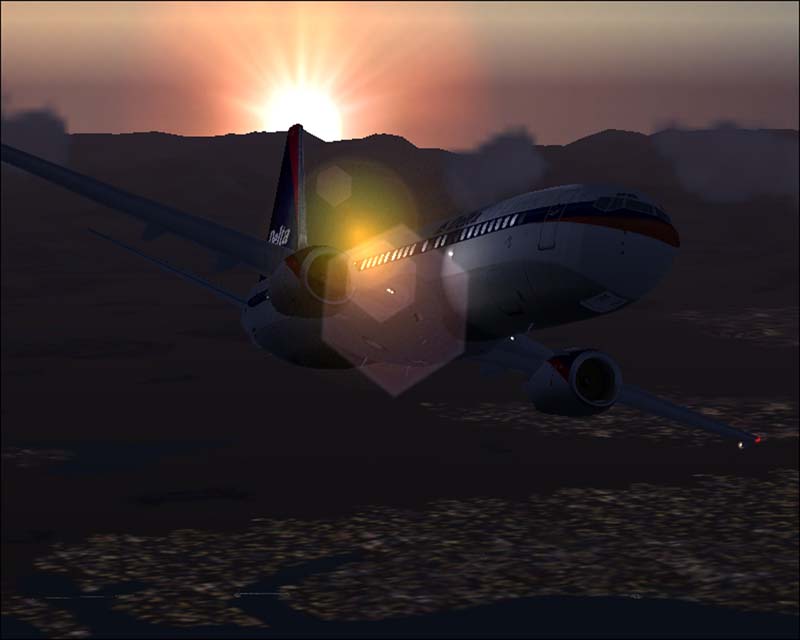
737 Flying by the Rockies

Flight Simulation Screenshots displaying your Flight Simulation Experience. MSFS, FSX, Prepar3D, XPlane and other Flight Simulators. Focus is your Flight Simulator Experience. Please upload to Simviation (Button at top right)

737 Flying by the Rockies

Postby John_MCknight » Sun Jun 03, 2007 2:22 pm

"Good morning ladies and gentlemen, this is your captain speaking. We are still ascending to our final altitude and look at that sunrise"

Image

The lens flare is from FS2004 I did not modify this image other than resizing the image

Last edited by John_MCknight on Sun Jun 03, 2007 2:23 pm, edited 1 time in total.
Image
User avatar
John_MCknight
2nd Lieutenant
2nd Lieutenant
 
Posts: 96
Joined: Sun Jun 03, 2007 12:10 pm
Location: Georgia, USA

Re: 737 Flying by the Rockies

Postby DaveT » Sun Jun 03, 2007 2:38 pm

lens flare spoilt it mate,sorry

Dave ;)
User avatar
DaveT
Major
Major
 
Posts: 2260
Joined: Thu Jan 31, 2002 7:46 pm
Location: KGSO

Re: 737 Flying by the Rockies

Postby a1 » Sun Jun 03, 2007 9:15 pm

lens flare spoilt it mate,sorry

Dave ;)


Get rid of the lens flare. ;) Could be better though.
Image
790i : QX9650 : 4Gb DDR3 : GeForce 8800 GTX : 1 WD Raptor : 1 WD VelociRaptor 150
User avatar
a1
Lieutenant Colonel
Lieutenant Colonel
 
Posts: 7608
Joined: Thu Jan 04, 2007 9:16 pm

Re: 737 Flying by the Rockies

Postby John_MCknight » Mon Jun 04, 2007 4:28 am

Question??

   If it were possible to remove the lens flare in said picture, how would one go about removing it?
Image
User avatar
John_MCknight
2nd Lieutenant
2nd Lieutenant
 
Posts: 96
Joined: Sun Jun 03, 2007 12:10 pm
Location: Georgia, USA

Re: 737 Flying by the Rockies

Postby lilley » Mon Jun 04, 2007 5:42 am

You have to do it in the simulator. When flying, or even before flying, you go to teh settings menu, disply and un-check lens flare, reurn to the sim and there yo go, lens lare eliminated.

The only other thing i would say would be to at the same time as trning off your lens flare turn on the AA in the furthest right tab in the settings menu (AA = anti aliasing, removes jagged edges and lines accross the simulator, its excelent)

Other than that its a nice screenshot!

James
8-)
lilley
 

Re: 737 Flying by the Rockies

Postby bok269 » Mon Jun 04, 2007 10:28 pm

Nice shot regarless of the lens flare.  Compression hurt it too it looks like.
Check out my around the world tour!
http://fsxaroundtheworld.blogspot.com/

Reality is wrong; Dreams are for real.  -Tupac

No bird soars too high, if he soars with
User avatar
bok269
Major
Major
 
Posts: 1458
Joined: Sat Dec 02, 2006 9:54 am
Location: HPN


Return to Simulation Screenshots Showcase

Who is online

Users browsing this forum: No registered users and 633 guests