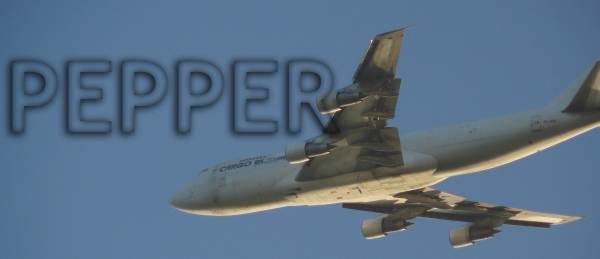
Great sound, great fealing, Great work on this plane.
Got it on simviation.
-besides this I have a question. Why can

Simviation Forums
Flight Simulator and other chat
Flight Simulator and other chat
 by P-graf » Wed Mar 28, 2007 9:34 am


by FSGT Gabe » Wed Mar 28, 2007 10:22 am
 . My main critisicm is that you should take away the red labels above the plane...really ruins a shot :-/. Default command to get rid of them is Control + Shift + L.


by pepper_airborne » Wed Mar 28, 2007 12:35 pm
by NDSP » Wed Mar 28, 2007 2:40 pm
by haroldkip » Wed Mar 28, 2007 3:44 pm
I would say to crank up the AA a little and to zoom the plane more on #2


by Alonso » Wed Mar 28, 2007 5:23 pm

by NDSP » Wed Mar 28, 2007 5:33 pm
I would say to crank up the AA a little and to zoom the plane more on #2
I disagree with you there Heatnyc. Maybe P was going for a more scenery shot ... I like it.
With or without Anti Aliasing ... the shot is pretty good from a perspective point of view!
by Alonso » Wed Mar 28, 2007 5:43 pm
I would say to crank up the AA a little and to zoom the plane more on #2
I disagree with you there Heatnyc. Maybe P was going for a more scenery shot ... I like it.
With or without Anti Aliasing ... the shot is pretty good from a perspective point of view!
by P-graf » Thu Mar 29, 2007 2:12 am
I would say to crank up the AA a little and to zoom the plane more on #2
I disagree with you there Heatnyc. Maybe P was going for a more scenery shot ... I like it.
With or without Anti Aliasing ... the shot is pretty good from a perspective point of view!
by DaveT » Thu Mar 29, 2007 12:05 pm

by P-graf » Thu Mar 29, 2007 12:13 pm
Love em but like was said opinions differ lots,i personally prefer closer shots but it depends on what background you have to show off,but you do need to turn your AA on apart from that crackin shots keep it up
by haroldkip » Thu Mar 29, 2007 12:21 pm
I would love to fly with AA turned on but it slows my framerate down faster than I am flying. But maybe someday I will pass a few shots through photoshop and do some anti aliazing there.
P-graf
by P-graf » Thu Mar 29, 2007 12:27 pm
I would love to fly with AA turned on but it slows my framerate down faster than I am flying. But maybe someday I will pass a few shots through photoshop and do some anti aliazing there.
P-graf
If it slows down your sim you probably turn it on in the sim ... which is not a very wise thing to do.
If your videocard supports AA then you'd need to turn the AA on, on the card.
Which card do you have? I might be able to point you in the right direction ...
Return to Simulation Screenshots Showcase
Users browsing this forum: No registered users and 272 guests