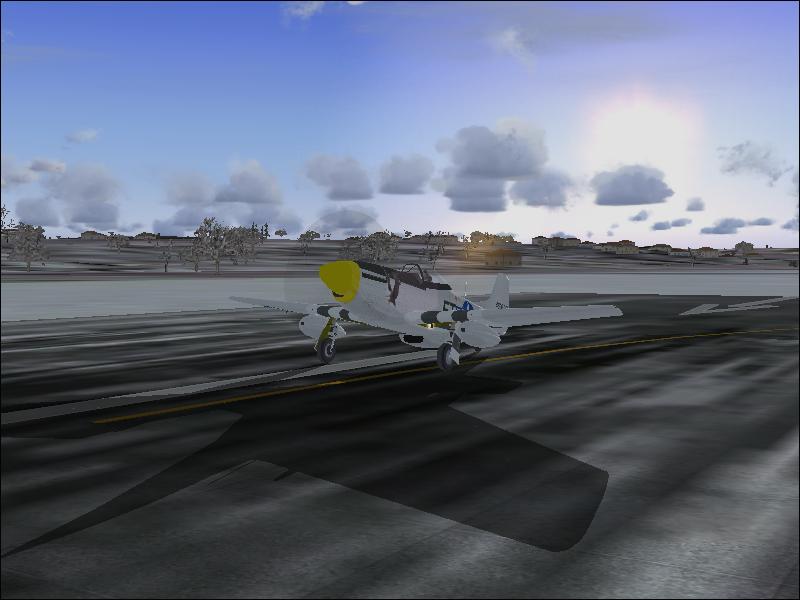
Flight Simulation Screenshots displaying your Flight Simulation Experience. MSFS, FSX, Prepar3D, XPlane and other Flight Simulators. Focus is your Flight Simulator Experience. Please upload to Simviation (Button at top right)
 by Helms » Sun Jan 14, 2007 12:11 am
Other than the Compression (OMG) I think the shot is really good.
You should use Irfranview.

-
Helms
- Captain

-
- Posts: 586
- Joined: Mon Jun 05, 2006 10:28 am
- Location: Elk Creek, Nebraska
by an-225 » Sun Jan 14, 2007 2:01 am
Hmm... TBH its not the best shot... but heres what you may want to do about it. First of all. Turn on your anti aliasing. You can do this in the FS2002/4 settings OR depending on your video card (Mines an Nvidia 6800) you can turn it off from the video card control panel. Helms91 I don't think the problem is the compression its the anti aliasing that gives it that effect.

OK back to a1... it seems like you have a few sliders down in your settings... seeing as it is only 2002/4 It wouldn't hurt to bring these up to the right.
-
an-225
-
Return to Simulation Screenshots Showcase
Who is online
Users browsing this forum: No registered users and 365 guests