Chasin AI in FSX

Flight Simulation Screenshots displaying your Flight Simulation Experience. MSFS, FSX, Prepar3D, XPlane and other Flight Simulators. Focus is your Flight Simulator Experience. Please upload to Simviation (Button at top right)

Chasin AI in FSX

Postby RollerBall » Tue Aug 15, 2006 5:00 pm

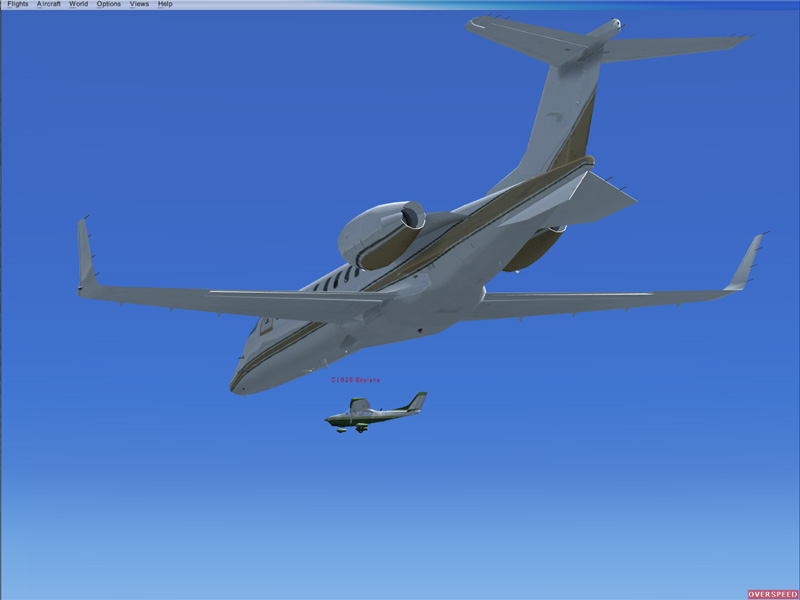
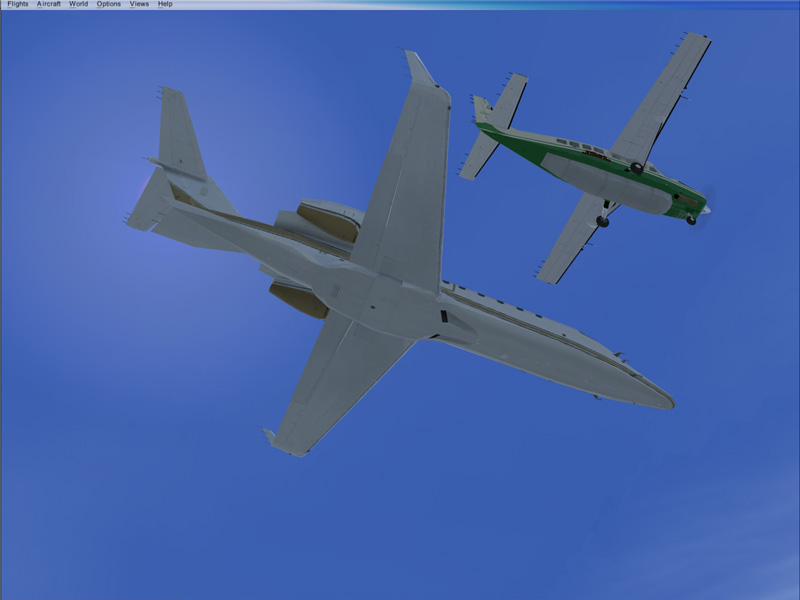
OK, I know this is getting silly now.... chasing AI over Gatwick

Image

Image

I've been messing around a bit and one of the things that does work in FSX appears to be the FS2004 default AI traffic bgl (although TTools can't edit the bgl that comes with the demo - funny that...)

Last edited by RollerBall on Tue Aug 15, 2006 5:20 pm, edited 1 time in total.
RollerBall
 

Re: Chasin AI in FSX

Postby CSM » Wed Aug 16, 2006 4:39 am

how can you be over gatwick in the demo?? ???
Image
MacBook (Need I Say More)
User avatar
CSM
Captain
Captain
 
Posts: 750
Joined: Mon Oct 24, 2005 1:54 am
Location: Townsville, North Queensland

Re: Chasin AI in FSX

Postby RollerBall » Wed Aug 16, 2006 4:45 am

how can you be over gatwick in the demo?? ???


Took someone a while to ask that....

Same as I was over Heathrow in the FSX forum. Check out your scenery library in FS2004. I've taken all the bits from there that are missing in the FSX demo and added them at the right levels in the FSX scenery library. I've also copied over the default FS2004 aircraft and AI traffic bgl which is why I've got the 172 and Grand Caravan as AI. So I've got the whole world and AI traffic in the FSX demo. But crafty old MS - I can't get any ground textures outside of the demo area - so the whole world is there, hills valleys etc - but it's all black! They've obviously changed the texture type!

But it's all good fun.... ::)
Last edited by RollerBall on Wed Aug 16, 2006 4:46 am, edited 1 time in total.
RollerBall


Return to Simulation Screenshots Showcase

Who is online

Users browsing this forum: No registered users and 617 guests