My FS X shots (part 1)

Flight Simulation Screenshots displaying your Flight Simulation Experience. MSFS, FSX, Prepar3D, XPlane and other Flight Simulators. Focus is your Flight Simulator Experience. Please upload to Simviation (Button at top right)

My FS X shots (part 1)

Postby Serpent_6 » Thu Aug 10, 2006 5:20 am

Just downloaded the demo fearing it wouldnt run on my pc but surprise surprise it runs way better than i thought :D

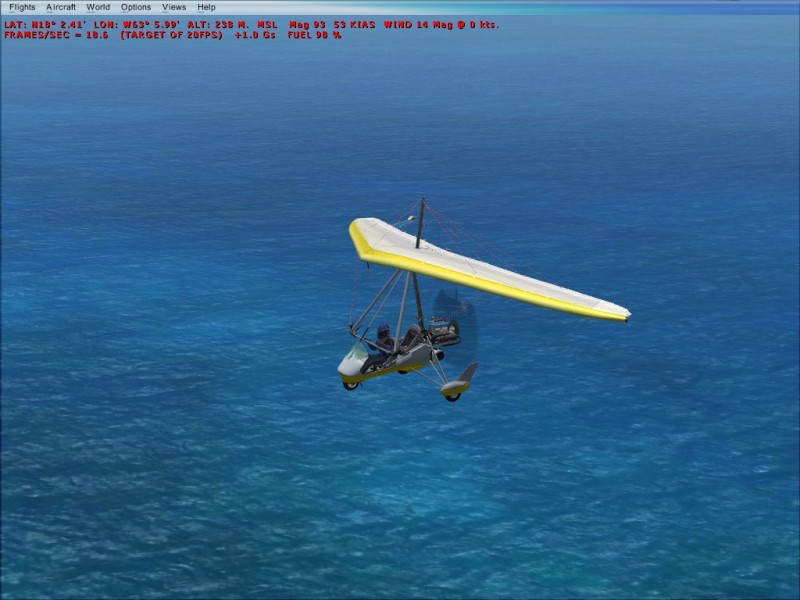
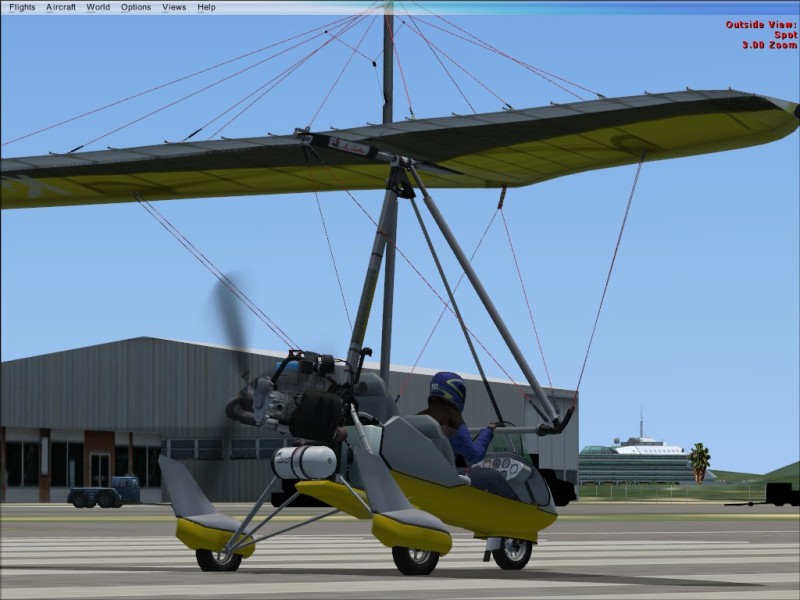
I just love this Trike and i must say the flight dynamics are close too what it feels like in real live :)

Image

Not the coolest Trike ever (Thats the Pegasus Quick) but its nice :)
Image

Image

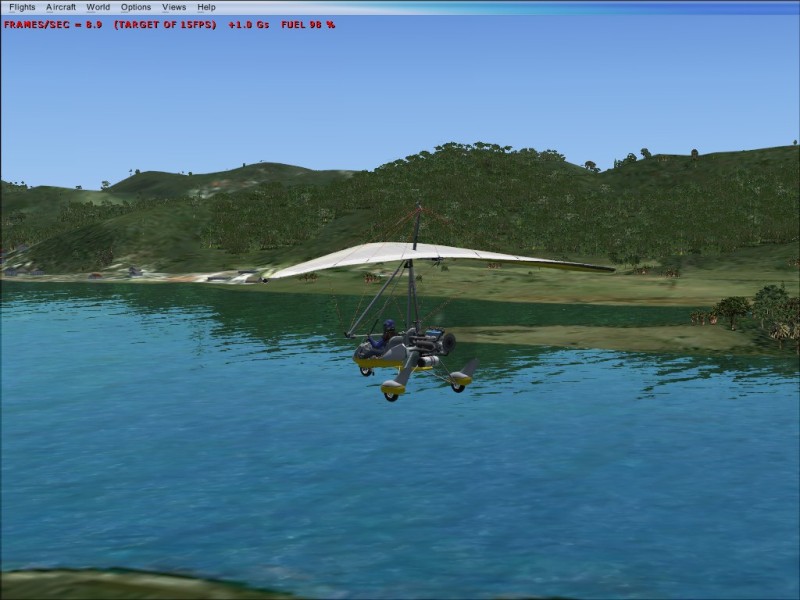
love this one
Image

Im on 65 to 70% of full settings and get frames ranging from 8 to 15 where i locked it :)
Serpent_6
Captain
Captain
 
Posts: 570
Joined: Mon Mar 13, 2006 6:43 am
Location: Holland

Re: My FS X shots (part 1)

Postby Fozzer » Thu Aug 10, 2006 5:31 am

Very nice, Serp...!

Now, just for me, set your trike down in a grassy field with hedges and trees....
...and maybe a few Cows and Sheep grazing.... ;)...!

...I want to see the grass blowing in the wind...and flattened by the wheels... 8)...!

Need more LOW LEVEL shots...!!

Paul...cuddling a Sheep Farmers Wife... ;)...!
Win 8.1 64-bit. DX11. Advent Tower. Intel i7-3770 3.9 GHz 8-core. 8 GB System RAM. AMD Radeon HD 7700 1GB RAM. DVD ROM. 2 Terra Byte SATA Hard Drive. Philips 17" LCD Monitor. Saitek Cyborg X Fly-5 Joystick. ...and a Briggs and Stratton Petrol Lawn Mower.
User avatar
Fozzer
Colonel
Colonel
 
Posts: 27370
Joined: Thu Jan 31, 2002 3:11 pm
Location: Hereford. England. EGBS.

Re: My FS X shots (part 1)

Postby Serpent_6 » Thu Aug 10, 2006 5:36 am

Ill see what i can do Foz, not sure about the sheeps but i might be able to find a field for you ;)
Serpent_6
Captain
Captain
 
Posts: 570
Joined: Mon Mar 13, 2006 6:43 am
Location: Holland

Re: My FS X shots (part 1)

Postby Clipper » Thu Aug 10, 2006 5:45 am

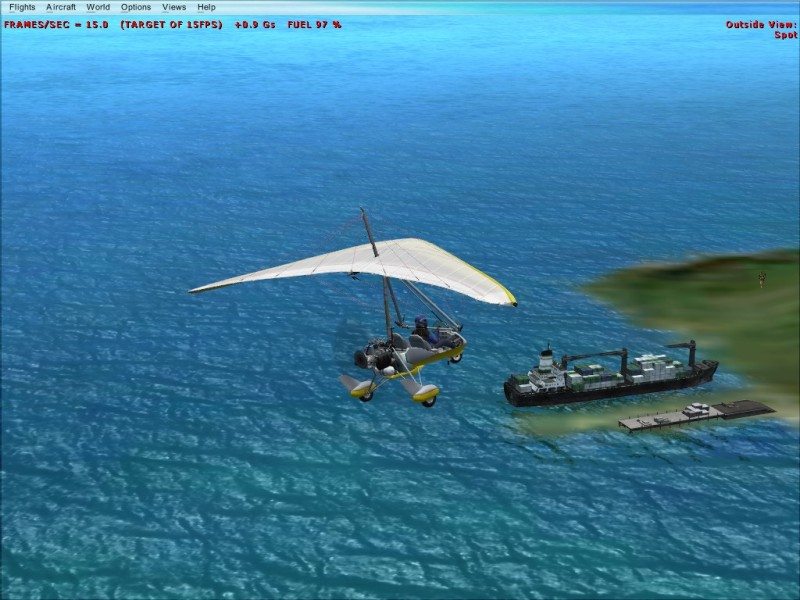
Is Fozz rambling about sheep again? You know he's itchin' to get those velcro mitts out of mothballs.. ;) The water in pic #3 looks amazing!!
Last edited by Clipper on Thu Aug 10, 2006 5:46 am, edited 1 time in total.
Image
User avatar
Clipper
Global Moderator
Global Moderator
 
Posts: 8420
Joined: Tue Aug 23, 2005 5:40 am

Re: My FS X shots (part 1)

Postby haroldkip » Thu Aug 10, 2006 5:49 am

Is Fozz rambling about sheep again? You know he's itchin' to get those velcro mitts out of mothballs.. ;)

LMAO ;D
User avatar
haroldkip
Lieutenant Colonel
Lieutenant Colonel
 
Posts: 5906
Joined: Wed Apr 12, 2006 5:13 am
Location: Amsterdam, The Netherlands

Re: My FS X shots (part 1)

Postby Fozzer » Thu Aug 10, 2006 5:54 am

Is Fozz rambling about sheep again? You know he's itchin' to get those Velcro mitts out of mothballs.. ;).....


...and my oversize Wellington Boots....
...just in case the field is a bit muddy....you understand...;)...!

Fantastic shots Serp, ...and a proper aeroplane, to boot...;D...!

...there, I mentioned "Boots" again!.... :-[...!

LOL...!

Paul... ;D...!
Win 8.1 64-bit. DX11. Advent Tower. Intel i7-3770 3.9 GHz 8-core. 8 GB System RAM. AMD Radeon HD 7700 1GB RAM. DVD ROM. 2 Terra Byte SATA Hard Drive. Philips 17" LCD Monitor. Saitek Cyborg X Fly-5 Joystick. ...and a Briggs and Stratton Petrol Lawn Mower.

User avatar
Fozzer
Colonel
Colonel
 
Posts: 27370
Joined: Thu Jan 31, 2002 3:11 pm
Location: Hereford. England. EGBS.

Re: My FS X shots (part 1)

Postby Fitter » Thu Aug 10, 2006 6:01 am

I must get that Demo as soon as my PC get fixed...I mean my Windows... :P
But tell me, can you tell us your opinion between FSX and FS2004?
What is your computer specifications?....I mean Hardware :)
Nice shots.....
Fitter
Major
Major
 
Posts: 4204
Joined: Sat Nov 29, 2003 3:15 pm
Location: Earth

Re: My FS X shots (part 1)

Postby Hai Perso Coyone? » Thu Aug 10, 2006 6:04 am

But tell me, can you tell us your opinion between FSX and FS2004?
What is your computer specifications?....I mean Hardware :)
Nice shots.....


I'd like to know the same...I still run XP on SP1...is it true that you need SP2 for FSX to install? ???
User avatar
Hai Perso Coyone?
Ground hog
Ground hog
 
Posts: 0
Joined: Fri Jan 12, 2007 7:31 pm
Location: Rome, Italy

Re: My FS X shots (part 1)

Postby Fozzer » Thu Aug 10, 2006 6:17 am


I'd like to know the same...I still run XP on SP1...is it true that you need SP2 for FSX to install? ???


...Someone out there...!
We desperately need genuine advice from the horse's mouth regarding the above before we consider purchasing FS X.... :o...!

Paul.... 8)...!
Win 8.1 64-bit. DX11. Advent Tower. Intel i7-3770 3.9 GHz 8-core. 8 GB System RAM. AMD Radeon HD 7700 1GB RAM. DVD ROM. 2 Terra Byte SATA Hard Drive. Philips 17" LCD Monitor. Saitek Cyborg X Fly-5 Joystick. ...and a Briggs and Stratton Petrol Lawn Mower.
User avatar
Fozzer
Colonel
Colonel
 
Posts: 27370
Joined: Thu Jan 31, 2002 3:11 pm
Location: Hereford. England. EGBS.

Re: My FS X shots (part 1)

Postby Serpent_6 » Thu Aug 10, 2006 6:18 am

I run it on a Intel P4 3.2 with 1500 MB ram and a ATI Radeon 9800 Pro 256 MB 65 to 70% of settings and i must say the difference between FS9 and X is great, not just in visuals but the planes seem to handle more real too in my opinion :)

I just spend some time flying circels around the Saba island just being stunned by the looks of it all :o
Another nice feature is that the tower view moves to the airfield closest to where you are so no manual placing anymore ;D
Serpent_6
Captain
Captain
 
Posts: 570
Joined: Mon Mar 13, 2006 6:43 am
Location: Holland

Re: My FS X shots (part 1)

Postby Hai Perso Coyone? » Thu Aug 10, 2006 6:26 am


...Someone out there...!
We desperately need genuine advice from the horse's mouth regarding the above before we consider purchasing FS X.... :o...!

Paul.... 8)...!


Running SP1 as well Paul? ;D

Last I installed SP2, my PC bogged down and worked as slow as hell ::) ::)
User avatar
Hai Perso Coyone?
Ground hog
Ground hog
 
Posts: 0
Joined: Fri Jan 12, 2007 7:31 pm
Location: Rome, Italy

Re: My FS X shots (part 1)

Postby haroldkip » Thu Aug 10, 2006 6:31 am

Just install FSX in a dual boot with Win98 or Win2K. on a different partition.

Then fire up WinXP (SP1 ;D) and run it from the partition you've installed it on in the first place.
Works with my FS9 installation but I don't know if this'll work with FSX. You can try though ...

I'll be installing FSX on the Vista Beta tonight ... I'll let you all know how it runs ...
Last edited by haroldkip on Thu Aug 10, 2006 6:33 am, edited 1 time in total.
User avatar
haroldkip
Lieutenant Colonel
Lieutenant Colonel
 
Posts: 5906
Joined: Wed Apr 12, 2006 5:13 am
Location: Amsterdam, The Netherlands

Re: My FS X shots (part 1)

Postby Daube » Thu Aug 10, 2006 7:39 am

Errrr wait !
What do I see ???
Are you actually getting different waves on the water depending on where you go ? (or wind, or I don't know what)  :o ???
Or is it just a visual effect, depending on when you trigger the shot ?
User avatar
Daube
Lieutenant Colonel
Lieutenant Colonel
 
Posts: 6611
Joined: Wed Oct 05, 2005 8:34 am
Location: Nice (FR)

Re: My FS X shots (part 1)

Postby krigl » Thu Aug 10, 2006 7:41 am

Fantastic view of the new textures.... I am so getting this...

On Gamespot it looks like Deluxe is only being released in the US, at least to start with.

Hopefully they're not waiting for sales of Standard to see if it's worth shipping Deluxe ::)  :D
If you're bored of an evening - and you'll have to be - you can check out my screenshot gallery: Kriglsflightsimscreens...HERE

[center][img]http://www.simviation.com/phpup
krigl
Lieutenant Colonel
Lieutenant Colonel
 
Posts: 8234
Joined: Fri Jun 10, 2005 3:47 am

Re: My FS X shots (part 1)

Postby Steve_Butka » Thu Aug 10, 2006 7:44 am

wheres the demo
User avatar
Steve_Butka
1st Lieutenant
1st Lieutenant
 
Posts: 370
Joined: Tue May 11, 2004 12:16 am
Location: Poughkeepsie, NY

Next

Return to Simulation Screenshots Showcase

Who is online

Users browsing this forum: No registered users and 719 guests