Color Correction In Screenies

Flight Simulation Screenshots displaying your Flight Simulation Experience. MSFS, FSX, Prepar3D, XPlane and other Flight Simulators. Focus is your Flight Simulator Experience. Please upload to Simviation (Button at top right)

Color Correction In Screenies

Postby LVA157 » Sun Jan 22, 2006 4:01 pm

hi, ive been wondering how i can take screenies with different color correction on my GPU. i can change the correction to what i want but it just dosent show in my shots. Heres what i mean and as you can see its not showing any difference in color in my shot even though it looks alot brighter on my screen ???

Image

(PS i dont know if it should be here, if not, mods just move it :P )  
Image
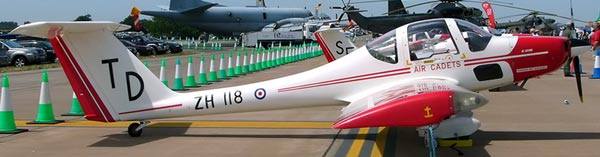
^^The first plane I flew!! :)

Gigabyte GA-K8N pro SLI
AMD Opteron 148 w/ Thermaltake XP-120 h/s
2x 1GB Corsair RAM w/ heatsinks
PNY tech 7600GT @ 560Mhz core
LVA157
1st Lieutenant
1st Lieutenant
 
Posts: 366
Joined: Thu Jul 14, 2005 3:35 pm
Location: Andover

Re: Color Correction In Screenies

Postby waspiflab » Sun Jan 22, 2006 4:04 pm

Download this it will GREATLY enhance your weather and it's soooo easy to install.

Vista Australis is a large scale scenery project (freeware) that encompasses the entire continent of Australia. When completed, this will allow Australian flight simmers (or anyone wanting virtually visit Australia) to have a more realistic view. The weather works for the whole world too.

http://vistaoz.org/downloads.html

Just register with avsim.com (free)and get it!! You will not regret it take a look at some of my posts.
Last edited by waspiflab on Sun Jan 22, 2006 4:08 pm, edited 1 time in total.
waspiflab
 

Re: Color Correction In Screenies

Postby kipman725 » Sun Jan 22, 2006 4:34 pm
you see the drop box saying desktop, try setting it to all.
5900xt/2800+/280GB/1GB PC3200/Cyborg Evo Force/ABIT NF7
Gpu clock: 475mhz core, 800mhz mem
CPU at: 12.5x175 = 2187.5
memory: 2.5, 3, 3, 8 Duel channel on
Os: windows xp pro, ubuntu 5.10 breazy badger
User avatar
kipman725
Captain
Captain
 
Posts: 904
Joined: Tue Jul 12, 2005 4:11 pm
Location: Bedroom

Re: Color Correction In Screenies

Postby Tweek » Sun Jan 22, 2006 4:38 pm

you see the drop box saying desktop, try setting it to all.


The only problem is, that then gives your desktop weird colours aswell. If you look at ramsa329's shots, they have a lovely red tint to them, but that would look awful when not in-game.
Tweek
 

Re: Color Correction In Screenies

Postby LVA157 » Sun Jan 22, 2006 5:07 pm

you see the drop box saying desktop, try setting it to all.
ive tried that already, the same problem occurs ;)

The only problem is, that then gives your desktop weird colours aswell. If you look at ramsa329's shots, they have a lovely red tint to them, but that would look awful when not in-game.

yeh that was the red tint i was going for, also ive found you can do the same color changing on irfanview, but i think that might be editing ::)
Image
^^The first plane I flew!! :)

Gigabyte GA-K8N pro SLI
AMD Opteron 148 w/ Thermaltake XP-120 h/s
2x 1GB Corsair RAM w/ heatsinks
PNY tech 7600GT @ 560Mhz core
LVA157
1st Lieutenant
1st Lieutenant
 
Posts: 366
Joined: Thu Jul 14, 2005 3:35 pm
Location: Andover

Re: Color Correction In Screenies

Postby ramsa329 » Sun Jan 22, 2006 7:05 pm

Obviously using those settings will change the look of your desktop also.

That is why you have the ability to set up profiles which you can than delete or save.

I keep a notebook full of notations for my profiles when I get what I want I set a profile than write it down.

Also it would be wrong for anyone to think that the red in my shots is a result of card settings

I use different combinations of textures for sunset and sunrise.

When doing payware shots I use Flight Environment and when I do freeware shots I keep seperate folders of different freeware textures (environmental envelopes) that I move in and out of the sim.

Hope that helps
www.fs-gs.com
ramsa329
Major
Major
 
Posts: 1928
Joined: Mon Mar 18, 2002 1:11 am


Return to Simulation Screenshots Showcase

Who is online

Users browsing this forum: No registered users and 629 guests