
While Everyone takes contest pics....

Flight Simulation Screenshots displaying your Flight Simulation Experience. MSFS, FSX, Prepar3D, XPlane and other Flight Simulators. Focus is your Flight Simulator Experience. Please upload to Simviation (Button at top right)

While Everyone takes contest pics....

Postby Jakemaster » Sun Dec 11, 2005 9:31 am

...Ive been repainting.  I decided to repaint Eugene Heyart's wonderful Super Otter.  After seeing this pic of a rust's flying service plane, I knew I had to paint.http://www.airliners.net/open.file/630540/M/

Normally, my paints suck.  But this one turned out extremely well.  Im not trying to brag about myself, but this is one of the best textures Ive seen, and definately, by far, the best thing Ive ever made for Flight Sim

First, I did it for the Amphibian because thats what the real one is
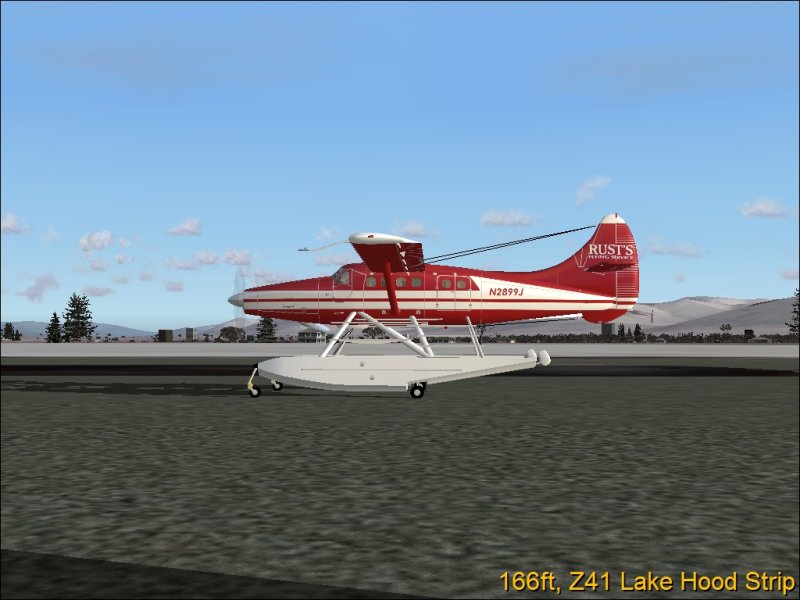
Image

Then I did the loaded one, because its possible that the real one carries canoes because Rusts does hunting trips
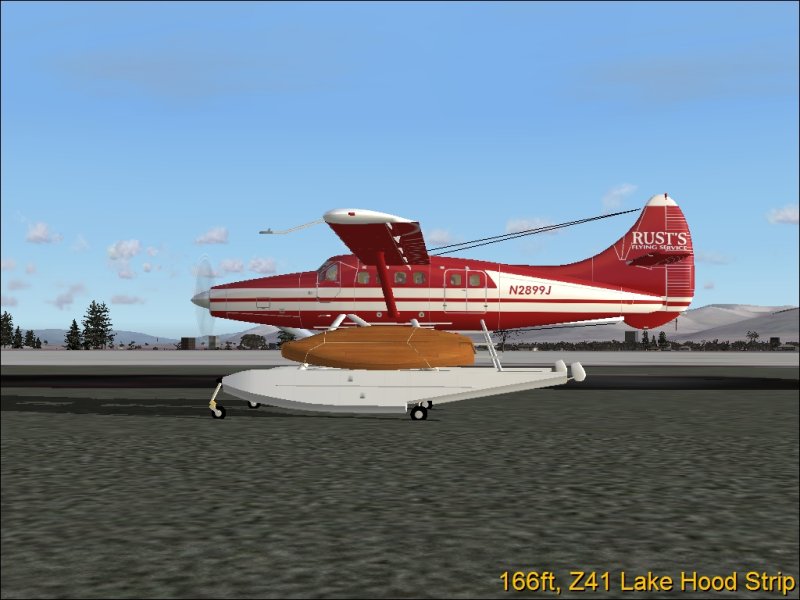
Image

While on Anet, I clicked on the registration and came up with thishttp://www.airliners.net/search/photo.search?regsearch=N2899J&distinct_entry=true
As you can see, there is a wheeled version, so I did that one too.
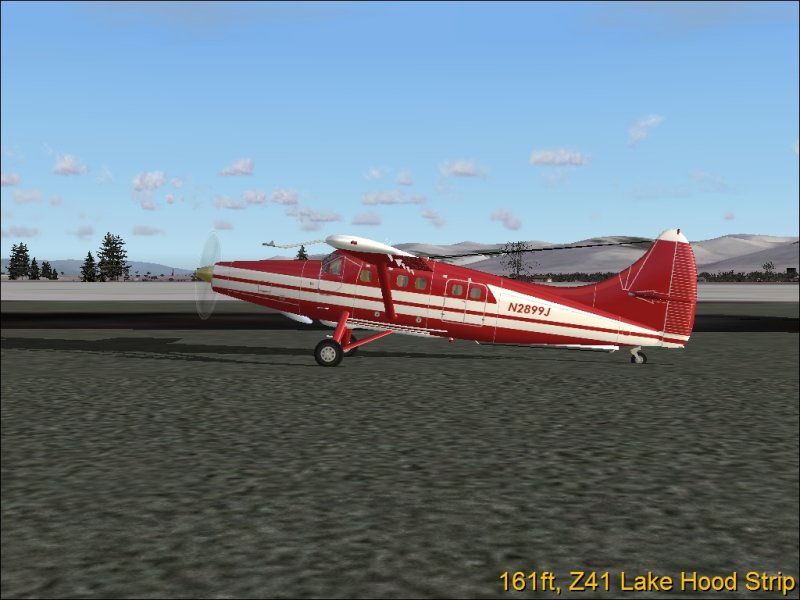
Image
NOTE: The spinner is silver now

Heres one more: Image
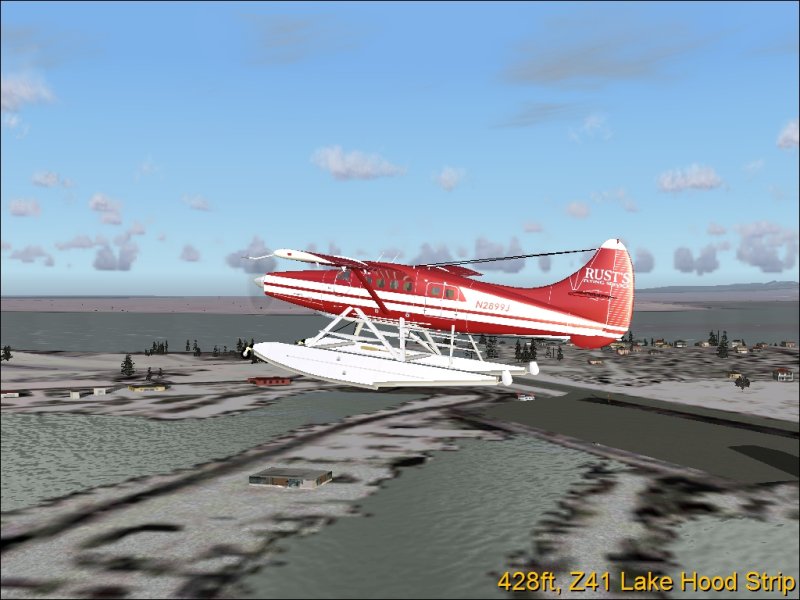

Im gonna package this, get the legal stuff out of the way, then upload in a few days.

For more info on Rusts: http://www.flyk2.com/1.cfm

If I want, I may do the old textures for this one, as it has been through many phases

Hope you enjoyed!

Last edited by Jakemaster on Sun Dec 11, 2005 9:32 am, edited 1 time in total.
Jakemaster
 

Re: While Everyone takes contest pics....

Postby jordonj » Sun Dec 11, 2005 10:04 am

That is one sweet repaint!

Hope you upload her soon!
My first flight in a 172 on August 20, 2004
Image

Doing the right thing is more important than doing the thing right. (P. Drucker)

When all think alike, then no one i
User avatar
jordonj
Lieutenant Colonel
Lieutenant Colonel
 
Posts: 5314
Joined: Mon Jun 14, 2004 11:40 pm
Location: Michigan

Re: While Everyone takes contest pics....

Postby Jakemaster » Sun Dec 11, 2005 10:23 am

As soon as possible, but studying is kinda keeping me busy.
Jakemaster
 

Re: While Everyone takes contest pics....

Postby simonmd » Sun Dec 11, 2005 10:55 am

Nice one!
Image
This months's screenshot contest entry> http://www.simviation.com/cgi-bin/yabb2 ... 1197692798
User avatar
simonmd
Major
Major
 
Posts: 1847
Joined: Sun Nov 06, 2005 4:47 pm
Location: s wales, UK

Re: While Everyone takes contest pics....

Postby Jakemaster » Sun Dec 11, 2005 10:59 am

Okay, just checked the readme, and as far as legal stuff goes I just need to give credit where credit is do.   So once I get a readme ready (biggest PITA for a file  :P), and zip it up Ill upload it
Jakemaster
 

Re: While Everyone takes contest pics....

Postby Jakemaster » Sun Dec 11, 2005 11:38 am

Been uploaded.  When availiable, It will be here (rustotter.zip), Avsim (rustotter.zip) and Flightsim (sorusts.zip)

Enjoy!
Jakemaster
 

Re: While Everyone takes contest pics....

Postby Hai Perso Coyone? » Sun Dec 11, 2005 12:00 pm

Ooh nice....I need to learn how to paint...mind teaching me ;)
User avatar
Hai Perso Coyone?
Ground hog
Ground hog
 
Posts: 0
Joined: Fri Jan 12, 2007 7:31 pm
Location: Rome, Italy

Re: While Everyone takes contest pics....

Postby Jakemaster » Sun Dec 11, 2005 12:04 pm

I just do it in paint.  Its really not that hard.  All you need is DXTbmp and patience.

Here:http://www.mnwright.btinternet.co.uk/programs/dxtbmp.htm
Jakemaster
 

Re: While Everyone takes contest pics....

Postby Hai Perso Coyone? » Sun Dec 11, 2005 12:09 pm

I just do it in paint.  Its really not that hard.  All you need is DXTbmp and patience.

Here:http://www.mnwright.btinternet.co.uk/programs/dxtbmp.htm


Thanks for the link..I already have DXTBMP and I have already created a repaint...I only don't know how to get the aircraft to appear in the Aircraft select menu...I did the manual way of editing the Aircraft.cfg....any ideas Jake? :)
User avatar
Hai Perso Coyone?
Ground hog
Ground hog
 
Posts: 0
Joined: Fri Jan 12, 2007 7:31 pm
Location: Rome, Italy

Re: While Everyone takes contest pics....

Postby Jakemaster » Sun Dec 11, 2005 12:19 pm

Did you make sure to change the aircraft cfg?

Heres an example.  Lets say I painted the cessna.

The original entry in the cfg is this:
[fltsim.0]
title=Cessna Skylane 182S
sim=Cessna182S
model=
panel=
sound=
texture=
kb_checklists=Cessna182S_check
kb_reference=Cessna182S_ref
atc_id=N778WS
ui_manufacturer=Cessna
ui_type="C182S Skylane"
ui_variation="White with green"
description="When Cessna saw how well their Model 180 was selling, they looked for a way to make it an even bigger success\s the answer was the Model 182.  The Cessna 182 Skylane feels and acts like a heavier, more powerful version of its sibling, the 172 Skyhawk.  The airplane is a workhorse and a stable platform for flying on instruments. Even with a full tank, the 182 carries a family-size useful load and performs admirably as an aerial sport utility vehicle."


Now, I copy and paste this under the last entry, which is [Fltsim.4]
And I change the values in bold:

[fltsim.5]  <-----Next number in CFG
title=Cessna Skylane 182S  My Paint   <----unique title
sim=Cessna182S
model=
panel=
sound=
texture=mypaint   <----- the texture.mypaint, always use the stuff after the period
kb_checklists=Cessna182S_check
kb_reference=Cessna182S_ref
atc_id=N778WS
ui_manufacturer=Cessna
ui_type="C182S Skylane"
ui_variation="My Cessna"  <--This is what it will show under in FS
description="When Cessna saw how well their Model 180 was selling, they looked for a way to make it an even bigger success\s the answer was the Model 182.  The Cessna 182 Skylane feels and acts like a heavier, more powerful version of its sibling, the 172 Skyhawk.  The airplane is a workhorse and a stable platform for flying on instruments. Even with a full tank, the 182 carries a family-size useful load and performs admirably as an aerial sport utility vehicle."


Hope this helps ;)
Jakemaster
 

Re: While Everyone takes contest pics....

Postby Hai Perso Coyone? » Sun Dec 11, 2005 12:24 pm

I changed some of the stuff....I'll go give the plane a try now...I'll post a screen if it's succesful... ;)
User avatar
Hai Perso Coyone?
Ground hog
Ground hog
 
Posts: 0
Joined: Fri Jan 12, 2007 7:31 pm
Location: Rome, Italy

Re: While Everyone takes contest pics....

Postby Jakemaster » Sun Dec 11, 2005 12:26 pm

My problem in the past was always the title.  I never got it to show, but then I realized that I had to change that
Jakemaster
 

Re: While Everyone takes contest pics....

Postby Hai Perso Coyone? » Sun Dec 11, 2005 12:36 pm

Negative...aircraft is grey...but the wing textures and all appear...just the fuselage...I suppose something with the fuselage textures....maybe I'll do a crash course in painting :'( :'(
User avatar
Hai Perso Coyone?
Ground hog
Ground hog
 
Posts: 0
Joined: Fri Jan 12, 2007 7:31 pm
Location: Rome, Italy

Re: While Everyone takes contest pics....

Postby Jakemaster » Sun Dec 11, 2005 2:18 pm

Is the fuselage texture named correctly ie in the Super otter, the fuselage is named 'main' in the included texture, so it needs to be 'main' in my texture
Jakemaster
 

Re: While Everyone takes contest pics....

Postby Jakemaster » Sun Dec 11, 2005 7:12 pm

My paint is up at avsim, on the 'Whats New' page.  It sould be here when the library is updated
Jakemaster
 

Next

Return to Simulation Screenshots Showcase

Who is online

Users browsing this forum: No registered users and 626 guests


