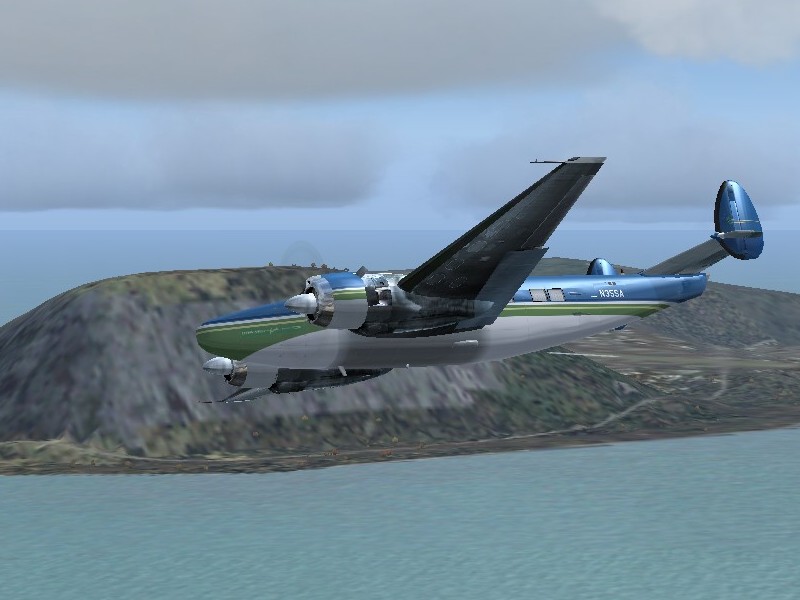
New guy testing his screenshot abilities

Flight Simulation Screenshots displaying your Flight Simulation Experience. MSFS, FSX, Prepar3D, XPlane and other Flight Simulators. Focus is your Flight Simulator Experience. Please upload to Simviation (Button at top right)

New guy testing his screenshot abilities

Postby Censport » Wed Oct 19, 2005 3:28 pm

My goal is competing in a screenshot competition.... and hopefully not getting laughted at!  ;D

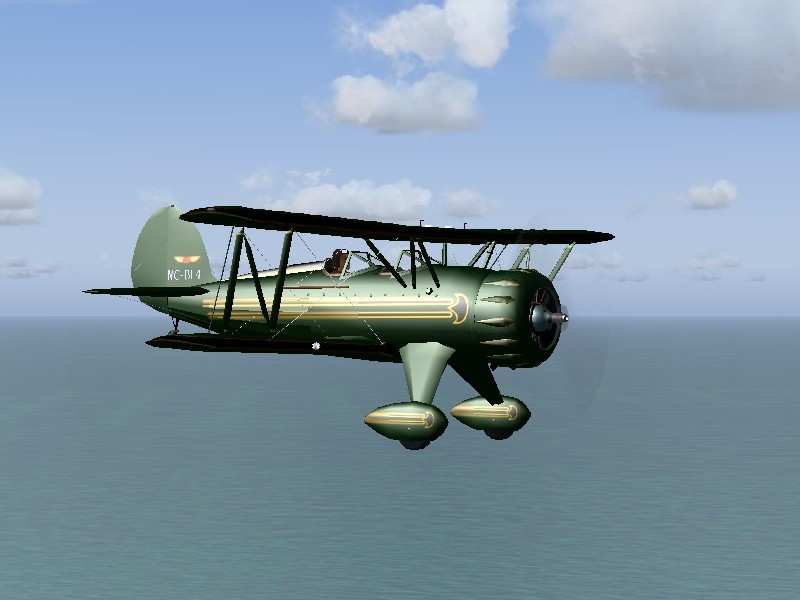
In this shot, I'm flying the green Waco from Hachijojima (RJTH) to Chofu (RJTF). I'm using the payware Japanscenery for my Tokyo flying, very expensive but very nice. Of course, none of it is in this shot, that'll come later.

Image

What do you think? Don't hold back!
User avatar
Censport
1st Lieutenant
1st Lieutenant
 
Posts: 320
Joined: Wed Oct 19, 2005 12:50 pm

Re: New guy testing his screenshot abilities

Postby EGNX » Wed Oct 19, 2005 3:44 pm

Very Nice!  ;D
Image
User avatar
EGNX
Major
Major
 
Posts: 1431
Joined: Thu Jul 14, 2005 3:49 pm
Location: Leicester, England

Re: New guy testing his screenshot abilities

Postby Ecko » Wed Oct 19, 2005 3:47 pm

Very nice!
Nice choice of plane too! but with a little Anti-Aliasing, the shot will be so much better. Depending on your system you could try some Anisotropic Filtering aswell.

Overall a nice shot though! ;)
Last edited by Ecko on Wed Oct 19, 2005 3:49 pm, edited 1 time in total.
Image
User avatar
Ecko
Major
Major
 
Posts: 3684
Joined: Fri May 13, 2005 4:47 pm
Location: Denmark

Re: New guy testing his screenshot abilities

Postby Censport » Wed Oct 19, 2005 3:52 pm

Very nice!
Nice choice of plane too! but with a little Anti-Aliasing, the shot will be so much better. Depending on your system you could try some Anisotropic Filtering aswell.

Overall a nice shot though! ;)

Thanks!

But what are "anti-aliasing" and "anistropic filtering"? Are those options in FS9 or on my computer's system? Sorry if those are elementary questions, but I'm quite new to screenshots.
User avatar
Censport
1st Lieutenant
1st Lieutenant
 
Posts: 320
Joined: Wed Oct 19, 2005 12:50 pm

Re: New guy testing his screenshot abilities

Postby Katahu » Wed Oct 19, 2005 3:57 pm

Right-click your desktop and hit "properties". Then go to "Settings" tab and click "Advanced". If you have an ATI video card, go to "Direct3D" tab and look at where it says "Anti-aliasing". Move the slider to either 2x, 4x, or whichever. Click apply and that's it.

It should be somewhat similar for Nvidia video cards as well.

NOTE: Don't use the anti-aliasing feature WITHIN flight simulator's "Display" menu. If you do that while your video card is already working on it, then FS will take up resources and cause a possible stutter or jumping effect as you fly a plane in the FS world.

The reason for the anti-aliasing is so that the display for both FS and your screenshots will look much more smoother. Smooth shots are always favored, especially if you want to participate in our monthly Screenshot Contests.
User avatar
Katahu
Lieutenant Colonel
Lieutenant Colonel
 
Posts: 5993
Joined: Mon Jul 22, 2002 10:29 pm

Re: New guy testing his screenshot abilities

Postby flyboy 28 » Wed Oct 19, 2005 4:02 pm

A few tips regarding the artistic side of screenshots:

Use diagonals. They draw the person in towards the photo, or in this case, screen.

Experiment with different weather. Flying is not all light fluffy clouds and blue skies.

Also, try some enviornment addons, like water textures or sunset textures

Zoom is a good effect. To get different types of zoom without the standard Microsoft settings, press and keep pressing shift, along with the + and - keys.


Keep those in mind along with the graphics portion, and you'll be churning out great shots in no time!

That's very nice for the first time, though. :)

James
User avatar
flyboy 28
Colonel
Colonel
 
Posts: 10266
Joined: Thu Jun 12, 2003 4:01 pm
Location: Jacksonville, FL

Re: New guy testing his screenshot abilities

Postby Censport » Wed Oct 19, 2005 4:06 pm

Thanks for the advice guys! I'll experiment tonight and see what I can come up with for tomorrow's post!
User avatar
Censport
1st Lieutenant
1st Lieutenant
 
Posts: 320
Joined: Wed Oct 19, 2005 12:50 pm

Re: New guy testing his screenshot abilities

Postby jordonj » Wed Oct 19, 2005 9:24 pm

For me, dawn and dusk are the best...

Not great, but we all start somewhere...

Don't worry!  You'll pick it up in no time!
My first flight in a 172 on August 20, 2004
Image

Doing the right thing is more important than doing the thing right. (P. Drucker)

When all think alike, then no one i
User avatar
jordonj
Lieutenant Colonel
Lieutenant Colonel
 
Posts: 5314
Joined: Mon Jun 14, 2004 11:40 pm
Location: Michigan

Re: New guy testing his screenshot abilities

Postby ozzy72 » Thu Oct 20, 2005 4:07 am

Better than my first ever screenie back in the early 2k2 days ;)
Image
There are two types of aeroplane, Spitfires and everything else that wishes it was a Spitfire!
User avatar
ozzy72
Administrator
Administrator
 
Posts: 33284
Joined: Fri May 24, 2002 4:45 am
Location: Madsville

Re: New guy testing his screenshot abilities

Postby killerbunny » Thu Oct 20, 2005 5:53 am

I think its a very nice shot. :)

But as said before : use Anti-aliasing
Image
User avatar
killerbunny
Major
Major
 
Posts: 2040
Joined: Thu May 27, 2004 4:22 pm
Location: Belgium

Re: New guy testing his screenshot abilities

Postby Censport » Thu Oct 20, 2005 10:55 am

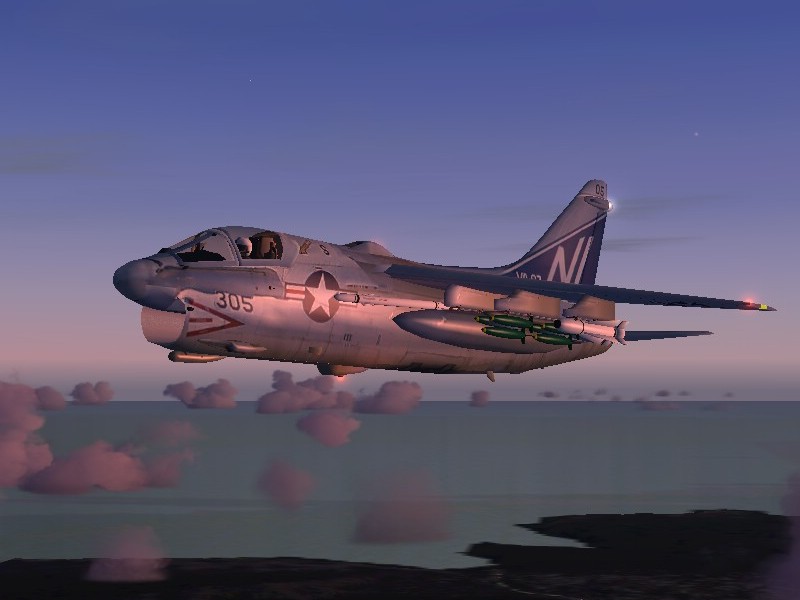
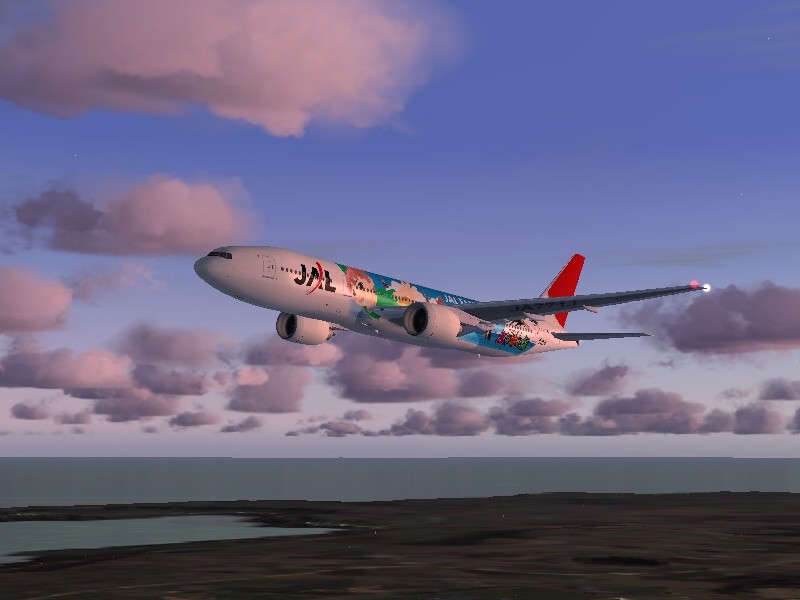
I can't find where to adjust the anti-aliasing on my computer, but I did switch it on the FlightSim settings. Also, I played around with the display settings a bit. Still, these two were the best from last night. These are climbing out of Okinawa (ROAH), headed for Tokyo.
Image
Image

My card, if I'm reading the info on my computer correctly, is a Radeon 9600 series. It was designed for AutoCAD, not FlightSimming. You know how it is: work first, play later (or so I keep having to remind myself!).
User avatar
Censport
1st Lieutenant
1st Lieutenant
 
Posts: 320
Joined: Wed Oct 19, 2005 12:50 pm

Re: New guy testing his screenshot abilities

Postby FLAPS_DOWN » Thu Oct 20, 2005 11:00 am

Right-click your desktop and hit "properties". Then go to "Settings" tab and click "Advanced". If you have an ATI video card, go to "Direct3D" tab and look at where it says "Anti-aliasing". Move the slider to either 2x, 4x, or whichever. Click apply and that's it.

It should be somewhat similar for Nvidia video cards as well.

NOTE: Don't use the anti-aliasing feature WITHIN flight simulator's "Display" menu. If you do that while your video card is already working on it, then FS will take up resources and cause a possible stutter or jumping effect as you fly a plane in the FS world.

The reason for the anti-aliasing is so that the display for both FS and your screenshots will look much more smoother. Smooth shots are always favored, especially if you want to participate in our monthly Screenshot Contests.

So as I have an ATI card I want that box selected or not selected in the properties menu?  I am a little confused about what should be and shouldn't be checked in the properties.  A little help is greatly appreciated.
User avatar
FLAPS_DOWN
2nd Lieutenant
2nd Lieutenant
 
Posts: 102
Joined: Wed Mar 19, 2003 10:41 am
Location: Utah

Re: New guy testing his screenshot abilities

Postby Censport » Thu Oct 20, 2005 11:24 am

Here's another one, where I tried the "Cold Fronts" weather setting. This is leaving Hachijojima (RJTH) again.
Image

And this one was an attempt at a night shot. Flying a Maule past the Tokyo Tower. I think I downloaded the tower from FlightSim, but it's also available in a payware package from JapanScenery.
Image

And in case you're wondering, yes sometimes I do fly default aircraft!  :D Just not that often.  :o
User avatar
Censport
1st Lieutenant
1st Lieutenant
 
Posts: 320
Joined: Wed Oct 19, 2005 12:50 pm


Return to Simulation Screenshots Showcase

Who is online

Users browsing this forum: No registered users and 568 guests