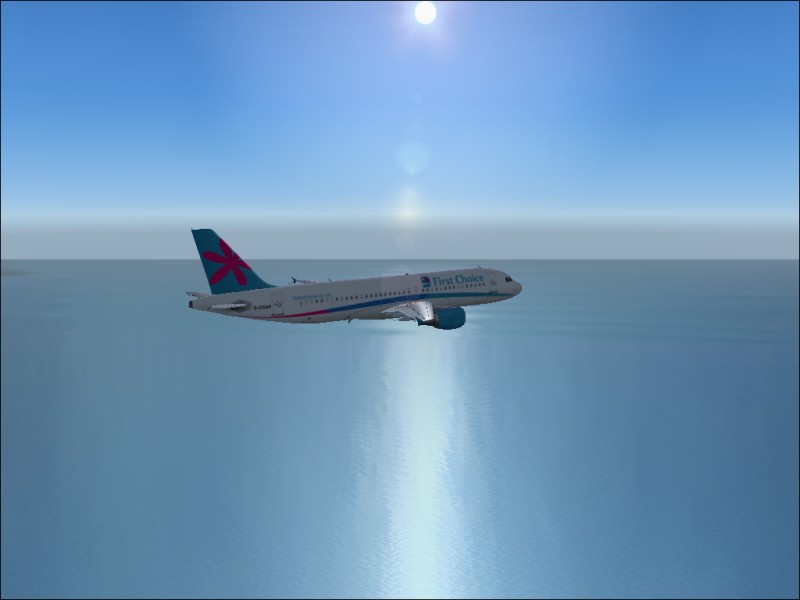
My first posted screenie....

Flight Simulation Screenshots displaying your Flight Simulation Experience. MSFS, FSX, Prepar3D, XPlane and other Flight Simulators. Focus is your Flight Simulator Experience. Please upload to Simviation (Button at top right)

Re: My first posted screenie....

Postby cspyro21 » Tue Aug 30, 2005 2:09 pm

After much reattempting.....
Image
   If this doesn't show then....darnit
     Cspyro21

User avatar
cspyro21
Major
Major
 
Posts: 4987
Joined: Sun Aug 28, 2005 6:11 am

Re: My first posted screenie....

Postby Omag 2.0 » Tue Aug 30, 2005 2:12 pm

anti-aliasing, a function to be found under advanced in the settingstab of your display options. FS has it to, but it's better if you turn it on on your card. it smoothens the edges ( no more jagged lines)  ;)

Cheers,

Omag
[center]
Image

Check my aviation-photo's at www.airliners.be

Or go straight to Omag's Album[/cent
User avatar
Omag 2.0
Lieutenant Colonel
Lieutenant Colonel
 
Posts: 9490
Joined: Tue Aug 05, 2003 6:43 am
Location: Somewhere, Belgium

Re: My first posted screenie....

Postby cspyro21 » Tue Aug 30, 2005 2:13 pm

I'll try that again
Image
*prays to God*
   cspyro21
User avatar
cspyro21
Major
Major
 
Posts: 4987
Joined: Sun Aug 28, 2005 6:11 am

Re: My first posted screenie....

Postby cspyro21 » Tue Aug 30, 2005 2:14 pm

A) Cheers Omag!
B) yay my first 'succesful' posted screenie!
cspyro21
User avatar
cspyro21
Major
Major
 
Posts: 4987
Joined: Sun Aug 28, 2005 6:11 am

Re: My first posted screenie....

Postby cspyro21 » Tue Aug 30, 2005 2:22 pm

oh and Omag,
       I can't find the AA seetings in display-settings-advanced could you help me out?
        Sorry to keep on pestering you,
         cspyro21
User avatar
cspyro21
Major
Major
 
Posts: 4987
Joined: Sun Aug 28, 2005 6:11 am

Re: My first posted screenie....

Postby Omag 2.0 » Tue Aug 30, 2005 2:38 pm

Don't worry, we are here to help...

Settings -> control panel -> display -> settings -> advanced ( next to troubleshoot)  - tab with your video-card - AA settings

In my case anyway ( windows 2000)
[center]
Image

Check my aviation-photo's at www.airliners.be

Or go straight to Omag's Album[/cent
User avatar
Omag 2.0
Lieutenant Colonel
Lieutenant Colonel
 
Posts: 9490
Joined: Tue Aug 05, 2003 6:43 am
Location: Somewhere, Belgium

Re: My first posted screenie....

Postby cspyro21 » Tue Aug 30, 2005 2:47 pm

cheers Omag, it might differ in XP but hey!
   cspyro21
User avatar
cspyro21
Major
Major
 
Posts: 4987
Joined: Sun Aug 28, 2005 6:11 am

Re: My first posted screenie....

Postby Hagar » Tue Aug 30, 2005 2:51 pm

That's a very nice shot. ;)

The file size of the latest one is just under 40 Kb so you could increase the quality quite a bit if you wish.
Image

Founder & Sole Member - Grumpy's Over the Hill Club for Veteran Virtual Aviators
Member of the Fox Four Group
My Google Photos albums
My Flickr albums
User avatar
Hagar
Colonel
Colonel
 
Posts: 30869
Joined: Wed Jun 19, 2002 7:15 am
Location: Costa Geriatrica

Re: My first posted screenie....

Postby cspyro21 » Tue Aug 30, 2005 3:04 pm

cheers hagar,
 this is gonna sound stupid but how do i do that? (i use Irfanview)
        cspyro21
User avatar
cspyro21
Major
Major
 
Posts: 4987
Joined: Sun Aug 28, 2005 6:11 am

Re: My first posted screenie....

Postby Hagar » Tue Aug 30, 2005 3:47 pm

When you save the image in JPG format from IrfanView there should be a 'Save quality' slider in a separate option box. I think the default setting is 85%. Increase this gradually & check the file size of the image until you get it right. Try 90% & see what happens. This gets easier wth practice. Always work from the original screenshot or the quality will suffer.
Image

Founder & Sole Member - Grumpy's Over the Hill Club for Veteran Virtual Aviators
Member of the Fox Four Group
My Google Photos albums
My Flickr albums
User avatar
Hagar
Colonel
Colonel
 
Posts: 30869
Joined: Wed Jun 19, 2002 7:15 am
Location: Costa Geriatrica

Re: My first posted screenie....

Postby cspyro21 » Tue Aug 30, 2005 3:51 pm

Thanks hagar I'll remember that  ;)
       cspyro21
User avatar
cspyro21
Major
Major
 
Posts: 4987
Joined: Sun Aug 28, 2005 6:11 am

Re: My first posted screenie....

Postby lemoncat » Tue Aug 30, 2005 4:07 pm

nice shot again cspyro good to see you got things working :)
if your still having trouble trying to locate your vid card settings for aa ect,,,try left clicking on your desktop hit properties and a display properties box should appear...then just hit settings go to advanced and there it is :)
but not sure with xp like omag i use 2000.......
User avatar
lemoncat
Major
Major
 
Posts: 4286
Joined: Fri Jan 02, 2004 6:41 pm
Location: earth

Re: My first posted screenie....

Postby cspyro21 » Wed Aug 31, 2005 2:26 am

ok lemoncat i'll try that too and thanks for all your help guys.  ;D
  cspyro21
User avatar
cspyro21
Major
Major
 
Posts: 4987
Joined: Sun Aug 28, 2005 6:11 am

Re: My first posted screenie....

Postby Sytse » Wed Aug 31, 2005 4:11 am

I'm using XP andI looked in to the AA a bit, because I also didn't knew this option was available on my card, so I had a look. I couldn't find it though... I'm using a 64 Mb ge-force 2. Does anyone know if this card has an AA option available, or perhaps it is on by default?
User avatar
Sytse
Major
Major
 
Posts: 3397
Joined: Fri Jun 24, 2005 5:26 am
Location: The Netherlands

Re: My first posted screenie....

Postby Saitek » Wed Aug 31, 2005 7:33 am

You may have to hunt for it Pigeon. Never had that card, but have you checked all the possible options there?
Windows 7 Pro 64bit
Intel Core 2 Duo E2180 2GHz
GA-P35-DS3L Intel P35
Kingston HyperX 4GB (2x2) DDR2 6400C4 800Mhz
GeForce 8800 GT 512MB
2 x 22" monitors
200GB Sata
Be Quiet! Straight Power 650W

Flying FS
Saitek
Lieutenant Colonel
Lieutenant Colonel
 
Posts: 5274
Joined: Thu Jun 19, 2003 3:04 pm
Location: UK

PreviousNext

Return to Simulation Screenshots Showcase

Who is online

Users browsing this forum: No registered users and 700 guests