Screenshot posting tip.

Flight Simulation Screenshots displaying your Flight Simulation Experience. MSFS, FSX, Prepar3D, XPlane and other Flight Simulators. Focus is your Flight Simulator Experience. Please upload to Simviation (Button at top right)

Screenshot posting tip.

Postby eno » Fri Aug 26, 2005 3:04 am

Heres a quick tip just to make screenie posting a little easier. As everyone knows the file names and extentions are case sensitive. The difficulty comes when some image editors save with the JPG extention in caps ..... and others in lower case.

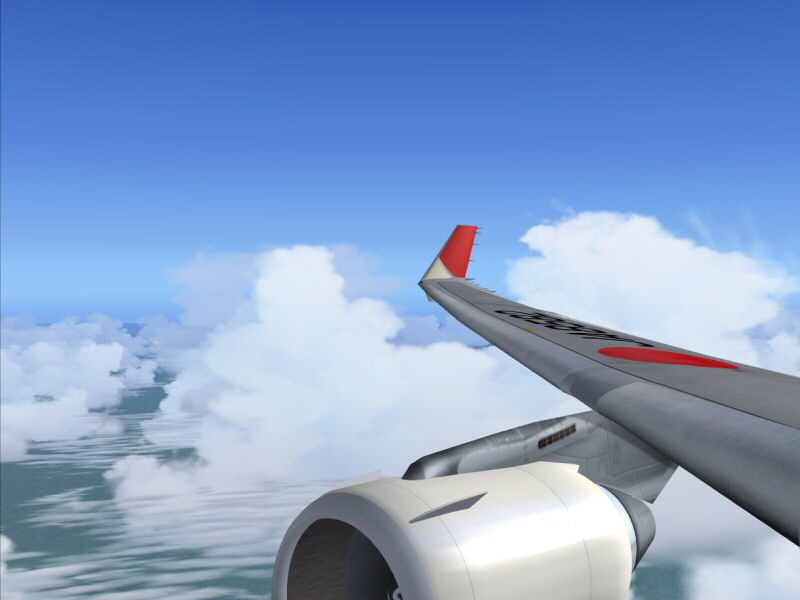
Check the properties of the two images below and see if you can spot the difference.
Image

Image

For the eagle eyed.... the bottom image nas no extention on the file name and still shows perfectly.

So there's the tip ...... you don't need the extention!!

Try it and see.
cheers
eno
[align=center][img]http://www.simviation.com/yabbuploads/imaginsigeno.jpg[/img][/align]

User avatar
eno
Lieutenant Colonel
Lieutenant Colonel
 
Posts: 6708
Joined: Sun Jan 18, 2004 12:30 pm
Location: Derbyshire UK

Re: Screenshot posting tip.

Postby Omag 2.0 » Fri Aug 26, 2005 3:31 am

Nice, but one doesn't seem to be able to check the size of the file no more. For the second shot, this info is not available... I know some mods who might have a little problem with that!
Last edited by Omag 2.0 on Fri Aug 26, 2005 4:30 am, edited 1 time in total.
[center]
Image

Check my aviation-photo's at www.airliners.be

Or go straight to Omag's Album[/cent
User avatar
Omag 2.0
Lieutenant Colonel
Lieutenant Colonel
 
Posts: 9490
Joined: Tue Aug 05, 2003 6:43 am
Location: Somewhere, Belgium

Re: Screenshot posting tip.

Postby Sytse » Fri Aug 26, 2005 4:16 am

hehehehe! ABUSE ABUSE ABUSE!!!  ;D
User avatar
Sytse
Major
Major
 
Posts: 3397
Joined: Fri Jun 24, 2005 5:26 am
Location: The Netherlands

Re: Screenshot posting tip.

Postby eno » Fri Aug 26, 2005 4:35 am

Nice, but one doesn't seem to be able to check the size of the file no more. For the second shot, this info is not available... I know some mods who might have a little problem with that!  ;D


It still shows the file size ...... on the second shot.. well at least on my comp it does.
[align=center][img]http://www.simviation.com/yabbuploads/imaginsigeno.jpg[/img][/align]
User avatar
eno
Lieutenant Colonel
Lieutenant Colonel
 
Posts: 6708
Joined: Sun Jan 18, 2004 12:30 pm
Location: Derbyshire UK

Re: Screenshot posting tip.

Postby Souichiro » Fri Aug 26, 2005 4:45 am

File size doesn't show here either

Smart thinkingh though Eno!
Image
User avatar
Souichiro
Ground hog
Ground hog
 
Posts: 0
Joined: Tue Aug 28, 2007 11:34 am

Re: Screenshot posting tip.

Postby Hai Perso Coyone? » Fri Aug 26, 2005 5:33 am


It still shows the file size ...... on the second shot.. well at least on my comp it does.


Shows for me!! 49.5KB first image and the second one 90.82KB  :D :) :)
User avatar
Hai Perso Coyone?
Ground hog
Ground hog
 
Posts: 0
Joined: Fri Jan 12, 2007 7:31 pm
Location: Rome, Italy

Re: Screenshot posting tip.

Postby Sytse » Fri Aug 26, 2005 6:18 am

When the size doesn't show you can just download it and then see how much you are over the forum limit.  :P
User avatar
Sytse
Major
Major
 
Posts: 3397
Joined: Fri Jun 24, 2005 5:26 am
Location: The Netherlands

Re: Screenshot posting tip.

Postby Omag 2.0 » Fri Aug 26, 2005 7:10 am

Okay, okay! I'll shut up now!  ;D

And indeed, smart thinking Eno!
[center]
Image

Check my aviation-photo's at www.airliners.be

Or go straight to Omag's Album[/cent
User avatar
Omag 2.0
Lieutenant Colonel
Lieutenant Colonel
 
Posts: 9490
Joined: Tue Aug 05, 2003 6:43 am
Location: Somewhere, Belgium


Return to Simulation Screenshots Showcase

Who is online

Users browsing this forum: No registered users and 466 guests