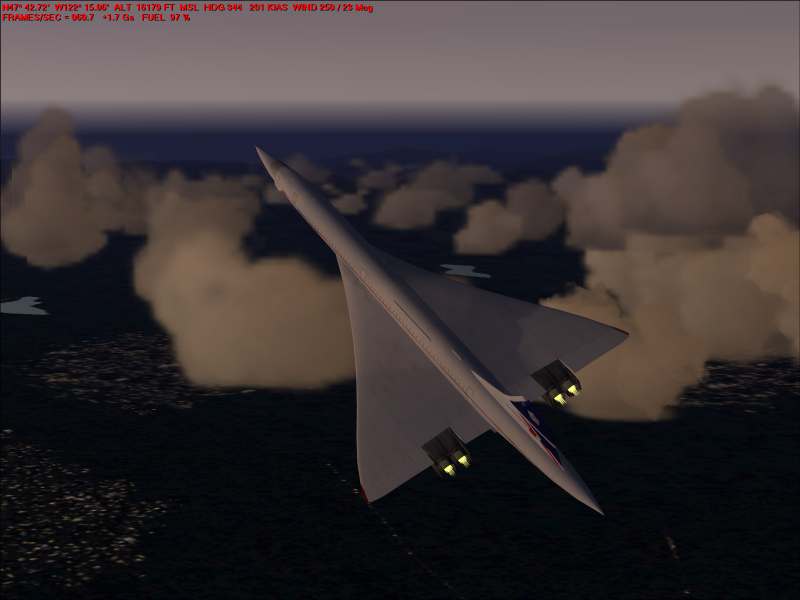
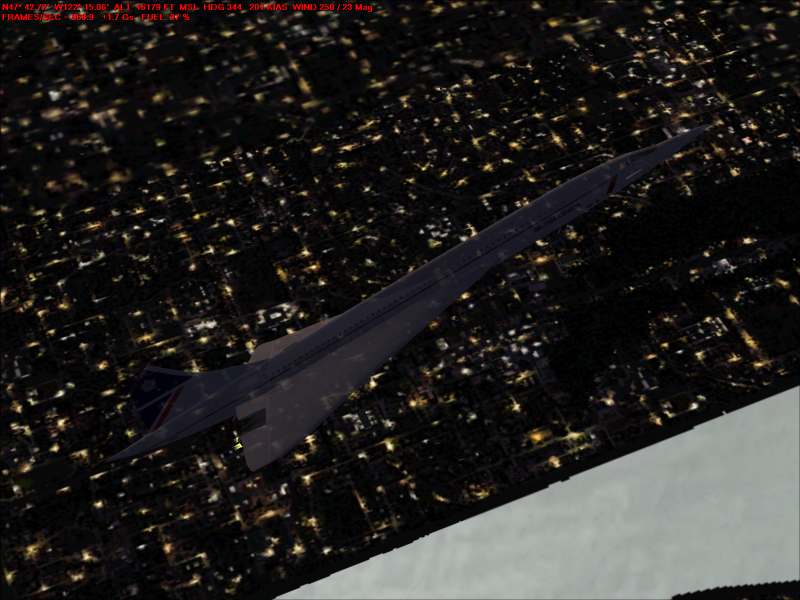
Transparent Concorde ???

Flight Simulation Screenshots displaying your Flight Simulation Experience. MSFS, FSX, Prepar3D, XPlane and other Flight Simulators. Focus is your Flight Simulator Experience. Please upload to Simviation (Button at top right)

Transparent Concorde ???

Postby 4_Series_Scania » Sat May 28, 2005 1:53 pm

Bloody typical!

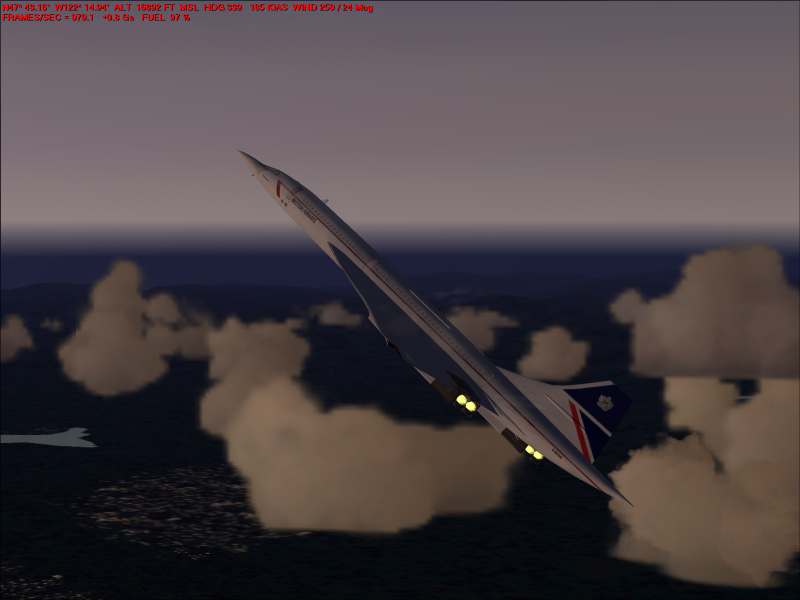
I decide to post some screenies after far too long, what happens?

This!
Image


Image


Image

Any ideas?

I'm using Nvidia 76.45 drivers, (no problems on anything else!)

Oh well, I hope you like the piccys!  ::)

Posting drivel here since Jan 31st, 2002. - That long!
"He who laughs last, thinks slowest."
User avatar
4_Series_Scania
Major
Major
 
Posts: 3194
Joined: Thu Jan 31, 2002 4:34 pm
Location: Newport Shropshire U.K.

Re: Transparent Concorde ???

Postby Souichiro » Sat May 28, 2005 1:54 pm

Nice!! So the militairy did do secret tests with a stealth version ;D


Got the same problem with a free starfighter
Image
User avatar
Souichiro
Ground hog
Ground hog
 
Posts: 0
Joined: Tue Aug 28, 2007 11:34 am

Re: Transparent Concorde ???

Postby HawkerTempest5 » Sat May 28, 2005 2:34 pm

Some time back same thing happened to me with CFS2 ??? I got stealth Spitfires. Re-install fixed it and I never found out why it happened.
Image
Flying Legends
User avatar
HawkerTempest5
Major
Major
 
Posts: 2883
Joined: Mon Aug 12, 2002 3:09 pm
Location: United Kingdom

Re: Transparent Concorde ???

Postby 4_Series_Scania » Sat May 28, 2005 2:37 pm

Some time back same thing happened to me with CFS2 ??? I got stealth Spitfires. Re-install fixed it and I never found out why it happened.


Oh heck! I hope I hav'nt got to re-install, I still hav'nt finished fixing things from my last re-install!

Cheers Hawker. :)
Posting drivel here since Jan 31st, 2002. - That long!
"He who laughs last, thinks slowest."
User avatar
4_Series_Scania
Major
Major
 
Posts: 3194
Joined: Thu Jan 31, 2002 4:34 pm
Location: Newport Shropshire U.K.

Re: Transparent Concorde ???

Postby JRoc » Sat May 28, 2005 3:42 pm

Nice cloaking device! :P

I think that may have something to do with the model itself.

The I had a T-38/F-5 did the same thing with the darker paint schemes.
JRoc
1st Lieutenant
1st Lieutenant
 
Posts: 401
Joined: Thu Dec 11, 2003 3:41 am
Location: CYVR/CYQR/CYMJ/CYXE (nomad!)

Re: Transparent Concorde ???

Postby || Andy || » Sat May 28, 2005 3:44 pm

Its only the alpha channel....
You just need to get rid of it in DXT
|| Andy ||
Major
Major
 
Posts: 2613
Joined: Sun Jan 09, 2005 5:55 am
Location: Shropshire, United Kingdom

Re: Transparent Concorde ???

Postby RollerBall » Sat May 28, 2005 3:55 pm

Yes, Andrew's right. You have an 'old' model that can't take extended bmp reflective textures. I've got a Navajo like that. I did several new textures for it which were OK in daylight, but as soon as 'night' textures switch in (as in your pics) it becomes transparent.

No cure for it I'm afraid. Don't do anything silly like reinstalling  :o
RollerBall
 

Re: Transparent Concorde ???

Postby Splash » Sat May 28, 2005 9:03 pm

;D ;D ;D
That happens, I notice with a lot of AI aircraft as well.
Splash
Splash
 

Re: Transparent Concorde ???

Postby || Andy || » Sun May 29, 2005 4:32 am

No cure for it I'm afraid. Don't do anything silly like reinstalling


errrrr...

Its only the alpha channel....
You just need to get rid of it in DXT
|| Andy ||
Major
Major
 
Posts: 2613
Joined: Sun Jan 09, 2005 5:55 am
Location: Shropshire, United Kingdom

Re: Transparent Concorde ???

Postby RollerBall » Sun May 29, 2005 5:37 am

Sorry Andrew, I wasn't clear - that's what I meant.

Reinstalling won't solve the problem because it's a graphics issue as I'd explained.
RollerBall
 

Re: Transparent Concorde ???

Postby || Andy || » Sun May 29, 2005 6:47 am

hehe lol....
|| Andy ||
Major
Major
 
Posts: 2613
Joined: Sun Jan 09, 2005 5:55 am
Location: Shropshire, United Kingdom


Return to Simulation Screenshots Showcase

Who is online

Users browsing this forum: No registered users and 452 guests