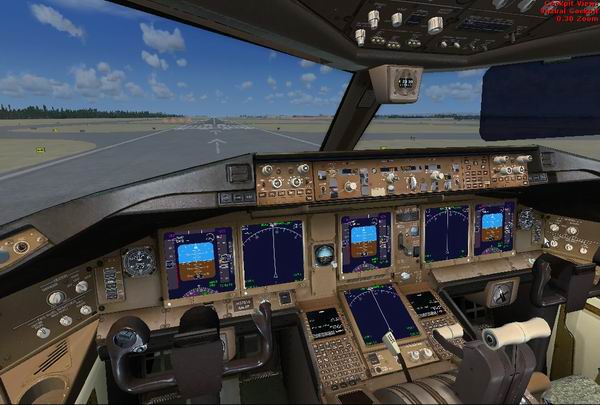
Hmmm, the 2 center panels should be the eicas panels, and not the pfd, mfd panels. easy fix however, just change the cfg to reflect the eicas panels. Better to use the latest xml gauges from posky for realism.
I managed to fix it but it's not that easy for a beginner to figure out. No offence to Posky but the whole site is terribly confusing, even for an experienced tweaker like me.
Am I right in thinking that the gauges in the 777-300 VC are not clickable?
I agree, the way they have it setup is very confusing for even an experienced user.
As for the clickable gauges... sure, not all of them are clickable, but a good majority are. The -300 uses all the same vc files as the -200, so there should be no difference on what is clickable and what is not.
I would say that the easiest way is just to start with the latest version of the panel.cfg, and use the 2 files described in my original how-to post, keeping in mind.... the posky 777 was never designed for use in FSX, so we do have to tweak it to work.
My specs... A hard drive, motherboard, graphics card, some memory, a keyboard, mouse, and monitor - in other words, nothing special.
My Posky