
Simviation Forums
Flight Simulator and other chat
Flight Simulator and other chat
 by hhomebrewer » Fri Jul 09, 2010 11:24 pm


by Boikat » Fri Jul 09, 2010 11:40 pm



by hhomebrewer » Fri Jul 09, 2010 11:58 pm
by Boikat » Sat Jul 10, 2010 12:22 am
by hhomebrewer » Sat Jul 10, 2010 12:33 am
by hhomebrewer » Sat Jul 10, 2010 12:37 am
by Hagar » Sat Jul 10, 2010 1:42 am



by Boikat » Sat Jul 10, 2010 1:47 am
by Hagar » Sat Jul 10, 2010 1:51 am
The FSX.exe is not in game explorer, it's in the FSX root directory
by Boikat » Sat Jul 10, 2010 1:57 am
The FSX.exe is not in game explorer, it's in the FSX root directory
Boikat. Please read the article I linked to.
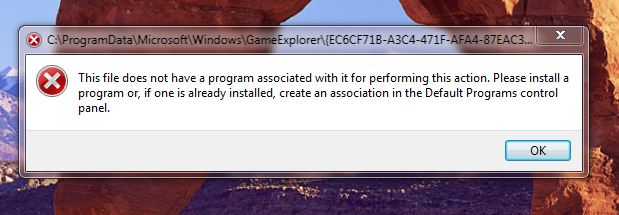
"Create a game shortcut on your desktop
To create a shortcut, select the game in Games Explorer for which you want to create a shortcut. Drag the game to your desktop. The shortcut will be created on your desktop."

by Hagar » Sat Jul 10, 2010 2:00 am

by patchz » Sat Jul 10, 2010 2:14 am


by hhomebrewer » Sat Jul 10, 2010 2:59 am
by Hagar » Sat Jul 10, 2010 3:04 am
by hhomebrewer » Sat Jul 10, 2010 3:32 am
If you ever need to reinstall FSX you might consider changing the location to somewhere like C:\FSX as suggested.
Return to Flight Simulator X (FSX) and Steam
Users browsing this forum: No registered users and 499 guests