I was going to post this question on the FSX Forum, but as there are such a lot of seriously argumentative, annoying Newbies on there, it's probably safer, to post it here (FS9) amongst a much nicer selection of Sim V established folks....
 ...!
...!I may be missing something, but is there a "Hot Key" to toggle the "Map" on and off in all the Flight Sims (FSX, FS9, etc) rather than constantly fumbling for the mouse to click on the Map Icon, wait for the Map to load, then click on the Map "OK", wait again for the Map to close and for the flight to continue...(or having to do the same thing via the drop-down Menu)....
 ....?
....?(FS Navigator toggles the GPS Map on and off with successive F9 key presses....
 ...)!
...)!I've looked through all the default key commands and I'm blowed if I can find anything there which will do the job...
...!Many thanks to all the nice, friendly, relaxed, laid-back, non-argumentative Chaps on the FS9 Forum.....
...  ...!
...!....Long may we continue...
...LOL...!
Paul....G-BPLF...
 ...!
...!P.S. Any lucky users of "Microflight" will appreciate the nice, variable, transparent GPS Map window which covers the forward view whilst in flight.....super...
...!http://www.hangsim.com/mf/


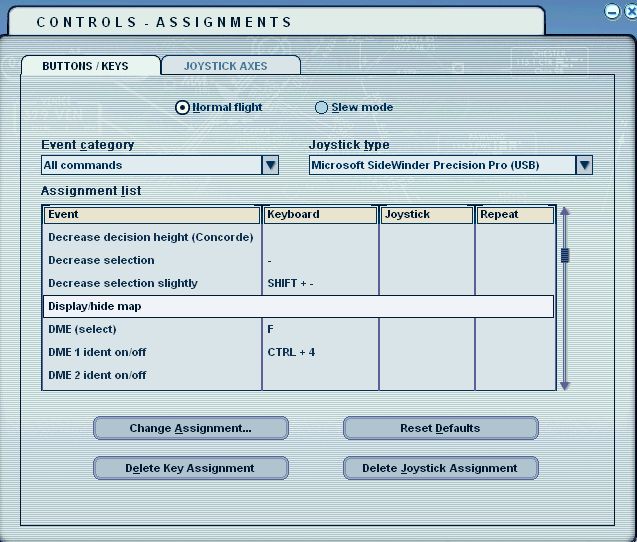



 ....!
....! ...!
...! ...!
...! ...!
...!

 ...!
...!