
Simviation Forums
Flight Simulator and other chat
Flight Simulator and other chat
 by rootbeer » Fri Jun 15, 2007 8:55 am


by Fozzer » Fri Jun 15, 2007 9:22 am
What keystrokes do I make to see how fast my machine is running? I'm intrigued...
 ...!
...!
Uh-oh...
Time for a good cleaning and/or a new CPU cooler.
 ...!
...! ...!
...!

by rootbeer » Fri Jun 15, 2007 11:14 am
by ATI_7500 » Fri Jun 15, 2007 11:32 am
Ta, Bjorn....I'm going to have another go cleaning the surfaces, and carefully, and thinly applying some more thermal paste....it must be a problem with heat transfer...
...(some of that Arctic Silver "stuff" would be handy!)...
by Fozzer » Fri Jun 15, 2007 12:44 pm
...! ...!
...!by Fozzer » Fri Jun 15, 2007 12:53 pm
There's a lot of stuff there, Fozz. Upon which one do I click to get to the real meat and two veg?
 ...!...!...LOL...!
by rootbeer » Fri Jun 15, 2007 1:35 pm
by Fozzer » Fri Jun 15, 2007 2:49 pm
No joy on the "Computer" tab. I have no visual for the link given. Mission aborted. That's all she wrote...
 ...!...!
by rootbeer » Fri Jun 15, 2007 3:07 pm
by alrot » Fri Jun 15, 2007 4:25 pm
..(including its running temperature!)....>>>>
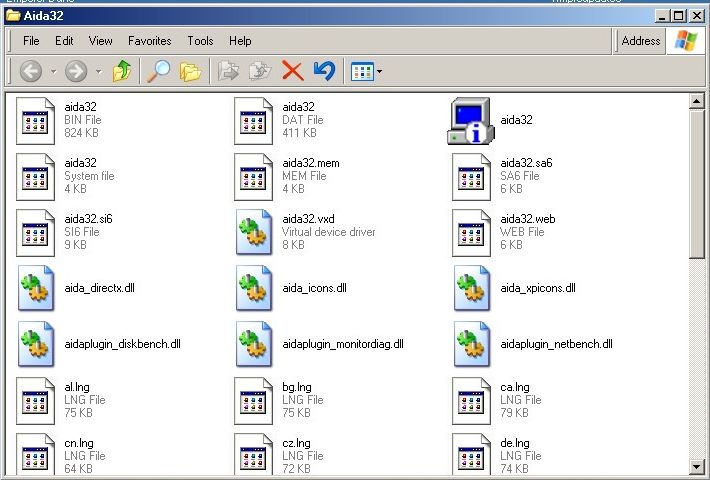
Aida32
http://www.majorgeeks.com/download181.html
Paul...
It almost told me my blood pressure & type, My genetic DNA code, my deceases, my personal life


by ATI_7500 » Sat Jun 16, 2007 8:12 am
...(There are a total of six fans fitted altogether!)...
Actually, as things are, I don't seem to be experiencing any overheating probs with the default processor speeds (2.13 GHz) running either 2D or 3D "stuff"

by Rifleman » Sun Jun 17, 2007 10:25 am
I've got two extra case fans fitted, (Desktop case), one inlet, one exhaust...
...(There are a total of six fans fitted altogether!)... :o...!
...sounds like a bleedin' vacuum cleaner...(I'm wearing motorcycle ear plugs!)...LOL...!


by congo » Sun Jun 17, 2007 7:59 pm
 Mainboard: Asus P5K-Premium, CPU=Intel E6850 @ x8x450fsb 3.6ghz, RAM: 4gb PC8500 Team Dark, Video: NV8800GT, HDD: 2x1Tb Samsung F3 RAID-0 + 1Tb F3, PSU: Antec 550 Basiq, OS: Win7x64, Display: 24&

Users browsing this forum: No registered users and 183 guests