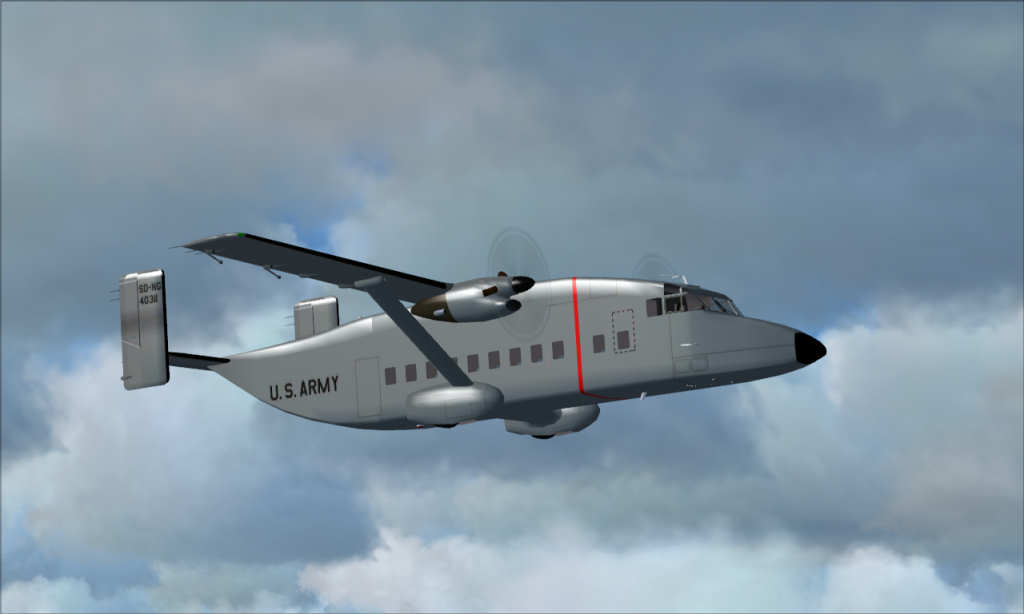
C-23 Sherpa in flight

Flight Simulation Screenshots displaying your Flight Simulation Experience. MSFS, FSX, Prepar3D, XPlane and other Flight Simulators. Focus is your Flight Simulator Experience. Please upload to Simviation (Button at top right)

C-23 Sherpa in flight

Postby jack_ryan » Mon Jul 06, 2009 8:36 pm

Hi All,

Just thought this was a nice picture
Image
C&C always welcome.


Thanks,
Sean
Image
User avatar
jack_ryan
2nd Lieutenant
2nd Lieutenant
 
Posts: 172
Joined: Tue Jul 19, 2005 10:23 am
Location: Phoenix, AZ

Re: C-23 Sherpa in flight

Postby patchz » Tue Jul 07, 2009 1:05 am

You thought right. Very nice. :)
Image
If God intended aircraft engines to have horizontally opposed engines, Pratt and Whitney would have made them that way.
User avatar
patchz
Colonel
Colonel
 
Posts: 10424
Joined: Wed Mar 11, 2009 7:33 pm
Location: IN THE FUNNY PAPERS

Re: C-23 Sherpa in flight

Postby Daube » Tue Jul 07, 2009 6:56 am

Nice shot.
You might want to adjust your JPEG compression though, it's too high and it damages the quality of the picture.
User avatar
Daube
Lieutenant Colonel
Lieutenant Colonel
 
Posts: 6611
Joined: Wed Oct 05, 2005 8:34 am
Location: Nice (FR)

Re: C-23 Sherpa in flight

Postby scalper_old » Tue Jul 07, 2009 9:59 am

I like this shot. plane fits right in with the clouds.
scalper_old
Major
Major
 
Posts: 1431
Joined: Mon Dec 31, 1990 8:00 pm

Re: C-23 Sherpa in flight

Postby olderndirt » Tue Jul 07, 2009 12:03 pm

You might want to adjust your JPEG compression though, it's too high and it damages the quality of the picture.

Trying to not sound overly dumb, what are we talking about here?
[img]http://www.simviation.com/yabbuploads/oldrt18.jpg
User avatar
olderndirt
Major
Major
 
Posts: 3495
Joined: Sat Dec 20, 2008 3:07 pm
Location: Rochester, WA

Re: C-23 Sherpa in flight

Postby U4EA » Tue Jul 07, 2009 12:16 pm

You might want to adjust your JPEG compression though, it's too high and it damages the quality of the picture.

Trying to not sound overly dumb, what are we talking about here?


I'll chime in with ya on this one.......lately when I've done the .bmp to .jpeg conversion, I've lost a measure of image quality.  Not so much on the scenery and such, but on the aircraft itself.  Methinks the "compression" thingie needs a look-see, but I'm not 'puter literate enough to know what to do without endin' up FUBAR'd!

Would one of you smart folks helps us out a little here?  Thanx in advance!
U4EA
 

Re: C-23 Sherpa in flight

Postby Hagar » Tue Jul 07, 2009 12:22 pm

You might want to adjust your JPEG compression though, it's too high and it damages the quality of the picture.
Trying to not sound overly dumb, what are we talking about here?


I'll chime in with ya on this one.......lately when I've done the .bmp to .jpeg conversion, I've lost a measure of image quality.
Last edited by Hagar on Tue Jul 07, 2009 12:25 pm, edited 1 time in total.
Image

Founder & Sole Member - Grumpy's Over the Hill Club for Veteran Virtual Aviators
Member of the Fox Four Group
My Google Photos albums
My Flickr albums
User avatar
Hagar
Colonel
Colonel
 
Posts: 30869
Joined: Wed Jun 19, 2002 7:15 am
Location: Costa Geriatrica

Re: C-23 Sherpa in flight

Postby U4EA » Tue Jul 07, 2009 12:55 pm

Gotcha!  Thank you sooooo much!  I think I inadvertently changed the screen resolution setting down a notch or two when playing with anti-aliasing.  That would explain the degradation when I do conversions.....so I end up with a smaller sized .bmp to start, then it shows in the .jpeg as jaggies and such......am I correct?

Thanx again!
U4EA
 

Re: C-23 Sherpa in flight

Postby Hagar » Tue Jul 07, 2009 1:03 pm

There's 2 separate issues here. First the quality of the original screenshot will depend on your graphics card & FS display settings - screen resolution, AA etc. etc. Second, the amount of compression used when saving the resized shot in JPEG format to post on this forum. Obviously the better the quality of the original image the better the end result. The least amount of compression you use when saving out in JPEG format the better. Try to get the file size as close to 150 K as possible.

If you tell me which software you use for saving the shots I can probably give you a walkthrough on how to adjust the compression
Image

Founder & Sole Member - Grumpy's Over the Hill Club for Veteran Virtual Aviators
Member of the Fox Four Group
My Google Photos albums
My Flickr albums
User avatar
Hagar
Colonel
Colonel
 
Posts: 30869
Joined: Wed Jun 19, 2002 7:15 am
Location: Costa Geriatrica

Re: C-23 Sherpa in flight

Postby U4EA » Tue Jul 07, 2009 3:28 pm

I'm just using Windows Photo Gallery.  Nothin' fancy.

I just need to figure out what's different in the conversion lately.....usually, all I do is open the screenshot with Paint, then simply name it and save as a .jpeg....but I can't recall what I've tweaked since I last posted a screenshot. :'(
U4EA
 

Re: C-23 Sherpa in flight

Postby Hagar » Tue Jul 07, 2009 3:48 pm

I'm not familiar with Photo Gallery but I suspect it's not a proper graphics editor. You could try IrfanView* or Paint.NET which both have the feature you need to adjust the compression.

*I suggest installing the IrfanView plug-ins which gives you a useful 'Save for Web' option.
Image

Founder & Sole Member - Grumpy's Over the Hill Club for Veteran Virtual Aviators
Member of the Fox Four Group
My Google Photos albums
My Flickr albums
User avatar
Hagar
Colonel
Colonel
 
Posts: 30869
Joined: Wed Jun 19, 2002 7:15 am
Location: Costa Geriatrica

Re: C-23 Sherpa in flight

Postby olderndirt » Tue Jul 07, 2009 7:43 pm

For what it's worth, I enable AA in FS, have normal AA from my card and use spot view in Recorder - no jaggies.
[img]http://www.simviation.com/yabbuploads/oldrt18.jpg
User avatar
olderndirt
Major
Major
 
Posts: 3495
Joined: Sat Dec 20, 2008 3:07 pm
Location: Rochester, WA

Re: C-23 Sherpa in flight

Postby patchz » Tue Jul 07, 2009 7:47 pm

I'm not familiar with Photo Gallery but I suspect it's not a proper graphics editor. You could try IrfanView* or Paint.NET which both have the feature you need to adjust the compression.

*I suggest installing the IrfanView plug-ins which gives you a useful 'Save for Web' option.


You can also get older versions of Paint Shop Pro for free. I think the current (pay for) version is 11. The newest free one is 9.
http://www.oldversion.com/Paint-Shop-Pro.html
Image
If God intended aircraft engines to have horizontally opposed engines, Pratt and Whitney would have made them that way.
User avatar
patchz
Colonel
Colonel
 
Posts: 10424
Joined: Wed Mar 11, 2009 7:33 pm
Location: IN THE FUNNY PAPERS

Re: C-23 Sherpa in flight

Postby jack_ryan » Tue Jul 07, 2009 9:48 pm
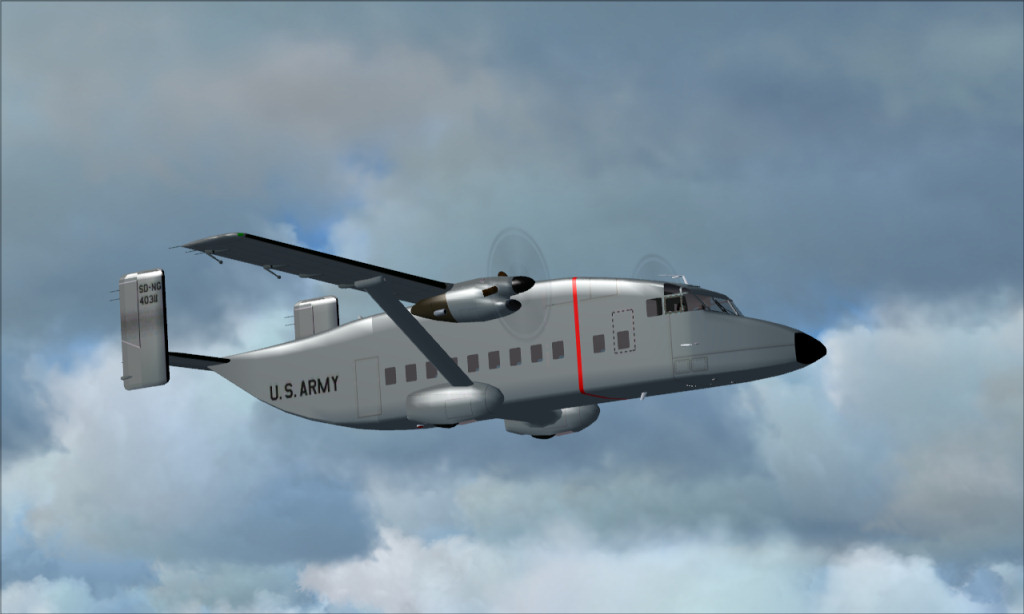
ok, here is an updated one with the compression turned way down
Image

Sean
Image
User avatar
jack_ryan
2nd Lieutenant
2nd Lieutenant
 
Posts: 172
Joined: Tue Jul 19, 2005 10:23 am
Location: Phoenix, AZ

Re: C-23 Sherpa in flight

Postby yancovitch » Tue Jul 07, 2009 10:03 pm

i see it....at least i think i see it.....no.....i really do see it....i can actually see a difference....gosh o'gee..... :) funny....i never really analyze the quality of the shots, so this is a training for me to see what to look for.....i just liked the shot to begin with....
Last edited by yancovitch on Wed Jul 08, 2009 12:39 pm, edited 1 time in total.
i7-7700k ....msi geforce gtx 1060....msi z270 gaming m5 lga 1151 motherboard....CORSAIR Vengeance LPX 16GB (2 x 8GB) ram.....
User avatar
yancovitch
Major
Major
 
Posts: 3530
Joined: Sat Aug 02, 2003 12:48 pm
Location: born montreal, lived vancouver, now live in burns lake bc.

Next

Return to Simulation Screenshots Showcase

Who is online

Users browsing this forum: No registered users and 520 guests




