Page 1 of 1

VC Pics

PostPosted: Fri Apr 24, 2009 2:25 pm
by Ashar
Hi guys,
Haven't been posting much lately due to exams, but they're almost over. Another 2 left and I'll be all done on the 27th of April. Hoping to get into flying mode once they're over so expect more screenshots from me in the near future.

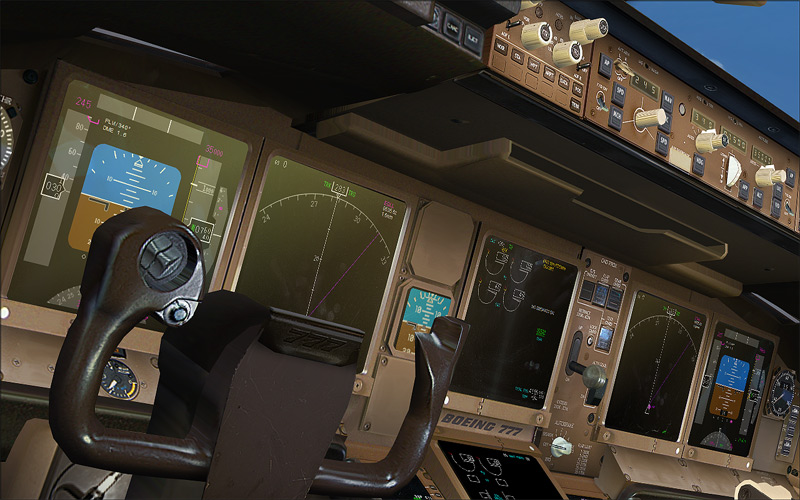
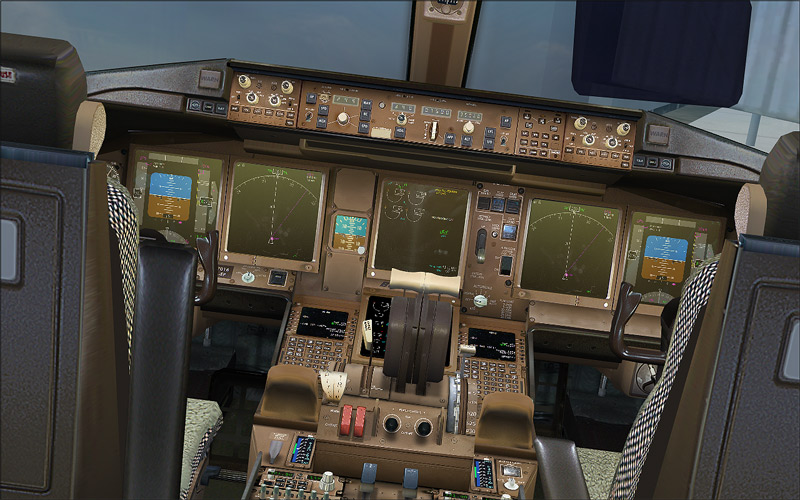
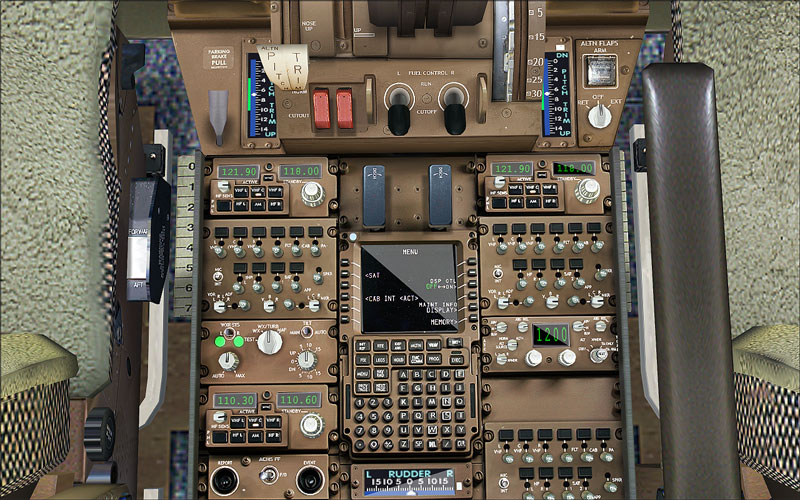
As for now, enjoy some VC screens I took in POSKY's truly brilliant 777-300ER. It's a small pain to set up, but once everything is done, the VC looks very beautiful. My shots simply don't do it justice. In this little thread, I'll present just four shots of nothing but the POSKY VC taken at different angles. I attempted to replicate some photographs I have seen at A.net in these pictures, but I think I didn't do too well at it. Ah well, least I tried. :)

Enjoy the pics and please do leave a comment.
Image

Image

Image

Image

Thanks for looking,
Ashar ;)

Re: VC Pics

PostPosted: Fri Apr 24, 2009 4:03 pm
by specter177
The pics didn't do it justice? Just how good is it in the sim? :o :o

Re: VC Pics

PostPosted: Fri Apr 24, 2009 5:37 pm
by lunitic_8
#1 look real  :o :o :o :o you should send it in to a.net ;D

Re: VC Pics

PostPosted: Fri Apr 24, 2009 9:41 pm
by patchz
Reminds me of that line in Pearl Harbor when Danny asks Goose if they are pilots. He says, "There's a lot of switches and stuff." :)

Re: VC Pics

PostPosted: Sat Apr 25, 2009 6:03 am
by fabiane
:o, nice pics of a awesome VC!

Re: VC Pics

PostPosted: Sat Apr 25, 2009 12:16 pm
by Atticus18
you should get some virtual windex to wipe the fingerprints off the mfd's.... ;) ;D

Re: VC Pics

PostPosted: Sat Apr 25, 2009 3:31 pm
by Ijineda
Thanks for bringing the existence of this VC to my attention...I downloaded it and I love it!  :D

Re: VC Pics

PostPosted: Sat Apr 25, 2009 3:36 pm
by BFMF
Reminds me of that line in Pearl Harbor when Danny asks Goose if they are pilots. He says, "There's a lot of switches and stuff." :)


That's the second time i've seen that bloody movie mentioned here in the past couple days.... >:( ;D

Re: VC Pics

PostPosted: Sat Apr 25, 2009 5:42 pm
by FlyingPerson
If it wasn't for the ugly VC carpets in FS, i'd say #1 was real.

Great shots of a great aircraft (model)'s VC.

Re: VC Pics

PostPosted: Sun Apr 26, 2009 8:40 am
by machineman9
How exactly do you get your hands on this aircraft?

I downloaded all the files they had from POSKY but it is just lots of smaller files, most seem to be updates. Where is the actual base aircraft?


Those shots do look awesome. Can't wait to fly it.

Re: VC Pics

PostPosted: Sun Apr 26, 2009 12:15 pm
by Ashar
How exactly do you get your hands on this aircraft?

I downloaded all the files they had from POSKY but it is just lots of smaller files, most seem to be updates. Where is the actual base aircraft?


Those shots do look awesome. Can't wait to fly it.


It's a little tricky to set up, but what I did was download a paint from the POSKY website itself. I then checked the model file and headed over to the model packages section of the 777 and located the latest service pack that related to that model file. Downloaded it and installed it. Then headed over to the Panel Packages section and downloaded the 32-Bit VC textures, VC cockpit panel SP2A, and the XML gauge set. Pretty much straightforward after that, just remember to read the read-me's! As I said, it's a little pain, but the rewards are worth it. 8-)

Re: VC Pics

PostPosted: Sun Apr 26, 2009 3:08 pm
by machineman9
Right, I am getting the -300. Do I need any of the -200 files for that? The list for the -300 seems a little short of what you got.

Re: VC Pics

PostPosted: Sun Apr 26, 2009 5:49 pm
by Ashar
Right, I am getting the -300. Do I need any of the -200 files for that? The list for the -300 seems a little short of what you got.


Head over here after you download/install your choice of 777-300. Open the model folder of the aircraft you installed and note down the file name.

In that link I gave you, find the model name that looks exactly similar to the downloaded one. So let's say you download a 777-300 with the model file name as OS773V2_TRENT800.mdl. To add the VC model, you would download from the link I gave you the following file: OS773V2_TRENT800_VC. When downloaded, follow the included instructions to install the VC model. You're done with installing the VC model, but you still need the textures/gauges to make it work right.

Head on over here and download 32-Bit/DXT3 VC textures, Virtual Cockpit Panel SP2A, and XML Glass Gauges for 777 files. The POSKY Autobrake is upto you. I chose not to install it since the default one is suffice for my needs. Read the read-me's very carefully as they have all the information you need. If you get stuck on any step, PM me and I'll get you sorted out.

A bit pressed for time or I would make a tutorial to help everyone out, so I apologize for it.