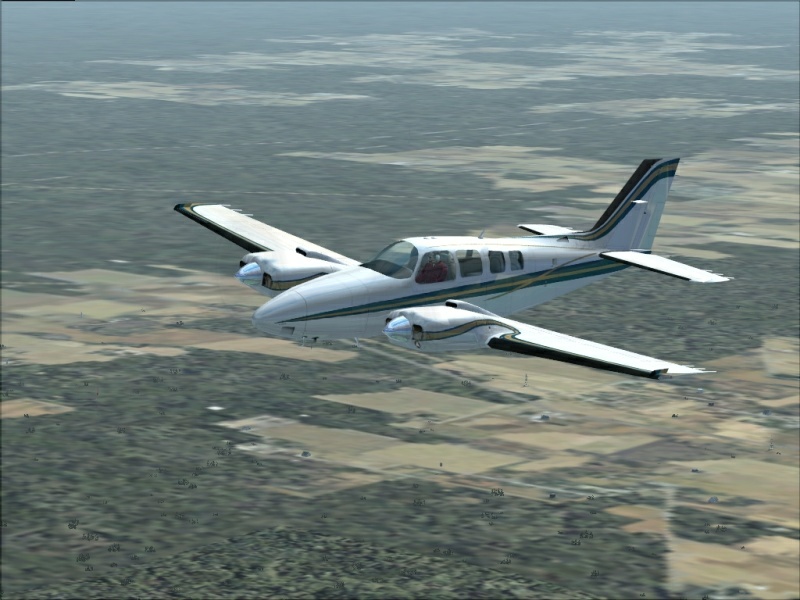

Cruising

Flight Simulation Screenshots displaying your Flight Simulation Experience. MSFS, FSX, Prepar3D, XPlane and other Flight Simulators. Focus is your Flight Simulator Experience. Please upload to Simviation (Button at top right)

Cruising

Postby scalper_old » Fri Jan 30, 2009 11:07 pm

Image

Thanks.
scalper_old
Major
Major
 
Posts: 1431
Joined: Mon Dec 31, 1990 8:00 pm

Re: Cruising

Postby lunitic_8 » Sat Jan 31, 2009 10:37 am

great looking plane but your ground textures are very blury
Image

I7-7700HQ | GTX 1060 | 16GB DDR4-2400MHz | 1TB HDD + 256GB SSD
User avatar
lunitic_8
Major
Major
 
Posts: 3163
Joined: Sun Sep 28, 2008 8:05 pm
Location: Houston, Texas (KHOU)

Re: Cruising

Postby Brando14100 » Sat Jan 31, 2009 10:53 am

I like the angle, but the ground textures are blury. There are some jaggies on the plane. Overall, it's not that interesting. If there was something to look at on the ground (airport landmark, etc.) it would be much better.

8-)
Brando14100
 

Re: Cruising

Postby lunitic_8 » Sat Jan 31, 2009 10:57 am

I like the angle, but the ground textures are blury. There are some jaggies on the plane. Overall, it's not that interesting. If there was something to look at on the ground (airport landmark, etc.) it would be much better.

8-)

yeah i thought that exact same thing 8-)
Image

I7-7700HQ | GTX 1060 | 16GB DDR4-2400MHz | 1TB HDD + 256GB SSD
User avatar
lunitic_8
Major
Major
 
Posts: 3163
Joined: Sun Sep 28, 2008 8:05 pm
Location: Houston, Texas (KHOU)

Re: Cruising

Postby Brando14100 » Sat Jan 31, 2009 11:00 am

I like the angle, but the ground textures are blury. There are some jaggies on the plane. Overall, it's not that interesting. If there was something to look at on the ground (airport landmark, etc.) it would be much better.

8-)

yeah i thought that exact same thing 8-)


Then why didn't you post that?

8-)
Brando14100
 

Re: Cruising

Postby lunitic_8 » Sat Jan 31, 2009 11:17 am

I like the angle, but the ground textures are blury. There are some jaggies on the plane. Overall, it's not that interesting. If there was something to look at on the ground (airport landmark, etc.) it would be much better.

8-)

yeah i thought that exact same thing 8-)


Then why didn't you post that?

8-)

idk lol ;D
Image

I7-7700HQ | GTX 1060 | 16GB DDR4-2400MHz | 1TB HDD + 256GB SSD
User avatar
lunitic_8
Major
Major
 
Posts: 3163
Joined: Sun Sep 28, 2008 8:05 pm
Location: Houston, Texas (KHOU)

Re: Cruising

Postby scalper_old » Sat Jan 31, 2009 1:37 pm

Well I kinda wanted this pic to look like a photo taken from another plane so in my mind the blurry ground add to that effect. As for the jaggies. thats from the compression. Thanks for looking.
scalper_old
Major
Major
 
Posts: 1431
Joined: Mon Dec 31, 1990 8:00 pm

Re: Cruising

Postby Brando14100 » Sat Jan 31, 2009 2:18 pm

Well I kinda wanted this pic to look like a photo taken from another plane so in my mind the blurry ground add to that effect. As for the jaggies. thats from the compression. Thanks for looking.


I don't think blury ground textures enhance a shot, no matter what effect you're going for. Some nice, sharp scenery would make the shot 10 times better. You use Ifranview to compress your images, right?

8-)
Brando14100
 

Re: Cruising

Postby scalper_old » Sat Jan 31, 2009 2:22 pm

Yes I use  infraview crabclipsave to grab the image. and save at about 300 to 700 k
scalper_old
Major
Major
 
Posts: 1431
Joined: Mon Dec 31, 1990 8:00 pm

Re: Cruising

Postby Anxyous » Sat Jan 31, 2009 2:50 pm

If this is FSX, use the V key to take shots. Shots save to User\Pictures\Flight Simulator X Files.

Then use IrfanView, or better yet Photoshop, to compress the shots :)
Image
User avatar
Anxyous
Major
Major
 
Posts: 2593
Joined: Mon Dec 25, 2006 4:04 pm

Re: Cruising

Postby Fozzer » Sat Jan 31, 2009 2:54 pm

...are you short on Computer memory?...

Make sure you are not streaming scenery from your hard drive!

It looks as thought the scenery is not fully loading quick enough as you fly...

...especially if you suddenly change to the external view for the shot!

Paul...G-BPLF...FS 2004... 8-)...!

P.S....my favourite Default Beech Baron 58... :-*...!
Last edited by Fozzer on Sat Jan 31, 2009 2:55 pm, edited 1 time in total.
Win 8.1 64-bit. DX11. Advent Tower. Intel i7-3770 3.9 GHz 8-core. 8 GB System RAM. AMD Radeon HD 7700 1GB RAM. DVD ROM. 2 Terra Byte SATA Hard Drive. Philips 17" LCD Monitor. Saitek Cyborg X Fly-5 Joystick. ...and a Briggs and Stratton Petrol Lawn Mower.
User avatar
Fozzer
Colonel
Colonel
 
Posts: 27370
Joined: Thu Jan 31, 2002 3:11 pm
Location: Hereford. England. EGBS.

Re: Cruising

Postby scalper_old » Sat Jan 31, 2009 3:04 pm

I use FS9 Only , memory should be ok I have 2 gig Ram. The one problem I go have is when my terrain only loads a few blocks at a time. some will be crisp then goes blurry and so on.
scalper_old
Major
Major
 
Posts: 1431
Joined: Mon Dec 31, 1990 8:00 pm

Re: Cruising

Postby Brando14100 » Sat Jan 31, 2009 3:28 pm

I use FS9 Only , memory should be ok I have 2 gig Ram. The one problem I go have is when my terrain only loads a few blocks at a time. some will be crisp then goes blurry and so on.


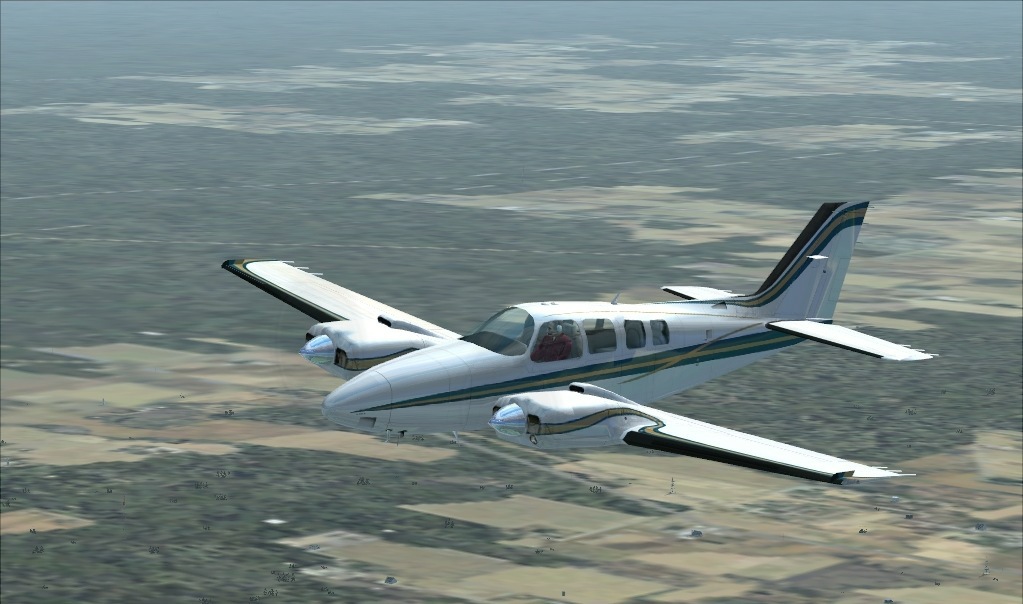
For a really nice shot, just wait a few moments for the textures to fully load. If you need to have your settings turned down slightly for flying, turn them up for the shots. Do you preserve the orginal image after you resize? If so, try resizing to 800x600 and post the result please.

8-)
Brando14100
 

Re: Cruising

Postby scalper_old » Sat Jan 31, 2009 3:34 pm

Ok uncropt from original

Image
scalper_old
Major
Major
 
Posts: 1431
Joined: Mon Dec 31, 1990 8:00 pm

Re: Cruising

Postby Brando14100 » Sat Jan 31, 2009 4:18 pm

Ok uncropt from original

Image


Okay, now you'll notice that, not only does the image fit on screen without scrolling, but the jaggies are not as noticable. Right now it looks a little blurry, but if you hit the sharpen button, it will look fine. I always resize to 800x600 nd I htink it gives a better result.

8-)
Brando14100


Return to Simulation Screenshots Showcase

Who is online

Users browsing this forum: No registered users and 678 guests