Page 1 of 1
test shots...need help from fellow simmer's

Posted:
Wed Jan 14, 2009 6:14 pmby firemonte007
with some recent post that i have posted some fellow simmer's commented that i have some blurry ground textures... i am trying to figure out this problem. I think i might be that i have my screen resolution set at 1152x864 and with me having to resize it down to 1024x768 it is making them blurry. Only an idea that i have. These shots are almost the same except shots 1&4 are set at 1024x768 and shots 2&3 are 1152x864 that have been resized to 1024x768.
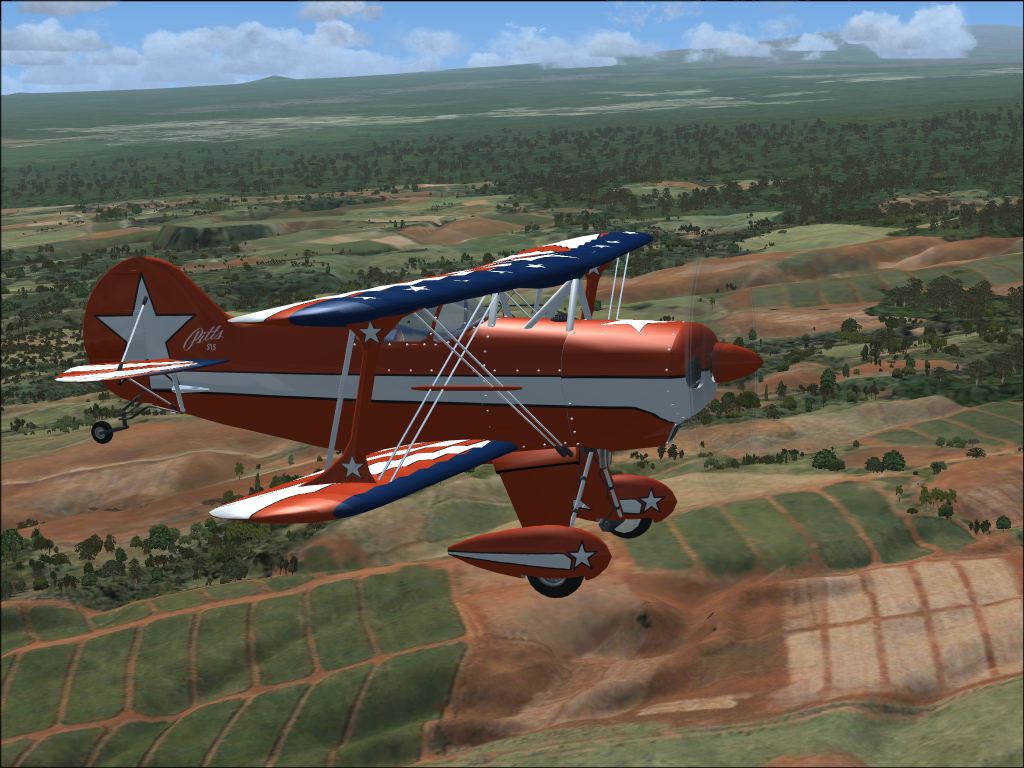
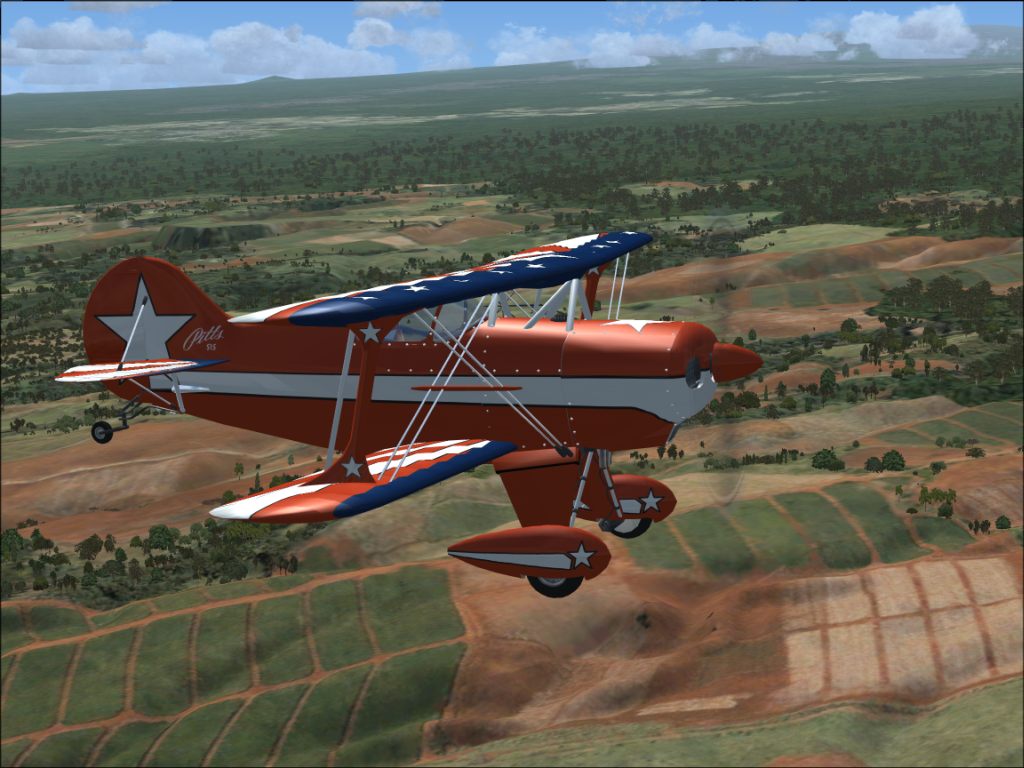
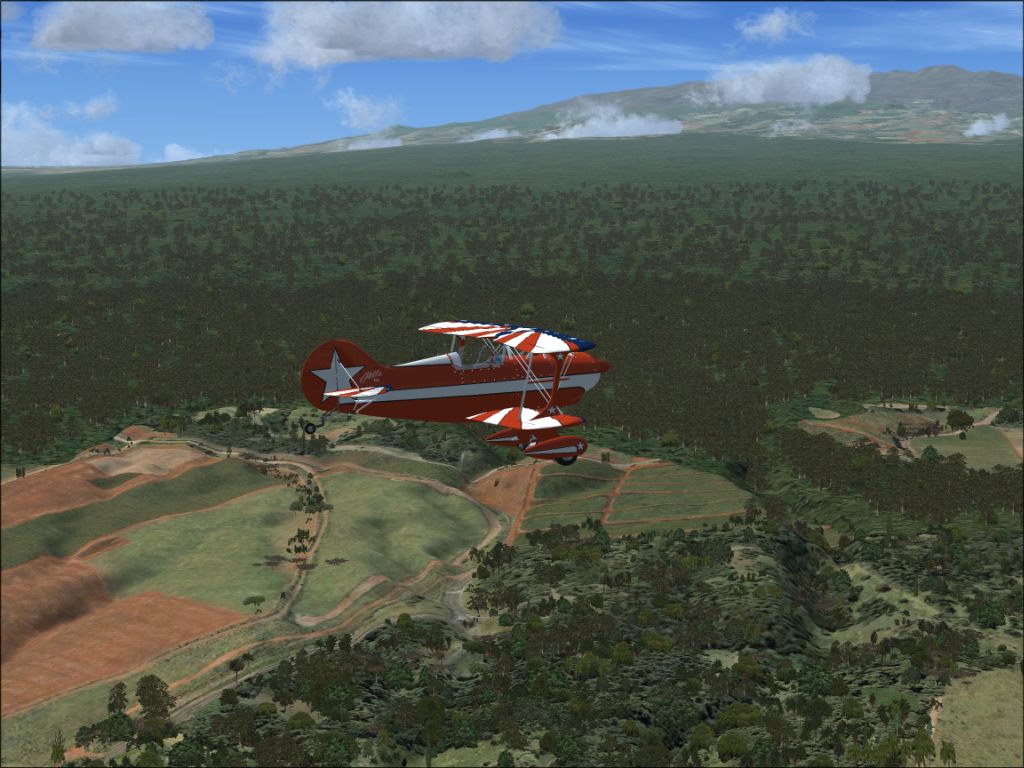
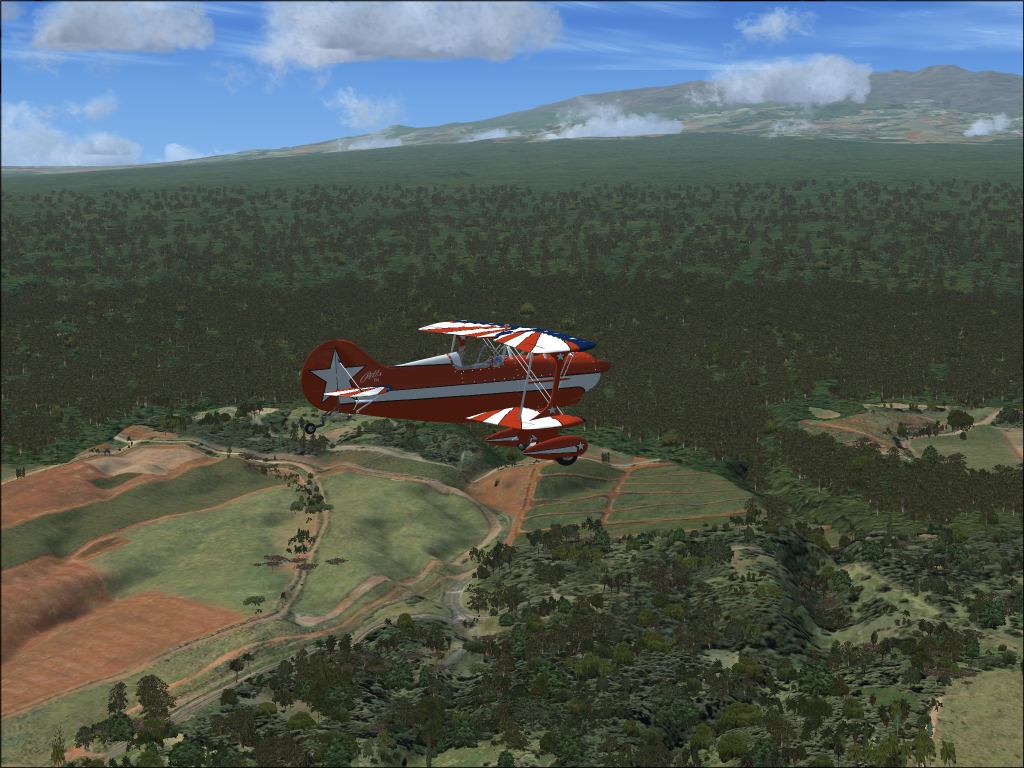
the shots are the same weight 124kb...which shots are blurry or not?
if this did not fix it what are some idea's to try? I have already tried to use the "tune system" with Ntune but is says can only tune systems that are GForce 2 or newer (my card is a 7950GT OC.
Thanks for your guys help
Jason 8-)
Re: test shots...need help from fellow simmer's
Posted:
Wed Jan 14, 2009 6:27 pmby OVERLORD_CHRIS
I like them my self, but like you I can't get the grounds to look better, some of the more experienced poster may be on latter to help you out.
 ShaneG
 had this in his sig if it helps any:
http://www.simviation.com/cgi-bin/yabb2 ... rd=studiov
Re: test shots...need help from fellow simmer's
Posted:
Wed Jan 14, 2009 6:41 pmby ShaneG_old
I've been sitting here comparing them side by side, and to be honest, I can't really see the difference in the two resolutions. :-/
What I do see though, is that the scenery within say, a mile or so of the plane doesn't look too bad at all, while after that, it starts to break down dramatically. The autogen really shows this in the trees.
First thing that comes to mind would be that you're only running 1G of RAM. I see that you have 4G of virtual Ram, but I don't know much about that kind of thing, but I'm pretty sure it isn't helping in the way you want it to. If people are having problems with 2 or more Gigs of Ram, that could be it. The lack of a dual or quad core might also be hurting a bit.
Also, it appears that your visibility is set to unlimited, or somewhere rather close. If so then your system is having to render that distant scenery as well, which could take away from the quality of the rest of the scenery.
Just for the sake of trying, go into the user defined weather/advanced weather/ visibility tab- and set the tops to 99,999 and the visibility slider to 20/30 miles and then turn the cloud draw distance down to it's lowest level, I think it's 60m, that will provide a more realistic looking horizon, and should also keep the sim from trying to draw a ton of stuff that's nowhere near you.
May work, may not. It did help me.
Re: test shots...need help from fellow simmer's
Posted:
Wed Jan 14, 2009 6:45 pmby firemonte007
[quote]I've been sitting here comparing them side by side, and to be honest, I can't really see the difference in the two resolutions. :-/
What I do see though, is that the scenery within say, a mile or so of the plane doesn't look too bad at all, while after that, it starts to break down dramatically. The autogen really shows this in the trees.
First thing that comes to mind would be that you're only running 1G of RAM. I see that you have 4G of virtual Ram, but I don't know much about that kind of thing, but I'm pretty sure it isn't helping in the way you want it to. If people are having problems with 2 or more Gigs of Ram, that could be it. The lack of a dual or quad core might also be hurting a bit.
Re: test shots...need help from fellow simmer's
Posted:
Wed Jan 14, 2009 9:32 pmby mhoffman50
I don't know if I'm remembering this correctly or not.
Re: test shots...need help from fellow simmer's
Posted:
Thu Jan 15, 2009 4:33 amby Anxyous
What are your scenery settings?
Could be a mesh problem.
Nick recommends setting mesh complexity to 100 and the other mesh settings (?

) to 10 m.
And BTW, I do see a small improvement in the latter two shots in your first post, and the two in the later post look a little better as well.
Re: test shots...need help from fellow simmer's
Posted:
Thu Jan 15, 2009 5:37 amby Daube
Hi Jason,
The ground textures in the foreground do not look blurry to me. But in the background, they are getting blurry quite fast, thas's true. From my experience, I see three possible causes:
- you are using zoom 1x or more. The textures from medium distance will always be blurry with such a "high" zoom. The higher the zoom, the greater the problem. No tweaks will help this. Try reducing the zoom to at least 0.70, you'll see an improvement. Do not go lower than 0.50, as it will produce a very bad "fish-eye" effect.
- In your video card settings (in Windows, not in the game), the Anisotropic filtering is not high enough. This will lead to blurry textures in the distance. Try to increase it. (be sure to do it correcty, game profiles, NHancer etc...). There might be a performance hit, try to find a good balance.
- In your video card settings (in Windows, not in the game), the Texture Filtering is not set to the best quality. Usually, it is a parameter that has values like "Best Performance", "Performance", "Quality" and "Best Quality". Try "Best Quality". There might be a performance hit.
The combination of the above manipulation may result in a good difference in your shots.
Re: test shots...need help from fellow simmer's
Posted:
Thu Jan 15, 2009 7:15 amby haroldkip
These shots are really very good, texture -wise.
The textures in your previous posting were blurry. These are not.
It could be that it has to do with the scenery as these shots are taken in a rather flat scenery.
What if you would try more a mountainous environment. Maybe you can try different continents?
Also see my comment in your previous post
