Night Flying--FIXED
 Posted: Wed Aug 20, 2008 1:05 am
A Frontier Virtual Flight I was doing before the early morning sunset came up..
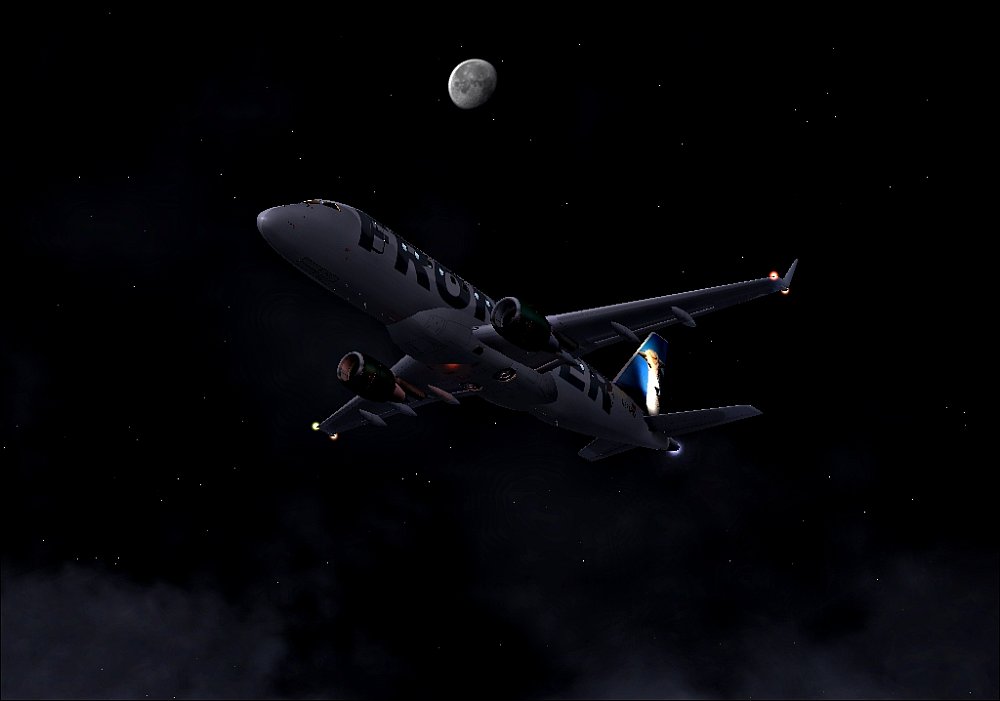
Let me know what you think
Let me know what you think
Flight Simulator and other chat
https://forums.simviation.com/phpBB3/
https://forums.simviation.com/phpBB3/viewtopic.php?f=42&t=144807
Posted: Wed Aug 20, 2008 1:05 amPosted: Wed Aug 20, 2008 8:28 amPosted: Wed Aug 20, 2008 9:41 amPosted: Wed Aug 20, 2008 9:46 amPosted: Wed Aug 20, 2008 9:50 amNo my sim is fine its the resizing.. :-/
I use infranview but it still compresses it alot :-?
Posted: Wed Aug 20, 2008 8:16 pmPosted: Wed Aug 20, 2008 11:27 pmI found my problem..
When I resized it, it was set on faster load and not slower load and best quality..
I still had to resize it the normal edition was like barely over the max..
So now let me know what you think
Posted: Thu Aug 21, 2008 4:55 amI found my problem..
When I resized it, it was set on faster load and not slower load and best quality..
I still had to resize it the normal edition was like barely over the max..
So now let me know what you think
 Posted: Thu Aug 21, 2008 10:33 am
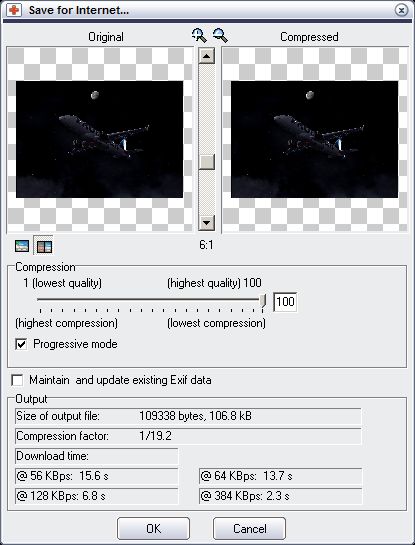
Alternatively you could use a different program for resizing/saving shots. Magix Xtreme Photo Designer 6 is free & has the same Save for Internet option as expensive software like Photoshop. This tells you what the file size of the saved image will be at different amounts of compression.
 Yes! Thank you so much for that link! Posted: Thu Aug 21, 2008 11:36 am