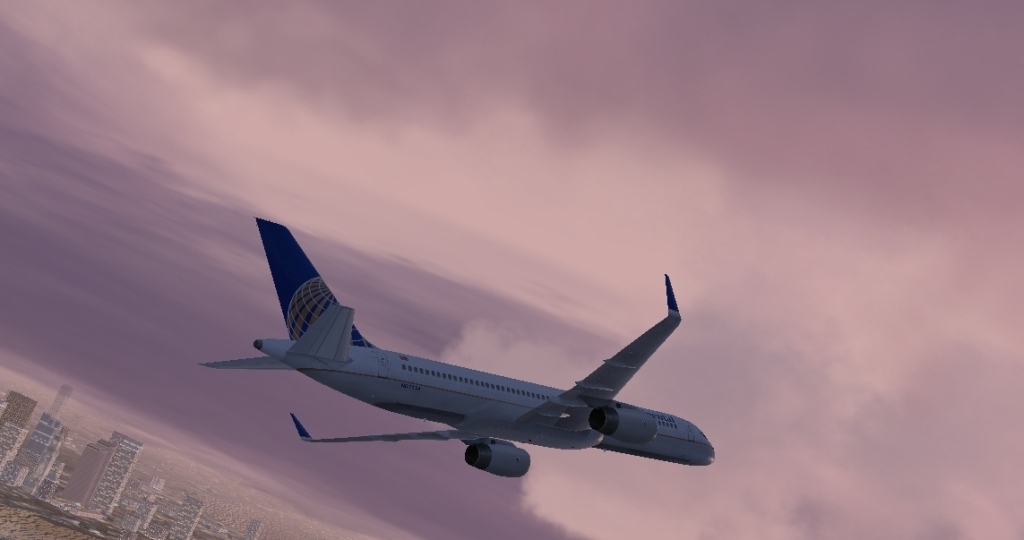
I used FS Recorder for the 757 and I took the wright bros. plane and slewed into postion for the shot..."a cheep way of getting a great angle w/ out buying walk and follow or active camera I think"!
Bartender

Flight Simulator and other chat
 by bartender » Tue May 13, 2008 1:53 am


by Mazza » Tue May 13, 2008 2:08 am



by haroldkip » Tue May 13, 2008 7:28 am


by bartender » Tue May 13, 2008 11:23 am
by unknown » Tue May 13, 2008 11:27 am


by McLovin » Tue May 13, 2008 12:29 pm
by unknown » Tue May 13, 2008 12:48 pm
by haroldkip » Tue May 13, 2008 3:00 pm
You can do this by moving antialiasing slider in settings window
by unknown » Tue May 13, 2008 4:12 pm
You can do this by moving antialiasing slider in settings window
WRONG!!! VERY WRONG!!! VERY BAD!!
You NEVER set you anti aliasing in your sim. You ALWAYS set it on your video card.
All depends on your videocard, but you should be able to reach your videocard's control panel via your main control panel - display - settings tab - advanced tab.
There you should see a tab with your video card's logo. In that tab you can change the settings of your videocard.
I can also highly recommend that you read Nick Needham's tread on Windows Setup, System Optimizing and Drivers.

by haroldkip » Tue May 13, 2008 6:09 pm
Sorry if I said something wrong,but default nVidia control panel AA settings set to "let 3D program decide".Does this mean that FSX sliders can be used to set AA settings in sim?
P.S. I think we shouldn't start our discuscion here.
by JSpahn » Wed May 14, 2008 4:32 pm


Return to Simulation Screenshots Showcase
Users browsing this forum: No registered users and 291 guests