Page 1 of 1

my first shots into this forum

PostPosted: Wed Apr 23, 2008 4:15 am
by ilka
Hi
this is my first post here and i hop you like it;
both are just random shots but i thought of sharing them.

the first on is during a long flight a sunrise with manificent colous
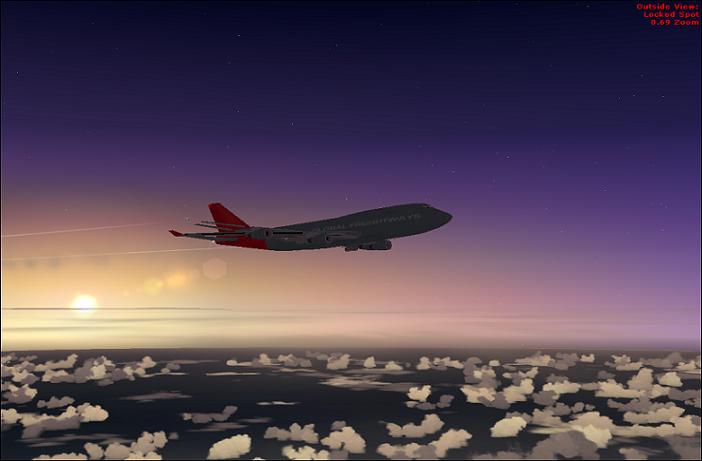
Image


the second one is my new A380 taking off
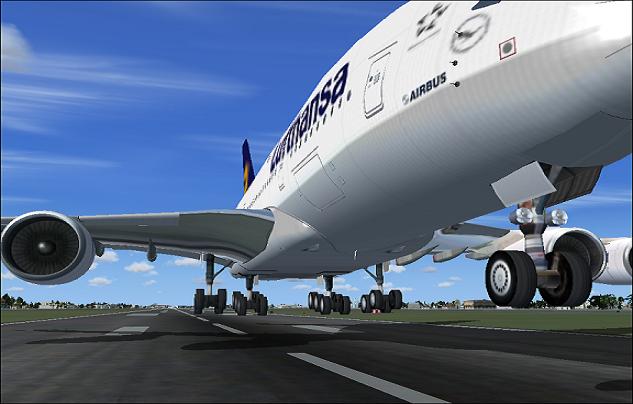
Image


these are some of my first shots so C&C welcome to help me
thanks
ILKA

Re: my first shots into this forum

PostPosted: Wed Apr 23, 2008 4:59 am
by waspiflab
Welcome
A few tipTips
To take a shot use: http://www.fraps.com/download.php
To adjust shot sizes use: http://www.irfanview.com/

Keep within 1024 pixels wide & 150K max, you can re-size your shots to make them look bigger and better ;)
Very nice by the way
keep it up
Waspi.

Re: my first shots into this forum

PostPosted: Wed Apr 23, 2008 5:51 am
by Fozzer
Welcome
A few tipTips
To take a shot use: http://www.fraps.com/download.php
To adjust shot sizes use: http://www.irfanview.com/

Keep within 1024 pixels wide & 150K max, you can re-size your shots to make them look bigger and better ;)
Very nice by the way
keep it up
Waspi.


I love the size...700 Pixels wide...

They fit nicely, full size, without the dreaded horizontal scrolling annoyance, on my 1024 X 768, or even my 1280 X 1024 Desktop resolution... :)...!

Paul... ;)...!

I just hate having to scroll the screen, or having to view each picture individually to see them full size... it's an arse!...>:(...!

Re: my first shots into this forum

PostPosted: Wed Apr 23, 2008 7:39 am
by haroldkip
Welcome in the screenshot forums Ilka! Once you're in here it gets addicting ;D

I like both shots! The extreme zoom on the Bus makes it look even bigger! Of course ... they're a little small but waspi already gave you some sound advice on that. Take some time to browse trough Studio V's Tutorial Library ... it is an amazing collection of the best Flight Simulator screenshot tips available on the Internet. If you find your shots to be too small or too compressed, try this if you use either Photoshop or Paint Shop Pro. If you use Paint.NET read Jakes excellent tutorial here.

Re: my first shots into this forum

PostPosted: Thu Apr 24, 2008 3:05 am
by ilka
thanks all

just on question on this
"Welcome
A few tipTips
To take a shot use: http://www.fraps.com/download.php
To adjust shot sizes use: http://www.irfanview.com/"


how do i use Fraps?
anyone can help me?

thanks
ilka

Re: my first shots into this forum

PostPosted: Thu Apr 24, 2008 3:38 pm
by Wii
thanks all

just on question on this
"Welcome
A few tipTips
To take a shot use: http://www.fraps.com/download.php
To adjust shot sizes use: http://www.irfanview.com/"


how do i use Fraps?
anyone can help me?

thanks
ilka

You can always just press
Prt Scr|SysRq
and go in Irfanview...edit....paste...then click (tab) Image...Resize/Resample...fill in the 1024x768 Pixels...ok...save...upload...happy :)