Page 1 of 1

What a beautiful day!

PostPosted: Wed Jan 23, 2008 9:03 pm
by Imsuck
Image
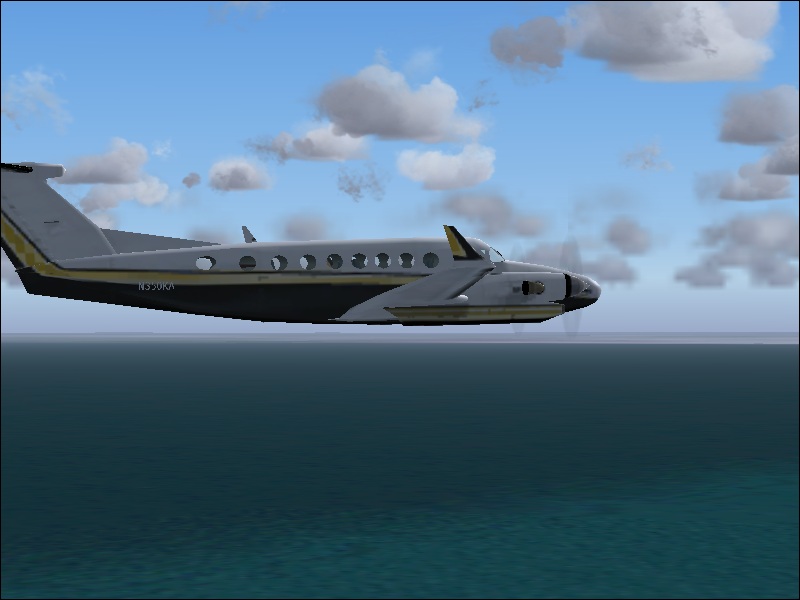
Location= Oshawa (CYOO) on my way to Toronto (CYYZ)
Aircraft= (it's kind of obvious, but anyways), it is a Beechcraft King Air 350 (default)
C&C's are welcome and please give me tips on how to make my screeenchots better

Re: What a beautiful day!

PostPosted: Wed Jan 23, 2008 10:18 pm
by Flying Buckeye
Its a nice shot but jaggies are problem here.
Try turning anti aliasing on to reduce jaggies.

Re: What a beautiful day!

PostPosted: Thu Jan 24, 2008 12:42 am
by Reno
Nice shot! I'm quite a big fan of the 350 and I plan to buy one when I can.

Although, like The Wright Stuff said, the Jaggies need a bit of help.

Re: What a beautiful day!

PostPosted: Thu Jan 24, 2008 11:42 am
by Imsuck
Its a nice shot but jaggies are problem here.
Try turning anti aliasing on to reduce jaggies.

what's that? I just got FS9 so i don't really know anything, sorry.

Re: What a beautiful day!

PostPosted: Thu Jan 24, 2008 12:28 pm
by MCAntonio aka AN21
Its a nice shot but jaggies are problem here.
Try turning anti aliasing on to reduce jaggies.

what's that? I just got FS9 so i don't really know anything, sorry.

No worries. Anti aliasing(a.k.a. AA) is a feature that makes everything(plane,scenery etc) look smoother..What is your graphics card?

Re: What a beautiful day!

PostPosted: Thu Jan 24, 2008 12:29 pm
by Ashar
Its a nice shot but jaggies are problem here.
Try turning anti aliasing on to reduce jaggies.

what's that? I just got FS9 so i don't really know anything, sorry.


Check the Hardware tab in the Settings ;)

Re: What a beautiful day!

PostPosted: Fri Jan 25, 2008 7:05 pm
by Imsuck
Its a nice shot but jaggies are problem here.
Try turning anti aliasing on to reduce jaggies.

what's that? I just got FS9 so i don't really know anything, sorry.


Check the Hardware tab in the Settings ;)

Thanks. I turned on anti aliasing a few minutes ago :)

Re: What a beautiful day!

PostPosted: Fri Jan 25, 2008 7:07 pm
by Imsuck
Its a nice shot but jaggies are problem here.
Try turning anti aliasing on to reduce jaggies.

what's that? I just got FS9 so i don't really know anything, sorry.

No worries. Anti aliasing(a.k.a. AA) is a feature that makes everything(plane,scenery etc) look smoother..What is your graphics card?

My Graphics card? ATI Mobility Radeon 7500 Pro
uh yeah. i got this laptop at the spring of 2002, so it's very antique.  ;D