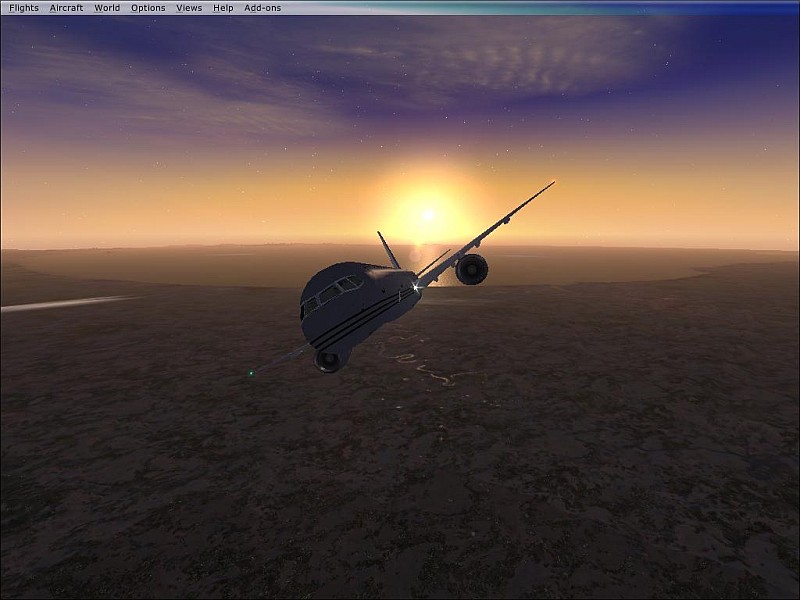
thanks, its my first entry. you may think im stupid but how do you resize it? and what do you mean by jaggs?
Jaggies are what we call the edges of a plane when anti-aliasing is not turned on - they look like a series of steps and can really put paid to a good shot. A good example, taken from this shot, is below;
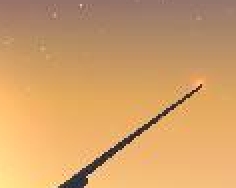
I mentioned anti-aliasing earlier - this is what most people use to get rid of jaggies; if you have a high-ish spec graphics card, you should be able to support it. I can't really tell you what you need to do to turn it on - I
don't have a high-spec card, my shots are smoothed out using a program called irfanview which I'll get onto in a minute - you need to ask around to find out.
As for resizing, I use Irfanview, a freeware piece of software that has an improved resize feature called resample - it simultaneously resizes your shot and smoothes it out - this feature also has a handy 'aspect ratio' feature which will keep the width proportional to the height no matter what resolution you resize the shot to. Irfanview also has a facility for compressing your shots when you save them.
Resizing your shot should solve those issues you seem to be having with compression as well - having a smaller shot means less compression is necessary to get it under the filesize limit.
Irfanview can be downloaded
here - all you need to do is navigate to the download page.
Hope I've helped!

P.S. I don't think you're stupid at all - when first I started taking screenshots I didn't know how to resize properly either and had to resort to using MS paint, which wasn't pretty...

 Posted: Sun Dec 30, 2007 5:10 pm