Page 1 of 1

Ferrari's Entry

PostPosted: Sat Oct 06, 2007 5:51 pm
by Ferrari308guy
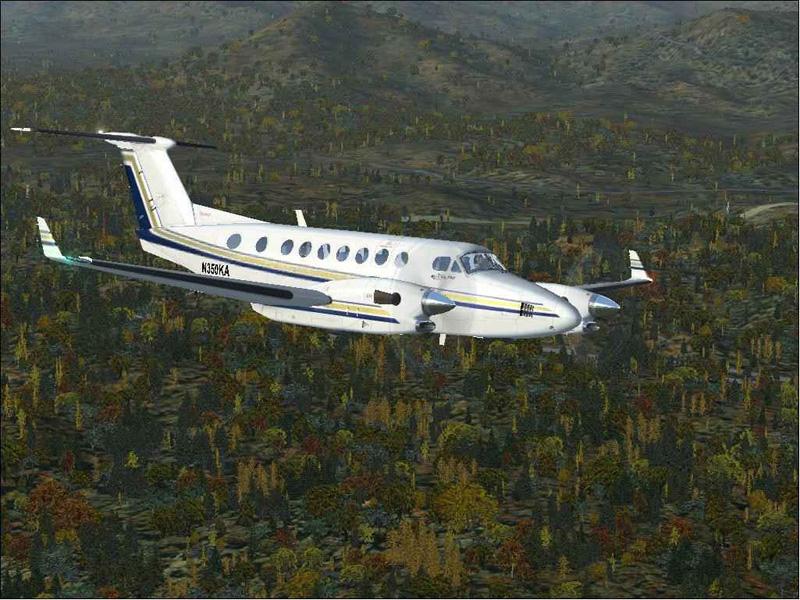
Hey everybody, this is my first screenshot contest entry. Hope you like. It might be a little boring (just an aircraft and trees), but it was the best I could come up with (I'm used to editing my shots). Anyway, I hope in is within the rules of the contest, I triple checked to make sure (shame to be disqualified becuase of that).

Here it is:
Image

Any comments are welcome!

Re: Ferrari's Entry

PostPosted: Sat Oct 06, 2007 5:57 pm
by machineman9
there is a certain 'lack of neatness' in the shot. it looks compressed though it isnt. maybe more Anti-Aliasing?


back on track- its certainly a really nice shot forgivving the above. the plane looks really nice and so does the scenery. lots of color, a nice angle and it just looks generall pretty

best of luck

Re: Ferrari's Entry

PostPosted: Sat Oct 06, 2007 6:07 pm
by Groundbound1
Lookin' good! I agree that a little more A/A would have helped it though. (Remember, you don't need to worry about frame-rates for very long, when your working to get a good screenshot!)

Re: Ferrari's Entry

PostPosted: Sat Oct 06, 2007 6:09 pm
by Mazza
Lookin' good! I agree that a little more A/A would have helped it though. (Remember, you don't need to worry about frame-rates for very long, when your working to get a good screenshot!)

yeah +1 ;)

with my comp i can max out the settings in fs2002 and still have good frame rate ;D :D

Re: Ferrari's Entry

PostPosted: Sat Oct 06, 2007 7:13 pm
by Ferrari308guy
Thanks for the comments! What exactly is Anti-Aliasing? The photo I took was all the dials maxed out on FSX, and yeah the frame rates were terrible  :D.

Re: Ferrari's Entry

PostPosted: Sat Oct 06, 2007 9:05 pm
by Groundbound1
Anti-aliasing settings are usually incorporated into your display settings, both in the sim and your video card's software. (not sure if FSX has the settings in the display options or not, but FS9 does) The higher the setting you use, the less jagged lines appear.

Re: Ferrari's Entry

PostPosted: Sun Oct 07, 2007 7:05 am
by machineman9
Thanks for the comments! What exactly is Anti-Aliasing? The photo I took was all the dials maxed out on FSX, and yeah the frame rates were terrible  :D.

basically, it makes the lines look smoother. you could say it sands down the lines a bit. if you look here then you can see a basic visual representation (the first image is without)


but more AA (can be turned on in the hardware settings on display in the sim) makes the lines look less blocky and adds more realism

Re: Ferrari's Entry

PostPosted: Sun Oct 07, 2007 10:20 am
by Ferrari308guy
Cool, I check that out next time I go on. Thanks guys ;).