Mavrick-
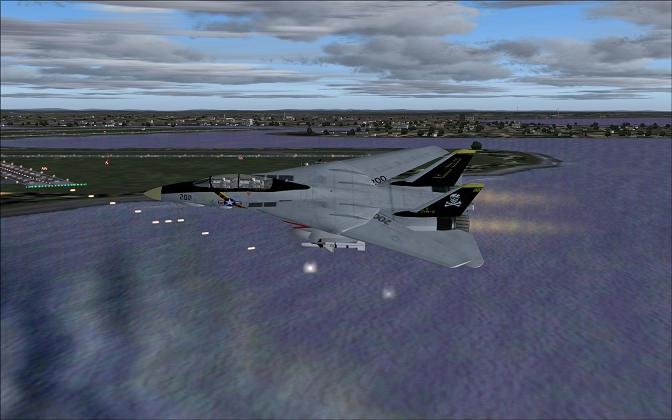
Keep up the good work. The more time you spend around here, the more you will pick up. I took this picture after seeing yours to show you some ways to "spruce" up your shot. This is using FS2004.
-I put some different cloud layers in there to keep them from looking to "fake" or too "canned" like a simple theme from the weather menu.
-I also did this in front of the approach end of KBOS (not realistic, depends on what you're going for) to put more eye candy in there with the approach lights. I also took the shot at dusk so the airport lights were on.
-I used KBOS, the aircraft position, and the clouds to hide the fact that my general scenary and terrain is boring and flat looking from this angle. Hopefully the viewers eye go esfrom aircraft, to clouds, to water (which is a free addin I downloaded from this site). I didn't put the aircraft lights on because my F14 model doesn't seem to have the most realistic lights.
Please don't think I'm trying to show you up, I'm just trying to show you what you can do to your idea to be even better! I'm sure people could jump on me and call this boring, but it was a quickie to show some techniques, as there are a lot of things to keep in mind when you plan a screenshot. Keep on Sim'ing

 Posted: Sun Sep 16, 2007 9:01 pm
 ..... you'll just have the image removed
 This is what SimViation (and life in general) is all about ... helping eachother out!