Page 1 of 2

Piper Vs. Alaska

PostPosted: Wed Aug 22, 2007 9:55 pm
by Crussell
As I tend to do while Online, break off from the pack  ;D
Online with Nj hops, everyone was heading from Juneau Intl (PAJN) to Hanks Trading Post
Shortly after takeoff I decided to explore and headed straight for some Mountains and big clouds.

Enjoy:
Sun beginning to set.
Image

Out of the window, Entering big cloud.
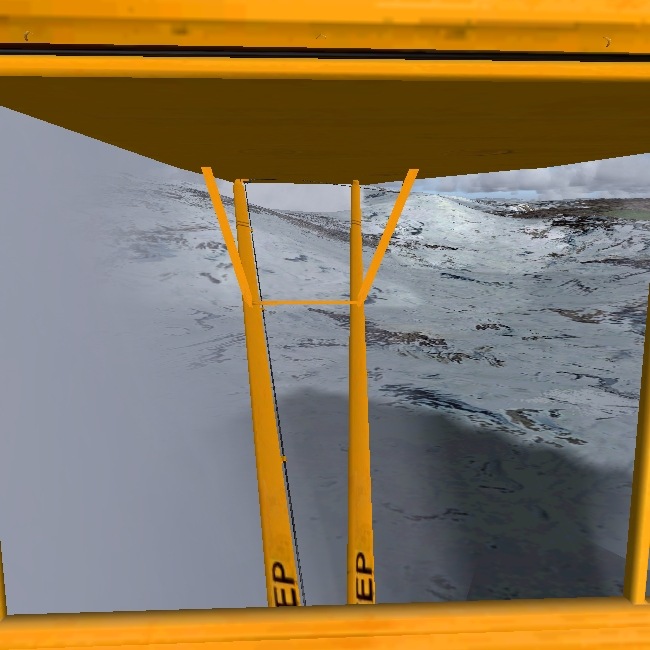
Image

Light on one side of me, darker on the other.
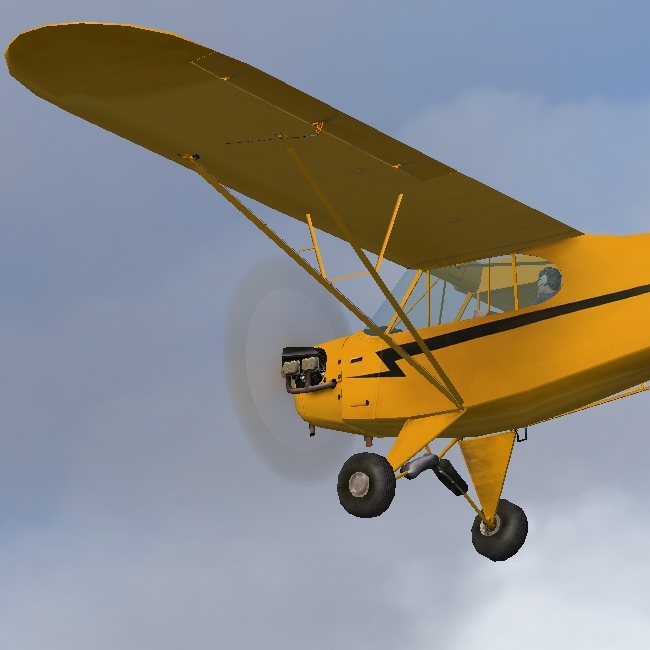
Image

Okay, getting dark, time to set up camp
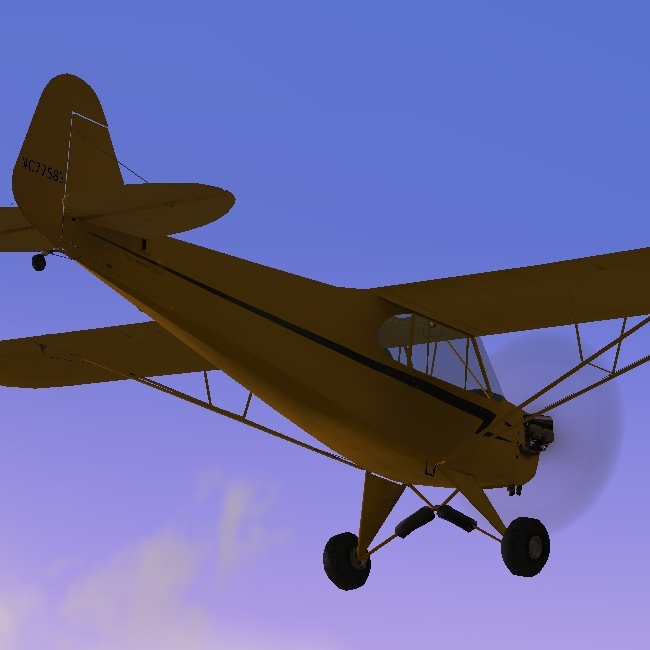
Image

Takeing off is going to be a problem.
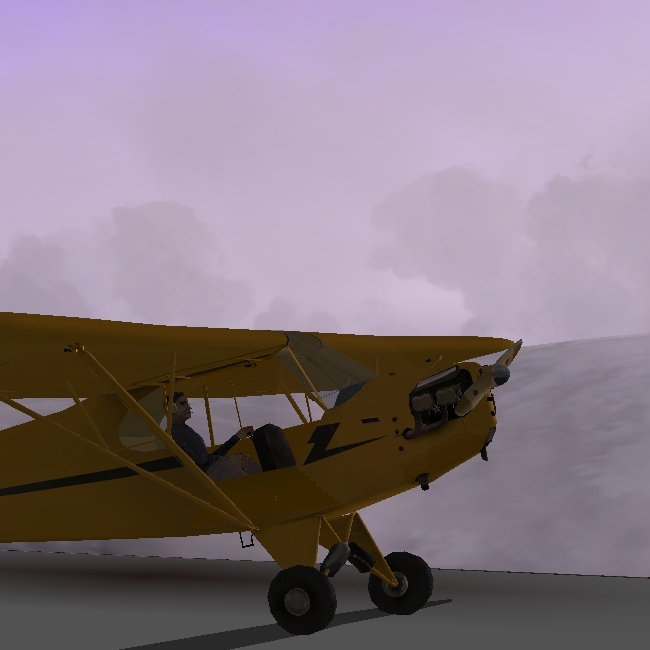
Image

Hopefully, this won't be purged, the pictures looked better in Paint.NET  ;)

C&C please.

Re: Piper Vs. Alaska

PostPosted: Thu Aug 23, 2007 8:18 am
by Crussell
Any suggestions to improve them?  :-/

Re: Piper Vs. Alaska

PostPosted: Thu Aug 23, 2007 8:23 am
by John_MCknight
Lovely Shots you have there...but a lot of jaggies. Make sure you have AA turned on   ;) That will make all the difference.

Re: Piper Vs. Alaska

PostPosted: Thu Aug 23, 2007 8:28 am
by MOUSY
You've got some pretty good shots in there. But your one major problem as I'm sure you can tell is those jaggies. I'm assuming your graphics card isn't top-of-the-line, so you may want to increase your resolution and turn Ant-Aliasing on in the sim. However, if your card can handle it, leave AA off in the sim and on in the card.
You've got some interesting angles and a few nice colours Nice work.

Re: Piper Vs. Alaska

PostPosted: Thu Aug 23, 2007 9:34 am
by Crussell
The jaggies were made because I had to down the quality so I could upload it  ::)

Re: Piper Vs. Alaska

PostPosted: Thu Aug 23, 2007 3:11 pm
by haroldkip
heading from Juneau Intl (PAJN) to Hanks Trading Post

Now that is an excellent route :D

The jaggies were made because I had to down the quality so I could upload it

I find it very hard to believe that jaggies are the product of resizing ... unless you're resizing in some very strange way ;D

Re: Piper Vs. Alaska

PostPosted: Thu Aug 23, 2007 6:04 pm
by Crussell
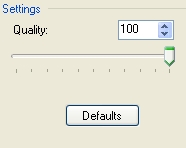
Not downsizing,
I have to down the Quality.
Image

Re: Piper Vs. Alaska

PostPosted: Thu Aug 23, 2007 6:30 pm
by haroldkip
That is a compression setting in Irfanview I reckon? Compression is a way to make an image less 'heavy' in file size; the number of kilobytes.
Compression does not create those jagged edges we see on your aircraft, lack of AA (Anti Aliasing) does.

Do you have a video card in your computer and if so, which brand and model is it? Or is it integrated in your motherboard?
If you have a video card in there you might want to check if you have AA enabled.

You can check if you have AA enabled by right clicking on your desktop and select PROPERTIES.

In the window that appears click the SETTINGS tab and click on the ADVANCED button in the lower right corner.

You should now see a couple of tabs, generally those are: GENERAL - ADAPTER - MONITOR - TROUBLESHOOT - COLOR MANAGEMENT and either something like NVIDIA or ATI.

Click on the last one and you should be able to see something like PERFORMANCE SETTINGS or something similar to that.
See if you have an option for Anti Aliasing and what value it is set to ...

Let us know if and how this works out ;)

Re: Piper Vs. Alaska

PostPosted: Thu Aug 23, 2007 7:32 pm
by Crussell
NVIDIA Geforce2 Ti 64Mb

Other specs:
http://www.dealtime.co.uk/xPF-Sony-Vaio-PCV-RX201

I tried the properties thing but nothing says about AA  :-/

Re: Piper Vs. Alaska

PostPosted: Fri Aug 24, 2007 2:52 am
by haroldkip
Check if you have the latest drivers.

Repeat the above but click on the ADAPTER tab.
It should state your graphics card there ...

Click the PROPERTIES button and then the DRIVER tab.

You should be able to see which driver version you have installed.

Re: Piper Vs. Alaska

PostPosted: Fri Aug 24, 2007 4:55 am
by pepper_airborne
The GF2 doesnt have AA as far as i know, i used to have a TNT 2, wich came a bit later, and neither did that have AA. I really like the shots, they look really good!

Re: Piper Vs. Alaska

PostPosted: Fri Aug 24, 2007 10:26 am
by Crussell
Driver Provider: NVIDIA
Driver Date: 13/11/2001  :o
Driver Version: 2.3.1.0

I think, it needs updating  ;)

-No updates available  >:(
- I don't know where the Installation disc is  ::)

Re: Piper Vs. Alaska

PostPosted: Fri Aug 24, 2007 12:35 pm
by pepper_airborne

Re: Piper Vs. Alaska

PostPosted: Fri Aug 24, 2007 4:42 pm
by haroldkip
www.nvidia.com

Aye ... go there and click on DOWNLOAD DRIVERS.

in the boxes click: GRAPHICS DRIVER - GFORCE 2 SERIES - WINDOWS XP / 2000 (if that is what you have)

Download the ForceWare 93.71 drivers but do not install them directly.

Download Driver Cleaner and install it.

Uninstall the previous version of your driver via your add/remove option in the control panel.

REBOOT.

Run Driver Cleaner. Select NVIDIA and let it run a couple of times until it finds nothing to delete.

REBOOT.

Install the new drivers.

REBOOT


This all is probably an old trick but it does work ;)

Re: Piper Vs. Alaska

PostPosted: Fri Aug 24, 2007 4:54 pm
by Crussell
Wont kill my computer will it?  ;D :P