Page 1 of 2

a few for tonight

PostPosted: Fri Aug 10, 2007 12:18 am
by PD87
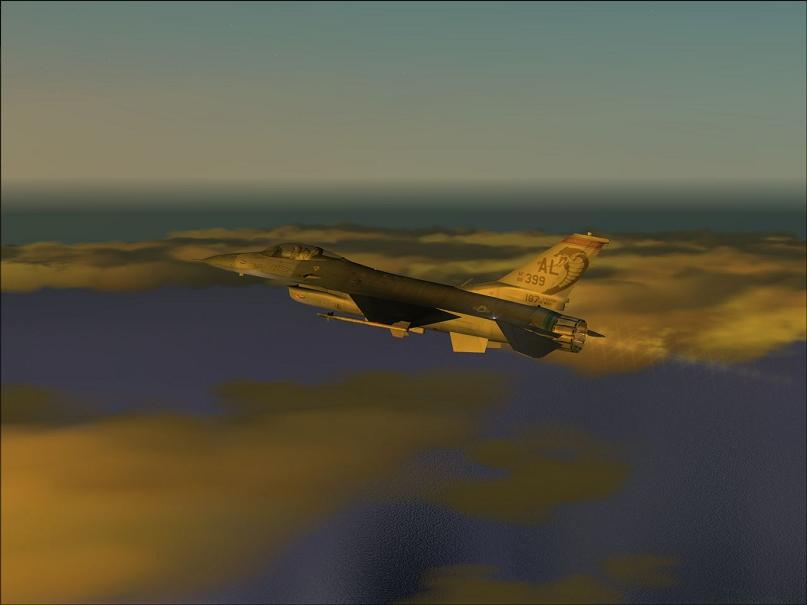
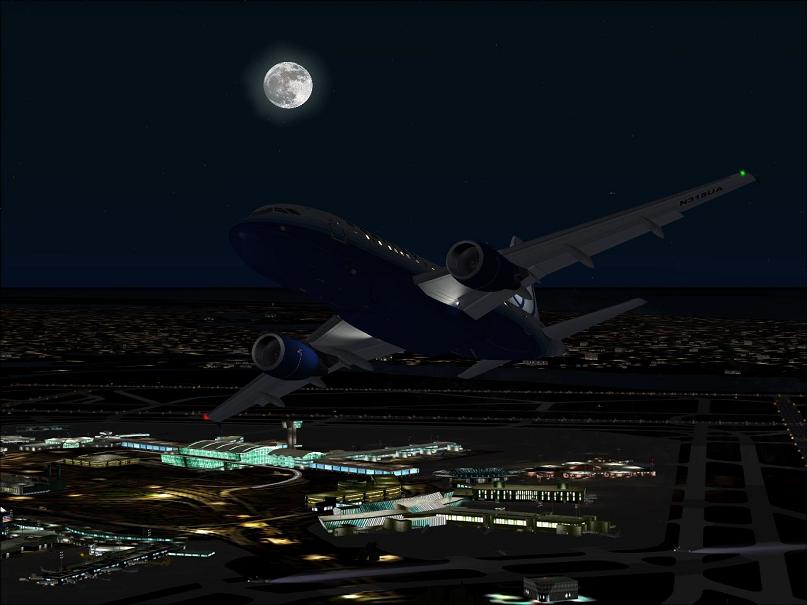
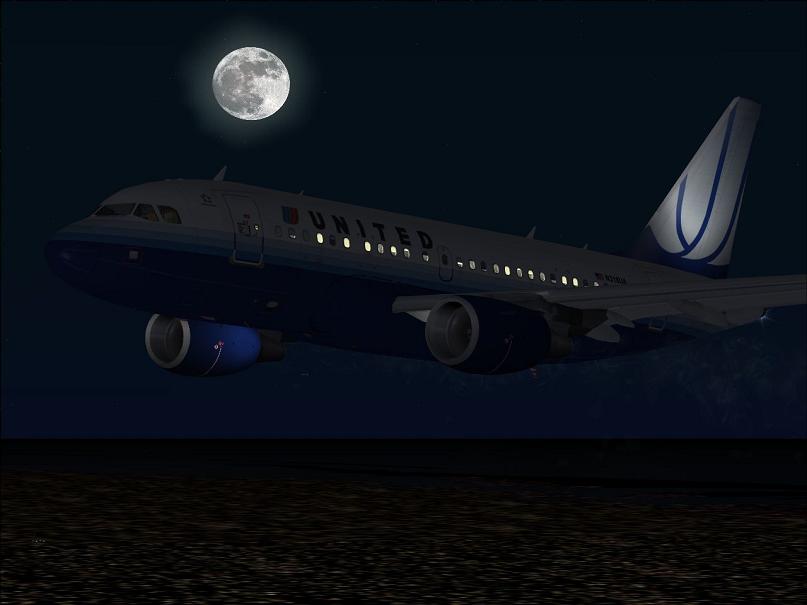
Nothing too special about these, hope you like em.
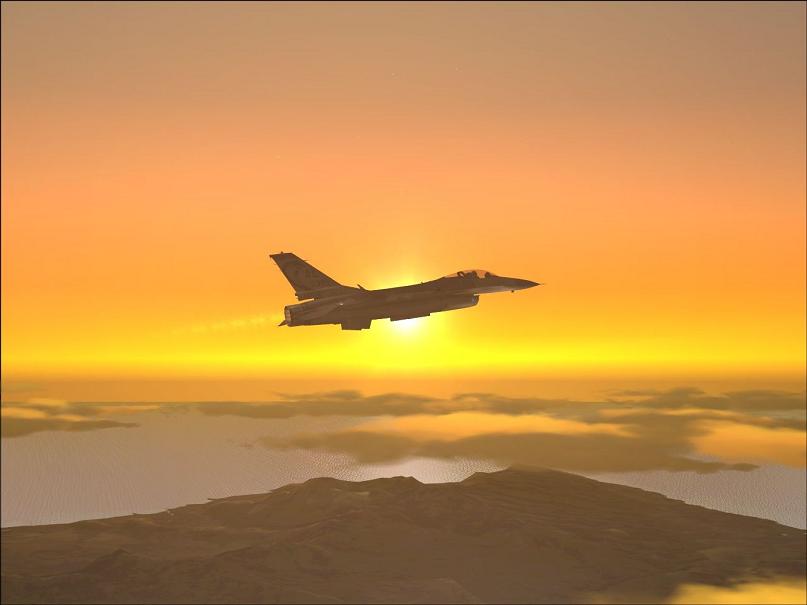
Image

Image

Image

Image

Re: a few for tonight

PostPosted: Fri Aug 10, 2007 2:48 am
by fabiane
Nice moon! Like the Bus-pics best!,

Cheers,
Fabian

Re: a few for tonight

PostPosted: Fri Aug 10, 2007 3:03 am
by haroldkip
Nice shots mate but you don't have to compress them soo much. If you can have 100 kb per image then why make them all under 50kb?
I can understand 80 or 90kb, but as low as 28. You can have three times that quality!

Re: a few for tonight

PostPosted: Fri Aug 10, 2007 3:18 am
by PD87
If you would enlighten me as to how I can raise the KB size while keeping the shots at 800x600, Id appreciate it much lol. :-/ :)

Re: a few for tonight

PostPosted: Fri Aug 10, 2007 4:08 am
by fabiane
Depends on the program you are using to resize.......

With The Gimp you can easily set the compressio rate.

Re: a few for tonight

PostPosted: Fri Aug 10, 2007 6:46 am
by haroldkip
Depends on the program you are using to resize.

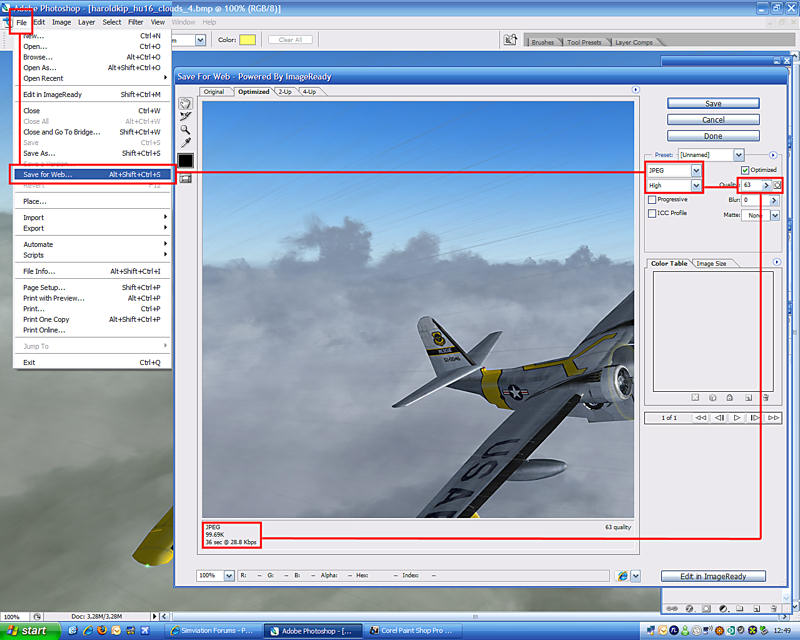
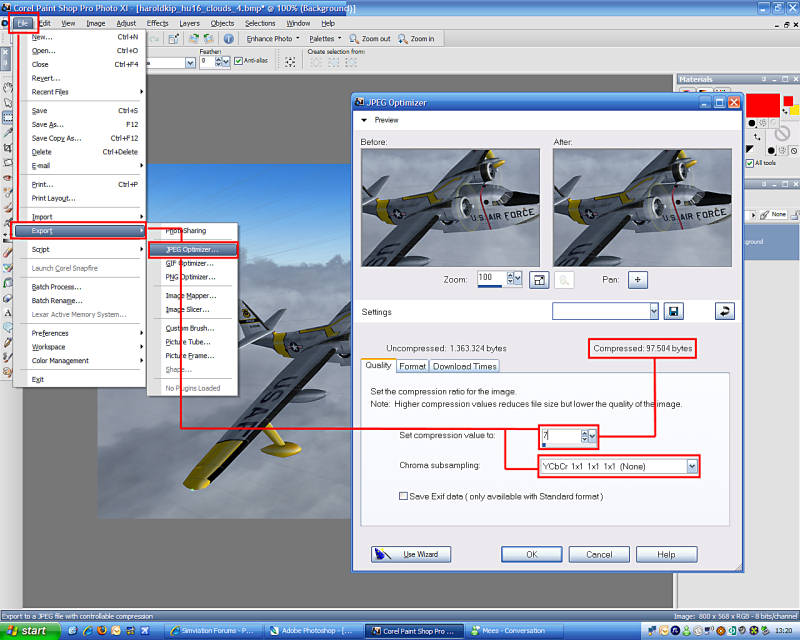
And also very important is the way you capture your shots and how you save them. Here is what I think is the optimal way:

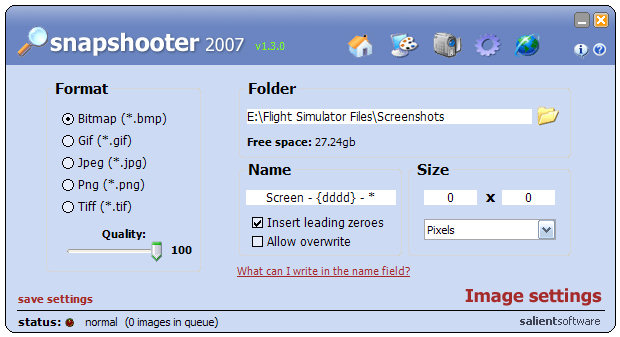
Setup your capturing software so that it will save to BMP files and set it to the highest quality and the same size as your desktop. This will give you bitmaps as large as 3 to 5 megabytes, but they have the best quality and you can work with the original shot while still having a lot of room to get them to 100kb ;)

Use whichever tool you like to use. I use SnapShooter by Salient Software.

Image


If you have Adobe Photoshop then use this method:

Image


I use Corel PaintShop Pro a lot, so here's the process in PSP:


Image


Hope this works for you ;)

Talk about compression ... this whole tread is now just under 500k including my images ;)

Re: a few for tonight

PostPosted: Fri Aug 10, 2007 9:56 am
by PD87
Excellent, Thank you!

Re: a few for tonight

PostPosted: Fri Aug 10, 2007 10:27 am
by mpicco
Nice moon shots

I use PNG for the first capture, optimum quality and size. Then resize to 800x600 and save in uncompressed jpg.. and then save again with a little compression, moving 1 notch in the slider at a time til i get it to 98 kb or something. Always aim for lower than 100k cos if you get an exact 100k, maybe simV's upload page will say its too big cos it was 100.203 or smth that windows will not display...

Good luck with new compression! ^^

Re: a few for tonight

PostPosted: Fri Aug 10, 2007 2:26 pm
by haroldkip
Always aim for lower than 100k cos if you get an exact 100k, maybe simV's upload page will say its too big cos it was 100.203 or smth that windows will not display...


Here's a little math for you: if 1kb =1024 bytes then 100kb = 102.400 bytes.
So anything over 102.400 bytes will be refused by the server ...

PNG is nice but it still uses more compression by default than BMP. That is why the same BMP will have a larger file size than a PNG.
But run this little test: snag a shot of anything as a BMP and then as A PNG. And now zip both of them ... tell me what you find and how this happens ;)

Re: a few for tonight

PostPosted: Fri Aug 10, 2007 2:37 pm
by PD87
I'll save up some cash and get coral paintshop, but for now, I guess I'll have to live with windows PAINT. ::) :( 8-)

The gimp looks interesting and Free too... :-/

Re: a few for tonight

PostPosted: Fri Aug 10, 2007 2:51 pm
by haroldkip
I'll save up some cash and get coral paintshop, but for now, I guess I'll have to live with windows PAINT.

You can always go over to http://www.oldversion.com/ and get Painshop Pro version 9. They store older versions of software and they are for free :o

I've used PaintShop Pro since version 4 or 5 and even though the current version is 11, version 9 is still awesome!

Re: a few for tonight

PostPosted: Fri Aug 10, 2007 3:02 pm
by aussiewannabe
Nice moon shots

I use PNG for the first capture, optimum quality and size. Then resize to 800x600 and save in uncompressed jpg.. and then save again with a little compression, moving 1 notch in the slider at a time til i get it to 98 kb or something. Always aim for lower than 100k cos if you get an exact 100k, maybe simV's upload page will say its too big cos it was 100.203 or smth that windows will not display...

Good luck with new compression! ^^


Yes that is a nice moon. As to the size for screenshots, I find SimV will reject anything over 97.2KB.

Re: a few for tonight

PostPosted: Fri Aug 10, 2007 3:05 pm
by PD87
I'll save up some cash and get coral paintshop, but for now, I guess I'll have to live with windows PAINT.

You can always go over to http://www.oldversion.com/ and get Painshop Pro version 9. They store older versions of software and they are for free :o

I've used PaintShop Pro since version 4 or 5 and even though the current version is 11, version 9 is still awesome!


I love you man ;D

Re: a few for tonight

PostPosted: Fri Aug 10, 2007 3:06 pm
by Hagar
I'll save up some cash and get coral paintshop, but for now, I guess I'll have to live with windows PAINT.

You can always go over to http://www.oldversion.com/ and get Painshop Pro version 9. They store older versions of software and they are for free :o

I've used PaintShop Pro since version 4 or 5 and even though the current version is 11, version 9 is still awesome!

Just to point out that all trial versions of PSP since PSP5 will expire after 30 days. The only option then is to purchase the program. There are far better alternatives than MS Paint depending on what you want to do. IrfanView is perfectly adequate for resizing & saving screenshots for posting here on the forum. If you want more advanced graphics editing software try Pixia, PhotoPlus6 or the Gimp as already mentioned. All are fully functional programs with advanced features like layers for editing purposes & completely free of charge.

Re: a few for tonight

PostPosted: Fri Aug 10, 2007 3:08 pm
by PD87
108mb Downloaded in 4 mins, I love this thing. 8-)