Page 1 of 1

BSMP saab 2000

PostPosted: Thu Aug 02, 2007 6:29 pm
by DaveT
just the one after setting my graphics card up
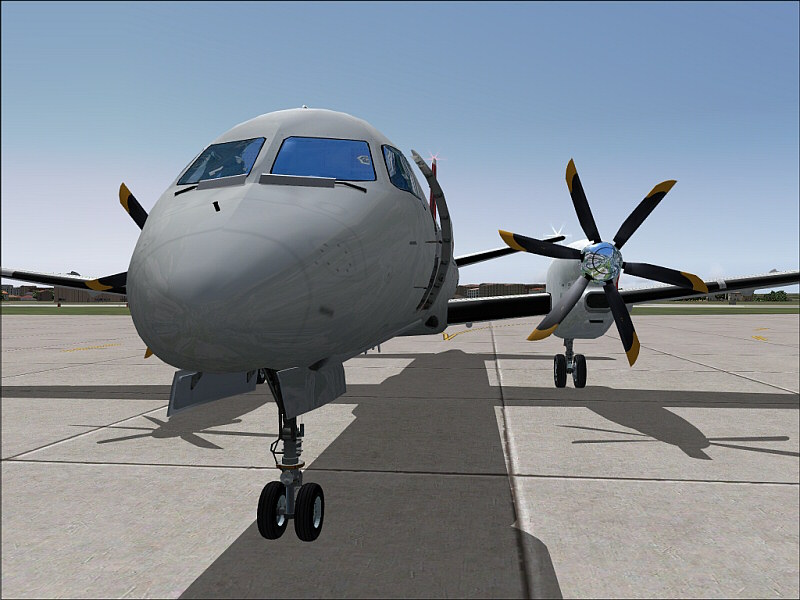
Image

hope you like,comments welcome

cheers
Dave ;)

Re: BSMP saab 2000

PostPosted: Thu Aug 02, 2007 7:35 pm
by Stubbedtoe18
Cool angle.  Nice Saab, where'd you get that?  and does it have a VC?  I've been looking for one.

But yah.  that is pretty cool.

Re: BSMP saab 2000

PostPosted: Thu Aug 02, 2007 7:46 pm
by Ravang
Nice (FSX?), it looks pretty real :o :)

Re: BSMP saab 2000

PostPosted: Thu Aug 02, 2007 7:51 pm
by Alonso
Very crisp shot :o... specs?

Re: BSMP saab 2000

PostPosted: Thu Aug 02, 2007 8:51 pm
by HugoCampos
Is that FS eleven? LOL

Re: BSMP saab 2000

PostPosted: Thu Aug 02, 2007 9:33 pm
by KDSM
im jealous >:(

Re: BSMP saab 2000

PostPosted: Fri Aug 03, 2007 1:48 am
by DaveT
Cool angle.  Nice Saab, where'd you get that?  and does it have a VC?  I've been looking for one.

But yah.  that is pretty cool.

it does not have a vc as yet but if you want it it came from here,and thanks for the comment.

http://www.bsmp.co.nz/Downloads.html

cheers
Dave ;)

Re: BSMP saab 2000

PostPosted: Fri Aug 03, 2007 1:50 am
by DaveT
Nice (FSX?), it looks pretty real :o :)

fs9

cheers
Dave ;)

Re: BSMP saab 2000

PostPosted: Fri Aug 03, 2007 1:50 am
by DaveT
Is that FS eleven? LOL

fs9

Re: BSMP saab 2000

PostPosted: Fri Aug 03, 2007 1:57 am
by DaveT
Very crisp shot :o... specs?

nothing special just set up pretty good i think,P4 nvidia GS7600 256mb,1GB ram with everything maxed.


cheers
Dave ;)

Re: BSMP saab 2000

PostPosted: Fri Aug 03, 2007 6:13 am
by haroldkip
have a look here to see what i did

Where? :-? ;D ::)

Excellent shot Dave! Now you see how investing a little time in balancing your system gets you razor sharp images ;)

Keep 'em coming!

Re: BSMP saab 2000

PostPosted: Fri Aug 03, 2007 8:07 am
by DaveT
have a look here to see what i did

Where? :-? ;D ::)
Here
On Nvidia cards go to the driver control panel and bring up the "Adjust desktop color settings"

Make sure it is set for 'all channel" and if present "all technologies"  

Increase the contrast about 5-10% and you can also increase the image sharpening 15-25% or so. the combination will help bring out better quality images. Increasing the digital vibrance a tad in very moody shots such as sunsets, etc can also make your snags pop.

Its a matter of playing in those areas.  

Some flat panels look better with a slightly reduced GAMMA and a slightly increased contrast, it depends on the TFT and how well it handles its own base brightness and contrast.

cheers
Dave :)