Page 1 of 2

beginners screen shot

PostPosted: Thu Jan 11, 2007 10:20 pm
by a1
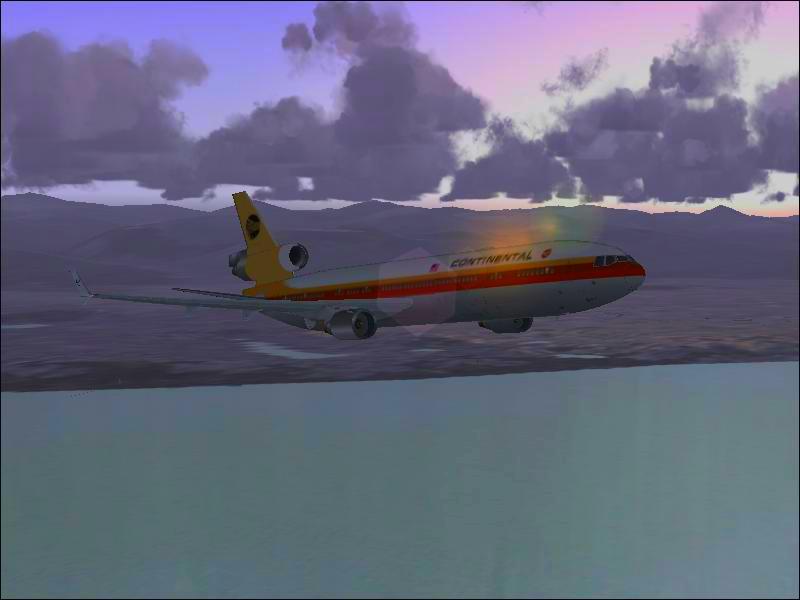
hi i am a beginner at taking screen shots and the photo editing software is really expensive. i wonder if this is a good one. i haven't tried to get angles or backgrounds yet.
Image

Re: beginners screen shot

PostPosted: Thu Jan 11, 2007 10:55 pm
by Travis
You need turn on anti-aliasing, but other than that, looks pretty good.  I would recommend that you go download a prog called IRFanView (don't know where to get it) which is a screentaker/saver that will take the screenshots and save them in multiple formats with multiple settings.

Other than that, well crafted shot.  It has all the necessary parts, and I think you would benefit from checking out the Studio V Screenshot Workshop where you can learn all you need to know about screenshots.

Re: beginners screen shot

PostPosted: Thu Jan 11, 2007 11:25 pm
by Helms
Good shot, but just like Locke said, you need to turn on your anti-aliasing, and the link to the ifranview http://www.irfanview.com/

Another tip is in your weather settings, set your visibilty to 30% instead of unlimited, it looks more realistic.

Re: beginners screen shot

PostPosted: Thu Jan 11, 2007 11:27 pm
by MIKE JG
the photo editing software is really expensive


I got my photo editing software, Paint Shop Pro 7.0 (similar to Photoshop) for a whopping $8 of the very popular on-line auction site which I won't mention by name.  That was 8 dollars total including the shipping and handeling.

If you don't need the very latest version of the software, which you don't, you can get the one year old versions for practically nothing.  ;)

Re: beginners screen shot

PostPosted: Thu Jan 11, 2007 11:30 pm
by Isak922
Not bad at all! Better than I could probably do though  ;D

Btw, Nice flying with you earlier  ;)

Re: beginners screen shot

PostPosted: Thu Jan 11, 2007 11:32 pm
by a1
thanks you all. i got into the screenshot art thing when i bought the game. i have so many more ideas that i sure will post up.

Re: beginners screen shot

PostPosted: Fri Jan 12, 2007 4:42 pm
by haroldkip
Pretty decent for a first timer! AA, nice angles and perspective, lighting ... just a few things to enhance your shots.

Want to know how? Like Locke said, please visit StudioV (click my sig). It is a great place to learn the tricks of the trade ;)
If you need any help just ask ... my details are below my sig.


And I don't want to shatter the illustion you got a bargain but oldversions.com will get you an older version for free ...

PSP9 is in there and, just like PSP7, it is really good!

Re: beginners screen shot

PostPosted: Fri Jan 12, 2007 5:24 pm
by murjax
Nice shot for your first time.  [smiley=thumbsup.gif]

Re: beginners screen shot

PostPosted: Fri Jan 12, 2007 6:11 pm
by a1
i got irfan view. it is so simple to use. how do i enhance the realism to the picture?

Re: beginners screen shot

PostPosted: Fri Jan 12, 2007 6:31 pm
by a1
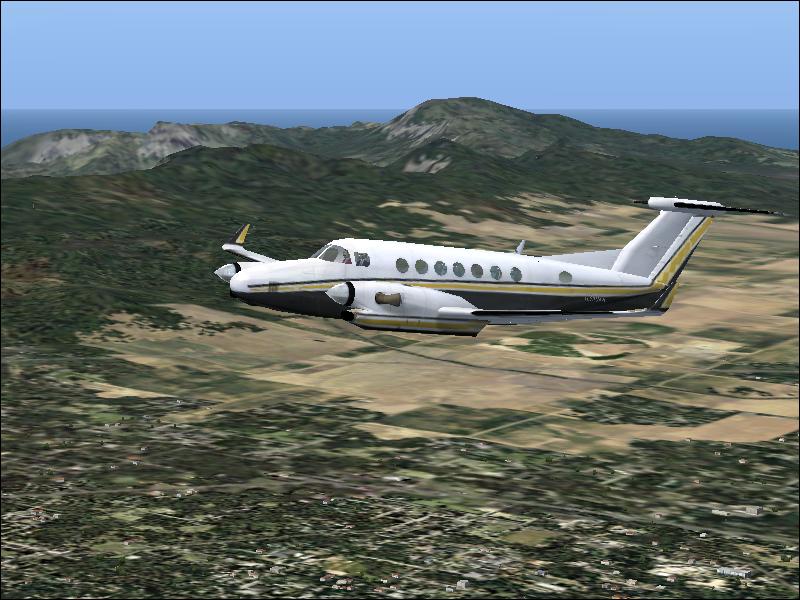
what do you think about this one i edited.
Image

Re: beginners screen shot

PostPosted: Fri Jan 12, 2007 8:45 pm
by Sytse
First of all, I think the composition of both shots is very nice.  :) Next time, all you have to do is set everything to the max in the graphics options to greatly enhance your shots. Don't worry about the frame rates. You can put the game on pause and still take screenshots.  ;)

Re: beginners screen shot

PostPosted: Sat Jan 13, 2007 12:40 am
by Travis
How exactly did you edit that shot?

Re: beginners screen shot

PostPosted: Sat Jan 13, 2007 5:55 am
by waspiflab
Think you need a graphics card ;D

Re: beginners screen shot

PostPosted: Sat Jan 13, 2007 12:43 pm
by MIKE JG
And I don't want to shatter the illustion you got a bargain but oldversions.com will get you an older version for free ...

PSP9 is in there and, just like PSP7, it is really good!


Sweeeeeeeet!!!!!!!! :o

Re: beginners screen shot

PostPosted: Sat Jun 02, 2007 10:50 am
by thunderbird5347
This is the future, you will post this soon and look back on the good 'ol days!!
Yeah, I've got E.S.P.(N)