Page 1 of 3

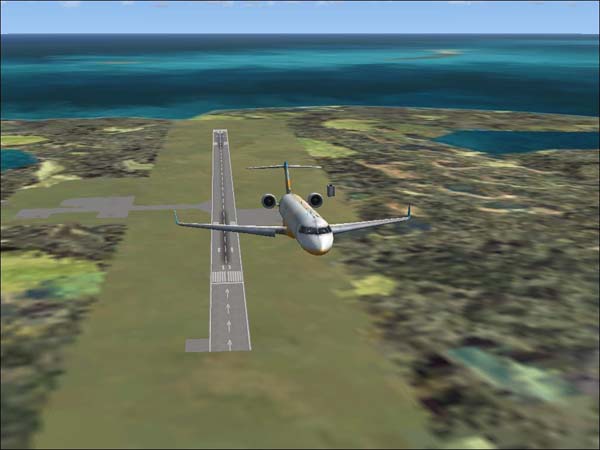
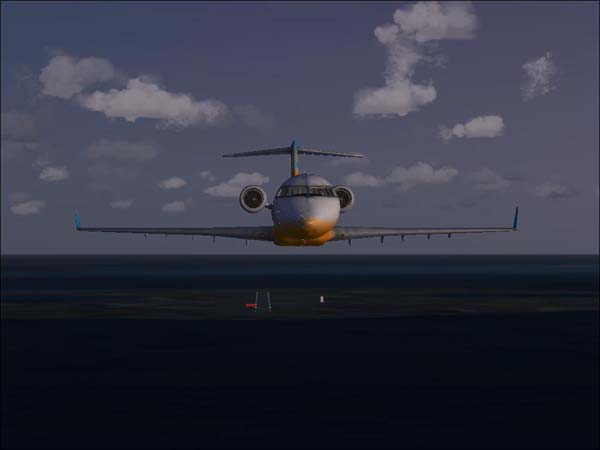
My first FSX Screens

PostPosted: Thu Nov 30, 2006 4:32 pm
by Scudrunner
Image

Image

Re: My first FSX Screens

PostPosted: Fri Dec 01, 2006 2:09 am
by haroldkip
Hi Mozilla44! Welcome to the V!

Those are not bad for a first post! But may I suggest to turn up the Anti Aliasing on you videocard a few notches?

Which videocard do you have?

Re: My first FSX Screens

PostPosted: Fri Dec 01, 2006 6:23 am
by Scudrunner
Hi Mozilla44! Welcome to the V!

Those are not bad for a first post! But may I suggest to turn up the Anti Aliasing on you videocard a few notches?

Which videocard do you have?


I have a VisionTek Radeon X1300 XGE. I surpass all the system requirements listed on the software but when I move any of the setting toward the right , the program gets jerky. Why is that?

Re: My first FSX Screens

PostPosted: Fri Dec 01, 2006 6:43 am
by haroldkip
That is probably because your system is not optimized for a resource sucker like Flight Simulator. You really need to optimize and tweak your system in order to get good graphics and a decent performance.

But if you max all (or a few) sliders to the right, FSX demands a lot of attention from your system. Your system needs to devide it's attention to a lot of other things, like services and other programs that you might have running in the background. It is best for a smooth sim that Windows gives most of it attention to the sim and not to anything else ;) It's basically the same as it is with women ;D

After months of experimenting I still feel like I have a lot to learn before I have fully optimized my system and I think I already make quite nice shots (like here and here).

I'm not saying that I'm an expert and I don't have FSX yet but lets see what I can do to help you along the way ...

It's mostly a mix of the right hardware drivers, Windows services that you might not need and Flight Sim settings ...

You already told us that you have an X1300 and while that is not a killercard, it will obviously handle FSX ... but what processor do you have and how much RAM is there in your machine?

Re: My first FSX Screens

PostPosted: Fri Dec 01, 2006 7:09 am
by Scudrunner
Athlon 64 3500+
2 gigs of ram.

No other programs running accept the McAfee security center. I never turn that off.

Re: My first FSX Screens

PostPosted: Fri Dec 01, 2006 7:35 am
by haroldkip
No other programs running

Wanna bet? ;)

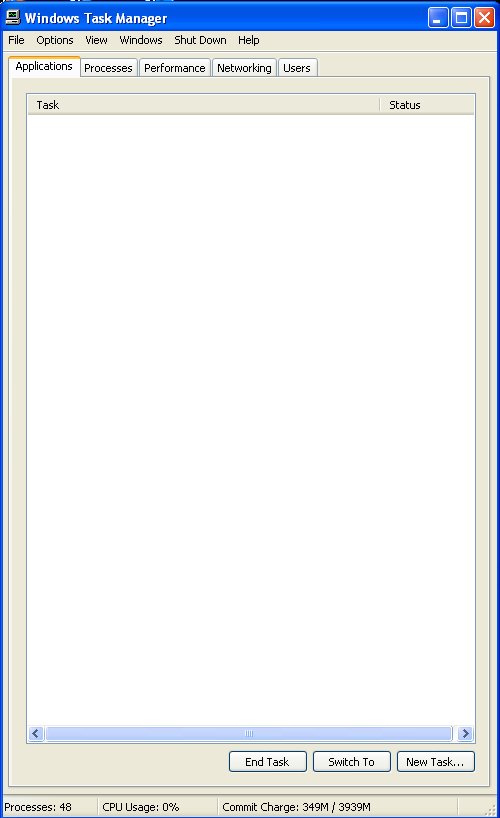
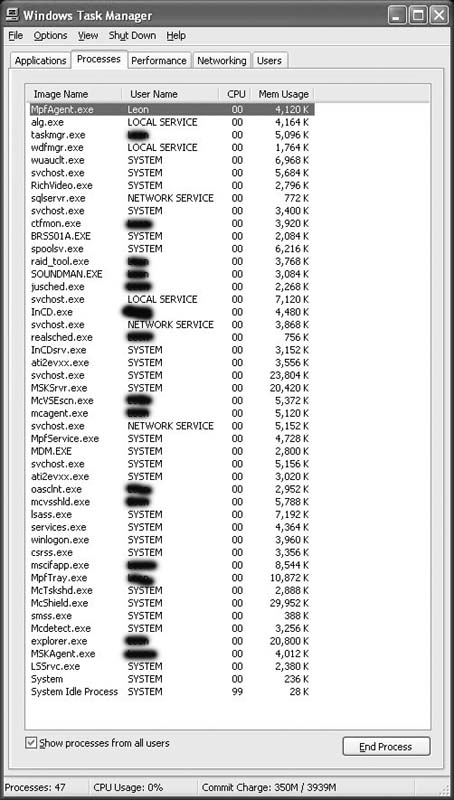
Try this: rightclick on your blue windows bar and select 'taskmanager'. Take a screenshot of it and send it to me ...
Re: My first FSX Screens

PostPosted: Fri Dec 01, 2006 9:21 am
by Clipper
Welcome Mozilla. Great to see a new face at the V. I'm sure you'll find everything (one) you need to help you out in your screenshot taking skills. I see Harold is helping you out already...you're in good hands.. :)

Re: My first FSX Screens

PostPosted: Fri Dec 01, 2006 5:37 pm
by Scudrunner
Wanna bet? ;)

Try this: rightclick on your blue windows bar and select 'taskmanager'. Take a screenshot of it and send it to me ...


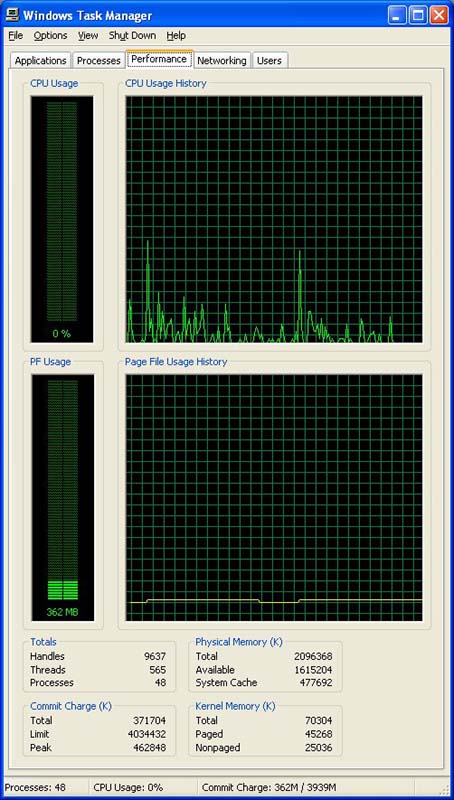
Image  Image  Image

Re: My first FSX Screens

PostPosted: Fri Dec 01, 2006 5:40 pm
by cheesegrater

Image  Image  Image


LOL

You're running a billion programs.

Re: My first FSX Screens

PostPosted: Fri Dec 01, 2006 6:27 pm
by Scudrunner
A billion programs or processes? The items with system beside them, I can't turn off because the nothing works right afterward. I have tried turning off the other processes with my name beside them and that also screws up the computer.  The only actual program running besides windows is the McAfee Security center. All that other stuff starts when I start windows and turning it off severly messes up the computer.

So what do I do?

Re: My first FSX Screens

PostPosted: Fri Dec 01, 2006 6:40 pm
by flyboy 28
Processes. That's what makes your PC run slower.

That and spyware. ::)

Re: My first FSX Screens

PostPosted: Sat Dec 02, 2006 12:34 am
by ctjoyce
You can close

ctfmon.exe
RichVideo.exe
jushed.exe
LSSrvc.exe
InCD.exe
InCDsrv.exe
Realshed.exe
mpftray.exe

And which HP and Brother printer do you have? Amazing what I can find out about your setup just by your task manager.

Also the reason your frames suck is due to your sever lack of graphics processing power. A $120 7600GT from nVidia or a $280 7950GT from nVidia will offer the results you want. If you want to stick with ATi you could go with the X1650Pro or the X1950XT

Cheers
Cameron

Re: My first FSX Screens

PostPosted: Sat Dec 02, 2006 8:05 am
by Scudrunner
Never had an HP printer. I don't like HP stuff.  I do have a Brother HL 2600CN color laser printer and an Epson 880 inkjet.

I will try closing those items you mentioned and give it a shot.

Don't have any more money to invest in hardware right now so I will just have to live with the video card that I have. In the future, I am thinking about getting a Mac. I am getting tired of Windows hinky performance. Windows looks good but when you get more than about 5 programs installed on you system and started getting a bunch of shared files, Windows gets Hinky. Even if you only open one program at a time. It also seems that windows has a hard time freeing up memory after you close a program. Every one that I know who has a Mac really likes them and they say they don't have the problems like that.

thanks Cameron...

PS:To the person who mentioned spyware.  I don't think I have any spyware. I just updated and ran Spybot-search and destroy about 3 days ago. I usually do that about once a week.

Re: My first FSX Screens

PostPosted: Sat Dec 02, 2006 2:19 pm
by Scudrunner
You can close

ctfmon.exe
RichVideo.exe
jushed.exe
LSSrvc.exe
InCD.exe
InCDsrv.exe
Realshed.exe
mpftray.exe

And which HP and Brother printer do you have? Amazing what I can find out about your setup just by your task manager.

Also the reason your frames suck is due to your sever lack of graphics processing power. A $120 7600GT from nVidia or a $280 7950GT from nVidia will offer the results you want. If you want to stick with ATi you could go with the X1650Pro or the X1950XT

Cheers
Cameron


I turned the 8 item above off and the computer locked up. Had to restart with reset button.

Re: My first FSX Screens

PostPosted: Sat Dec 02, 2006 2:59 pm
by MOUSY
Closing processes in the Task Manager is a matter of experimenting, since every computer is set up in a different way. On average I can safely say that XP needs no more than 30 ESSENTIAL processes running at any one time. (Yes I have done my research on many different PC set ups.) Now just looking at your processes I counted about 21 that in my opinion are not XP essential even though they are categorized as SYSTEM. This leaves you with about 26 processes (counting McAffee). There may be more that the system will not allow you to close and some that will shutdown your system if you do. There are also double instances of some processes. So in your case you can surely get your process count down to at LEAST 35... safely... 47 is way to much. The worst that could occur is a lock up or automatic shutdown. Nothing that'll make ur processor blow up. Next time you'll just know what you should and shouldn't terminate.

Your commit charge is also about 350MB. That could be reduced to about 250MBs of virtual memory. By the time I'm done shutting off services, and unneccesary processes I use approx. 190MBs and nothing more than 2% of CPU time.

Running FS at a HIGH process priority also helps, though some advise against it. Don't know how true that is but some say it may choke the rest of the system and do more harm to frames than good.

One good program to use is FSAutostart... (could someone please provide him with a link?) You can set it to close any given process or service (like themes for ex. It only serves to beautify windows), defragment memory and restart them when your done.

Hope this looonngg post helped.