Page 1 of 1
P-38

Posted:
Mon Jul 31, 2006 5:17 pmby Immelman
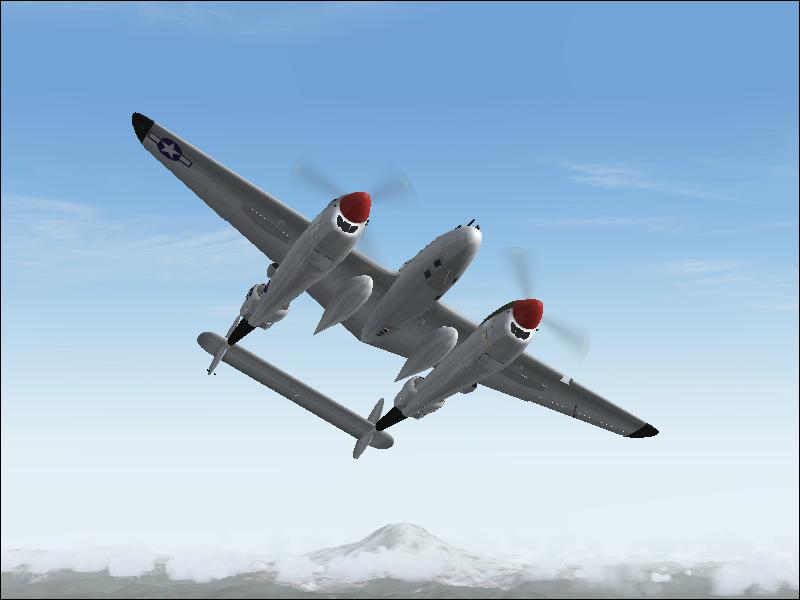
Comments and suggestions apreciated.
Re: P-38
Posted:
Mon Jul 31, 2006 5:30 pmby krigl
Fine shot. Turn up the anti aliasing on your video card and then turn it off in the game...Either make the backdrop more interesting with clouds or scenery, or make the plane bigger. Check out other posts in here for ideas....cheers, Krigl
Re: P-38
Posted:
Thu Aug 03, 2006 11:08 amby Immelman
how do i turn on anti alias on my video card?
Re: P-38
Posted:
Thu Aug 03, 2006 11:27 amby Foxtrot Sport
Depending on the card you have, usually you can access it by right click anywhere on the desktop, then clicking properties. From there, click the Settings tab, and then click "Advanced" in the lower right. From there it all changes depending on the card, but you're looking for a slider for Antriscopic Filtering and Anti-Aliasing and such, which should be under "Options" or in my case "SMARTGART". Just look around until you find it.
Re: P-38
Posted:
Fri Aug 04, 2006 1:00 pmby Immelman
I found the "advanced" button but in that menu i dont see anything for anti aliasing. does anyone know how to do this on a Radeon X300 SE 128MB HyperMemory card?
Re: P-38
Posted:
Fri Aug 04, 2006 1:52 pmby masmith
Nice setting but you could of done with some AA
Re: P-38
Posted:
Sat Aug 05, 2006 6:26 amby haroldkip
I found the "advanced" button but in that menu i dont see anything for anti aliasing.
does anyone know how to do this on a Radeon X300 SE 128MB HyperMemory card?
You might want to check with the team in the
"Hardware & Software" section of the forum.
They generally have pretty good advise and already helped me out a couple of times.