Frnchy444's Rejects
 Posted: Tue May 16, 2006 2:02 pm
The title says it all really...
.jpg)
.jpg)
.jpg)
.jpg)
.jpg)
It was really between my entry and this one:
.jpg)
Comments and critisism welcome :D
It was really between my entry and this one:
Comments and critisism welcome :D
Flight Simulator and other chat
https://forums.simviation.com/phpBB3/
https://forums.simviation.com/phpBB3/viewtopic.php?f=42&t=138716
Posted: Tue May 16, 2006 2:02 pmPosted: Tue May 16, 2006 10:47 pmPosted: Wed May 17, 2006 11:40 amPosted: Wed May 17, 2006 11:41 am Hey, if you allow me to critisism (in order to pefect your screenshot! ;) ) that we don't see very well your plane and the action you want to shot. for example we don't see very well the soldier jumping out off the plane in the 3rd. That in general the pb with screenshot taken in the night. You can trying to take your shot with the moon in the back. Like this your action will be more contarst, and more luminous.
 Posted: Wed May 17, 2006 11:42 amPosted: Wed May 17, 2006 1:21 pmPosted: Wed May 17, 2006 5:54 pm
Like #3 except for the fact that the parachutist is above the craft...
and the last looks real cool... where did that blue light come from?
Posted: Thu May 18, 2006 1:31 am I don't think that the compression don't make aliasing on screeshot. For example look this screen taken by a friend (arrow), there is no aliasing and the weight of the screen is like yours +/- 75ko.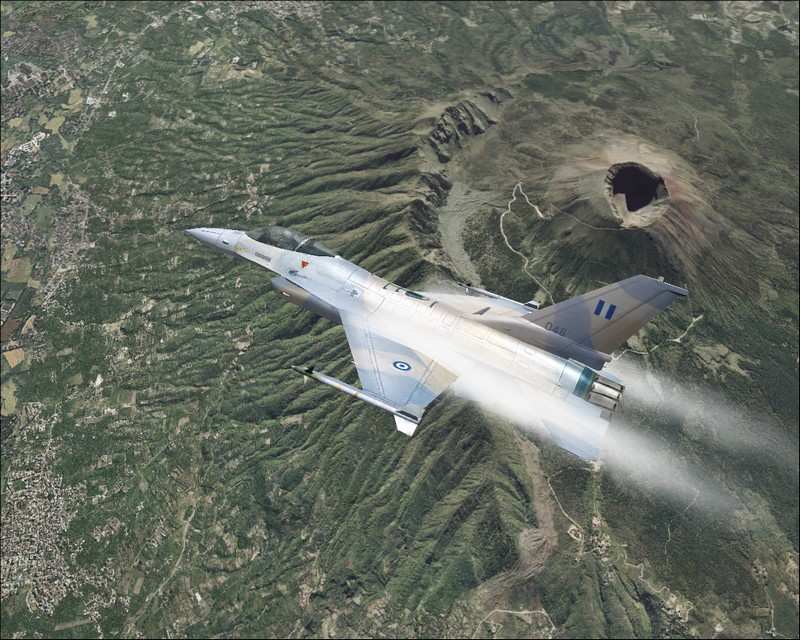
 Posted: Thu May 18, 2006 5:54 amPosted: Thu May 18, 2006 6:37 amPosted: Thu May 18, 2006 7:07 am the AA in fs is not very good. So you must unactive it, in fs9. then you go in ypur office, and in the right down corner you will have ati/nvidia symbol. It here that you select AA the anisotropic filter. That like this for an ati X300, and an 6800. good luck