
Screenshots

Flight Simulation Screenshots displaying your Flight Simulation Experience. MSFS, FSX, Prepar3D, XPlane and other Flight Simulators. Focus is your Flight Simulator Experience. Please upload to Simviation (Button at top right)

Screenshots

Postby willflyforfun » Fri Apr 01, 2005 3:48 pm

Hey there just joined and you might think to yourself that I am a total idiot for asking this question. How do you get those awesome screen shots like "YUREI" 's ???  
willflyforfun
Ground hog
Ground hog
 
Posts: 11
Joined: Fri Apr 01, 2005 4:32 pm
Location: Moscow,russia

Re: Screenshots

Postby Souichiro » Fri Apr 01, 2005 3:57 pm

Steal his brain ;D

I think it's a Combo of settings/Hard work/Fs skyworld/And a bit of luck However you should ask him ;)
Image
User avatar
Souichiro
Ground hog
Ground hog
 
Posts: 0
Joined: Tue Aug 28, 2007 11:34 am

Re: Screenshots

Postby Scottler » Fri Apr 01, 2005 3:59 pm

Short answer:  It's not a "chanced" shot, usually.  Just like any good piece of art, you've got to set everything up exactly how you want it and then just go from there.

I know when I do a shot, I never, ever, ever use a shot that photographers call a candid.  Mine are very meticulously choreographed.  Of course, I don't win, either, so pay me no attention.
Great edit, Bob.


Google it.

www.google.com
Scottler
Lieutenant Colonel
Lieutenant Colonel
 
Posts: 5011
Joined: Mon Jun 16, 2003 10:40 am
Location: Albany, New York USA

Re: Screenshots

Postby Omag 2.0 » Fri Apr 01, 2005 4:11 pm

Hi Willflyforfun! That's no stupid question! It's the first step to become a screenshot master! It takes a lot of tweaking to get the best out of fs9 on your particular PC, then look for special set ups, angles, scenery, weather, ...

Take lots of shots Will, and you're bound for some awsome work!

Don't feel ashamed to ask questions. We're here to help!

Cheers,


Omag
[center]
Image

Check my aviation-photo's at www.airliners.be

Or go straight to Omag's Album[/cent
User avatar
Omag 2.0
Lieutenant Colonel
Lieutenant Colonel
 
Posts: 9490
Joined: Tue Aug 05, 2003 6:43 am
Location: Somewhere, Belgium

Re: Screenshots

Postby Scottler » Fri Apr 01, 2005 4:15 pm

Also don't be afraid to max your sliders out!  You're taking a STILL shot, so you don't need to worry about FPS so you can slide everything way up if you're paused.

Personally, I like odd angles that I've never seen before.  But you'll have your own style.  

Welcome to the madness!
Great edit, Bob.


Google it.

www.google.com
Scottler
Lieutenant Colonel
Lieutenant Colonel
 
Posts: 5011
Joined: Mon Jun 16, 2003 10:40 am
Location: Albany, New York USA

Re: Screenshots

Postby Souichiro » Fri Apr 01, 2005 4:19 pm

This is gonna eat a lot of your time ;D

Welcome indeed to the madness which is simviation!

Don't hesitate to ask questions!!

And post some shots it's good to see new work and it gives us chances to give you tips ;D
Image
User avatar
Souichiro
Ground hog
Ground hog
 
Posts: 0
Joined: Tue Aug 28, 2007 11:34 am

Re: Screenshots

Postby Clipper » Fri Apr 01, 2005 8:26 pm

Focus on showing the aircraft. Close ups usually attract the most attention. Try to get an "in your face" perspective. Leave the "painted scenery" look to the artists. Aircraft, aircraft, aircraft. Go to the "Screenshot Hall of Fame", you'll get a good idea of what constitutes a popular shot. Failing that, look up all of Lemoncat's previous screenshots. He's as good as it gets...period.
Last edited by Clipper on Fri Apr 01, 2005 8:29 pm, edited 1 time in total.
Image
User avatar
Clipper
Global Moderator
Global Moderator
 
Posts: 8420
Joined: Tue Aug 23, 2005 5:40 am

Re: Screenshots

Postby A/SGT.Mav316 » Fri Apr 01, 2005 9:28 pm
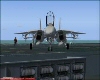
Most of the amazing screenshots taking involve perfect timing on the screenshot key!

Here a few tips.

Try some freeware land, tree, and water textures to enhance the appearance of Fs9 on you machine! (If it can handle it  ;))

Secondly most people take some real stunning shots during the Dawn hour of the day. The sun rising from across the horizon add some real drama to a screenshot.

Third pick an aircraft that has reflective surface to take advantage of the glare of the sunlight!

Lots of things go into making great screenshots! But these are some of the really minor details. The best thing to remember is make sure the pic looks real sharp and clear! Make everyone look at the pic and question if it is really a screenshot and not a real photo!
Its only in your mind, strong mind, strong soul and nobody can take that from you!
User avatar
A/SGT.Mav316
Major
Major
 
Posts: 1325
Joined: Sun Feb 02, 2003 12:31 am
Location: New York City

Re: Screenshots

Postby Falcon500 » Fri Apr 01, 2005 11:33 pm
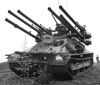
i just started and ive got some cool shots. if you want some tips for CFS2 have it at (Dusk)have clouds and or rain lightining i great to. its nice to have the sun at your back and uneven terrain or varied terrain behind your "subject". and try to keep your fingers on the right keys
What do I do you ask? I struggle! Then destroy! Then try to put back together what I just broke on accident.....


                       The GMax effect[img]http://ww
User avatar
Falcon500
Major
Major
 
Posts: 1021
Joined: Tue Mar 22, 2005 11:00 pm
Location: Northern Michigan, USA

Re: Screenshots

Postby Souichiro » Sat Apr 02, 2005 3:37 am

Things that help are

fs2004 water enhancement pack By bill Lyons

http://www.simviation.com/fs2004scenery4.htm

The global terrain mesh

http://www.simviation.com/fsdterrainsrtm.htm

And last but not least Fs sky world 2004 which can be found on avsim.

Other things that help are dusk and dawn as you might have heard but also weather conditions. Lik for instance If you want to show that you're going fast put your plane in the rain. And ow yeah don't forget to turn fsscreen on or you'll miss great shots! believe me I know :(
Image
User avatar
Souichiro
Ground hog
Ground hog
 
Posts: 0
Joined: Tue Aug 28, 2007 11:34 am


Return to Simulation Screenshots Showcase

Who is online

Users browsing this forum: No registered users and 638 guests



