
Tu-114

Flight Simulation Screenshots displaying your Flight Simulation Experience. MSFS, FSX, Prepar3D, XPlane and other Flight Simulators. Focus is your Flight Simulator Experience. Please upload to Simviation (Button at top right)

Tu-114

Postby Elwood » Thu Aug 21, 2008 12:23 pm

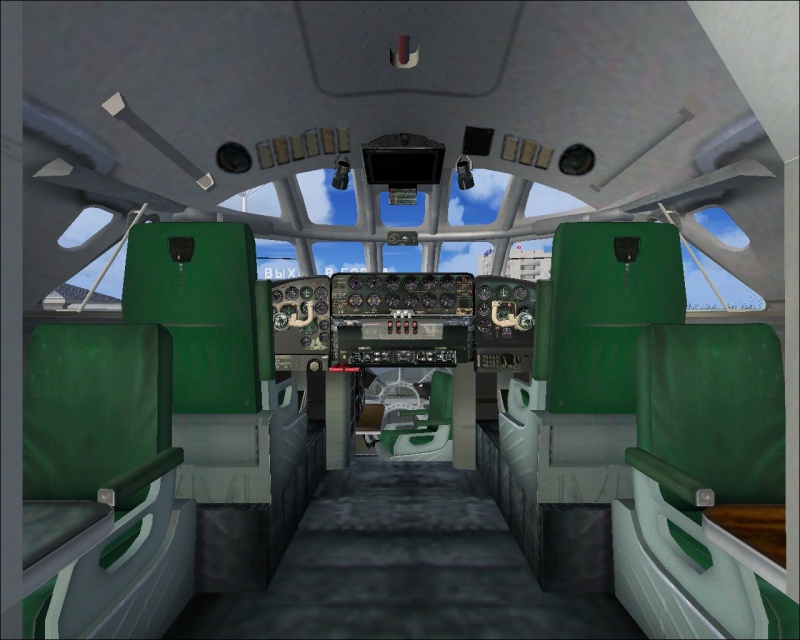
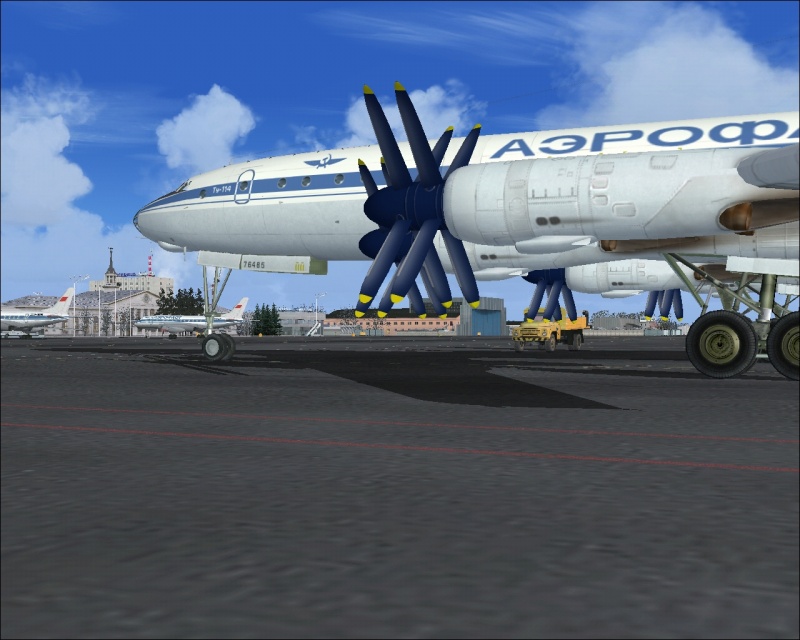
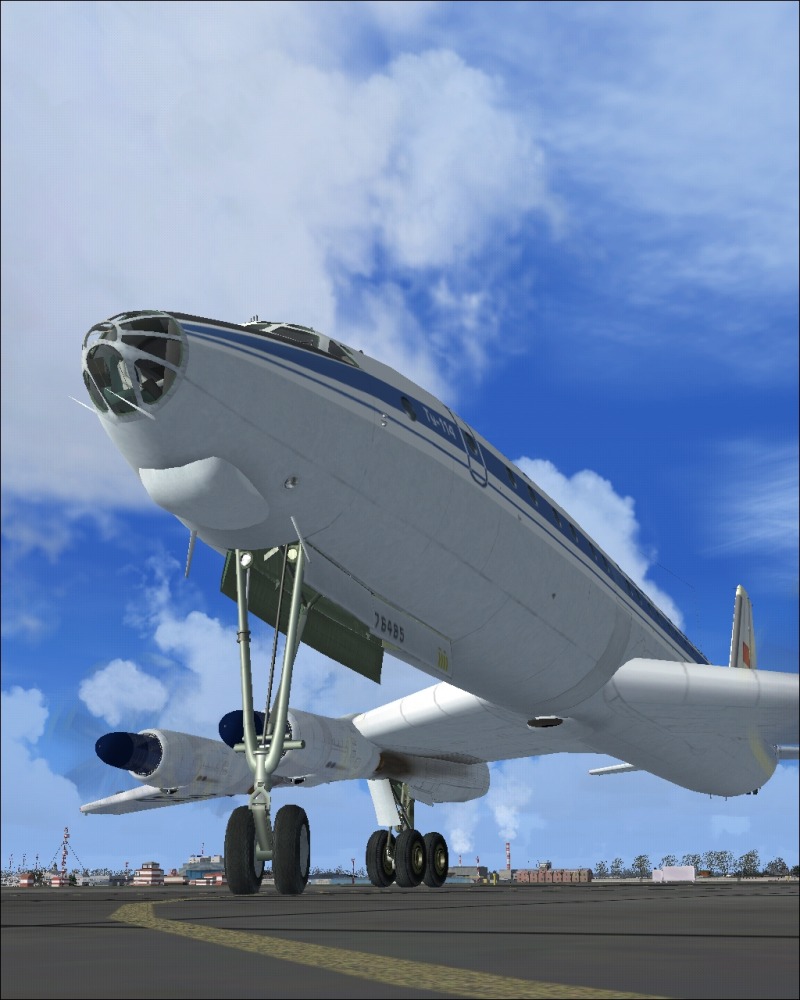
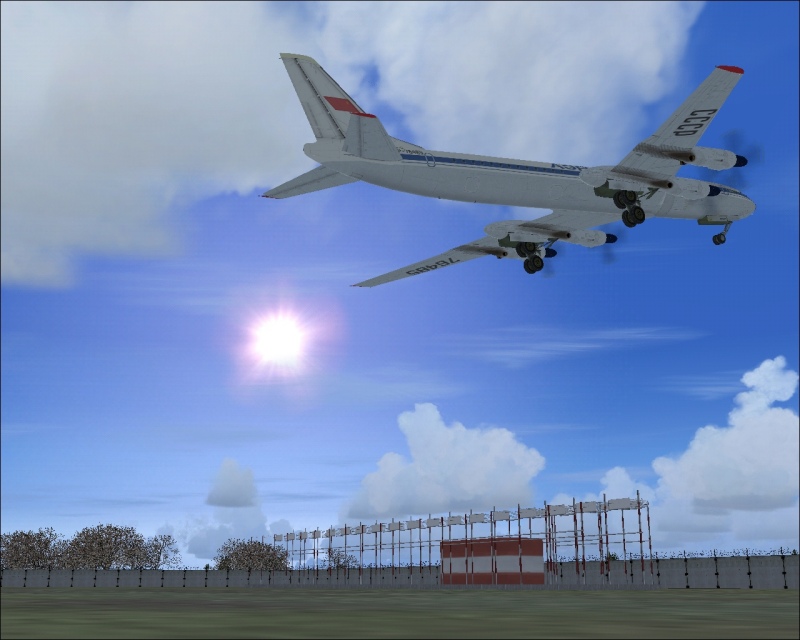
Tu-114 @ USSS:

Image

Image

Image

Image
Last edited by Elwood on Thu Aug 21, 2008 12:24 pm, edited 1 time in total.
Image
User avatar
Elwood
2nd Lieutenant
2nd Lieutenant
 
Posts: 247
Joined: Wed Jul 04, 2007 5:41 am
Location: Dortmund, Germany

Re: Tu-114

Postby ShaneG_old » Thu Aug 21, 2008 3:05 pm

That thing is a beast! :o Nice shots! Got a link? 8-)
Last edited by ShaneG_old on Thu Aug 21, 2008 3:05 pm, edited 1 time in total.
ShaneG_old
Lieutenant Colonel
Lieutenant Colonel
 
Posts: 9700
Joined: Tue Mar 11, 2008 11:52 am

Re: Tu-114

Postby todayshorse » Thu Aug 21, 2008 3:12 pm

Elwood! Your back! Or is it me thats been away?

Anyway, great shots , as always :D
Image
User avatar
todayshorse
Major
Major
 
Posts: 2808
Joined: Fri Mar 28, 2008 5:10 pm
Location: England

Re: Tu-114

Postby Sean_TK » Thu Aug 21, 2008 9:08 pm

Nice shots of some classic Soviet metal!
:)

Keep them coming!
Image
User avatar
Sean_TK
Major
Major
 
Posts: 1590
Joined: Mon Jan 14, 2008 3:30 pm
Location: USA

Re: Tu-114

Postby Elwood » Fri Aug 22, 2008 3:38 am

Thanks  :)

Here's the link
Last edited by Elwood on Fri Aug 22, 2008 3:39 am, edited 1 time in total.
Image
User avatar
Elwood
2nd Lieutenant
2nd Lieutenant
 
Posts: 247
Joined: Wed Jul 04, 2007 5:41 am
Location: Dortmund, Germany

Re: Tu-114

Postby ShaneG_old » Fri Aug 22, 2008 4:17 am

They've got some pretty nice Soviet planes for download! 8-)
ShaneG_old
Lieutenant Colonel
Lieutenant Colonel
 
Posts: 9700
Joined: Tue Mar 11, 2008 11:52 am

Re: Tu-114

Postby skysurfer2010 » Sat Aug 23, 2008 5:20 pm

I downloaded and tried getting this set up in FSX. Is there a way to get it to work in FSX? I uploaded the file into Simobjects/airplanes. The manufacturer name comes up under the "select aircraft" in the sim, but nothing is there. Any help?
User avatar
skysurfer2010
2nd Lieutenant
2nd Lieutenant
 
Posts: 99
Joined: Mon Dec 26, 2005 7:14 pm
Location: NJ

Re: Tu-114

Postby ShaneG_old » Sun Aug 24, 2008 6:04 am

I downloaded and tried getting this set up in FSX. Is there a way to get it to work in FSX? I uploaded the file into Simobjects/airplanes. The manufacturer name comes up under the "select aircraft" in the sim, but nothing is there. Any help?


They're for FS9 only I belive. ;) :(
ShaneG_old
Lieutenant Colonel
Lieutenant Colonel
 
Posts: 9700
Joined: Tue Mar 11, 2008 11:52 am

Re: Tu-114

Postby Ivan » Sun Aug 24, 2008 11:01 am

I downloaded and tried getting this set up in FSX. Is there a way to get it to work in FSX? I uploaded the file into Simobjects/airplanes. The manufacturer name comes up under the "select aircraft" in the sim, but nothing is there. Any help?

'Made in Russia'... so dont think about getting it to run in FSX as it wont. The model maybe, the panel never

Russian planes: IL-76 (all standard length ones),  Tu-154 and Il-62, Tu-134 and [url=http://an24.uw.hu/]An-24RV[/ur
Ivan
Lieutenant Colonel
Lieutenant Colonel
 
Posts: 5805
Joined: Sun Apr 13, 2003 8:18 am
Location: The netherlands

Re: Tu-114

Postby Hagar » Sun Aug 24, 2008 11:15 am

I downloaded and tried getting this set up in FSX. Is there a way to get it to work in FSX? I uploaded the file into Simobjects/airplanes. The manufacturer name comes up under the "select aircraft" in the sim, but nothing is there. Any help?

'Made in Russia'... so dont think about getting it to run in FSX as it wont. The model maybe, the panel never

Perhaps you gave up too soon skysurfer.  It takes a while to load but it works fine in the FSX Demo on my old PC. (I expect it would take just as long to load in FS9.) That includes the VC & gauges. I haven't tried the 2D panel but see no reason why that wouldn't work too.  Might have problems with SP2 but the only way to find out is to try it.
Last edited by Hagar on Sun Aug 24, 2008 11:16 am, edited 1 time in total.
Image

Founder & Sole Member - Grumpy's Over the Hill Club for Veteran Virtual Aviators
Member of the Fox Four Group
My Google Photos albums
My Flickr albums
User avatar
Hagar
Colonel
Colonel
 
Posts: 30869
Joined: Wed Jun 19, 2002 7:15 am
Location: Costa Geriatrica

Re: Tu-114

Postby skysurfer2010 » Sun Aug 24, 2008 3:21 pm

Well I got the model to work. It doesn't come up in the select aircraft unless you choose the manufacturer. Even then no picture comes up. The panel doesn't really work either. The instruments show up, but the panel is see through. I'll keep trying to get it to work!
User avatar
skysurfer2010
2nd Lieutenant
2nd Lieutenant
 
Posts: 99
Joined: Mon Dec 26, 2005 7:14 pm
Location: NJ

Re: Tu-114

Postby Hagar » Sun Aug 24, 2008 3:28 pm

Well I got the model to work. It doesn't come up in the select aircraft unless you choose the manufacturer. Even then no picture comes up. The panel doesn't really work either. The instruments show up, but the panel is see through. I'll keep trying to get it to work!

It's an FS2004 aircraft. There won't be a picture on the FSX selection menu unless you add a shot named thumbnail.jpg to the Texture folder.

I tried the 2D panel & it flickers so Ivan might have been correct on that score. The VC is excellent so you shouldn't need a 2D panel anyway. Whether it works for you depends on your system & which version of FSX you're using.
Last edited by Hagar on Sun Aug 24, 2008 3:30 pm, edited 1 time in total.
Image

Founder & Sole Member - Grumpy's Over the Hill Club for Veteran Virtual Aviators
Member of the Fox Four Group
My Google Photos albums
My Flickr albums
User avatar
Hagar
Colonel
Colonel
 
Posts: 30869
Joined: Wed Jun 19, 2002 7:15 am
Location: Costa Geriatrica

Re: Tu-114

Postby skysurfer2010 » Sun Aug 24, 2008 4:06 pm

Thanks for the thumbnail info!

I'm not seeing any VC cockpit. I have FSX Deluxe and acceleration. I'm running an 8800GT, Q6600, 2gb ram, and Vista.
User avatar
skysurfer2010
2nd Lieutenant
2nd Lieutenant
 
Posts: 99
Joined: Mon Dec 26, 2005 7:14 pm
Location: NJ

Re: Tu-114

Postby Hagar » Sun Aug 24, 2008 4:18 pm

Thanks for the thumbnail info!

I'm not seeing any VC cockpit.

For the VC try pressing F9. F10 will bring up the 2D panel view. I see what Ivan means as the VC gauges aren't clickable but the pop-up windows should work.

I have FSX Deluxe and acceleration. I'm running an 8800GT, Q6600, 2gb ram, and Vista.

A lot of FS2004 aircraft are apparently not fully compatible with SP2/Acceleration so this might not work for you.
Image

Founder & Sole Member - Grumpy's Over the Hill Club for Veteran Virtual Aviators
Member of the Fox Four Group
My Google Photos albums
My Flickr albums
User avatar
Hagar
Colonel
Colonel
 
Posts: 30869
Joined: Wed Jun 19, 2002 7:15 am
Location: Costa Geriatrica

Re: Tu-114

Postby skysurfer2010 » Sun Aug 24, 2008 4:22 pm

It's not a huge deal. I tend to fly around on spot view anyway. I spend enough time at work in the cockpit! Thanks for the help.
User avatar
skysurfer2010
2nd Lieutenant
2nd Lieutenant
 
Posts: 99
Joined: Mon Dec 26, 2005 7:14 pm
Location: NJ


Return to Simulation Screenshots Showcase

Who is online

Users browsing this forum: No registered users and 466 guests